Quadnet Control Panel Engineering and Commissioning Manual
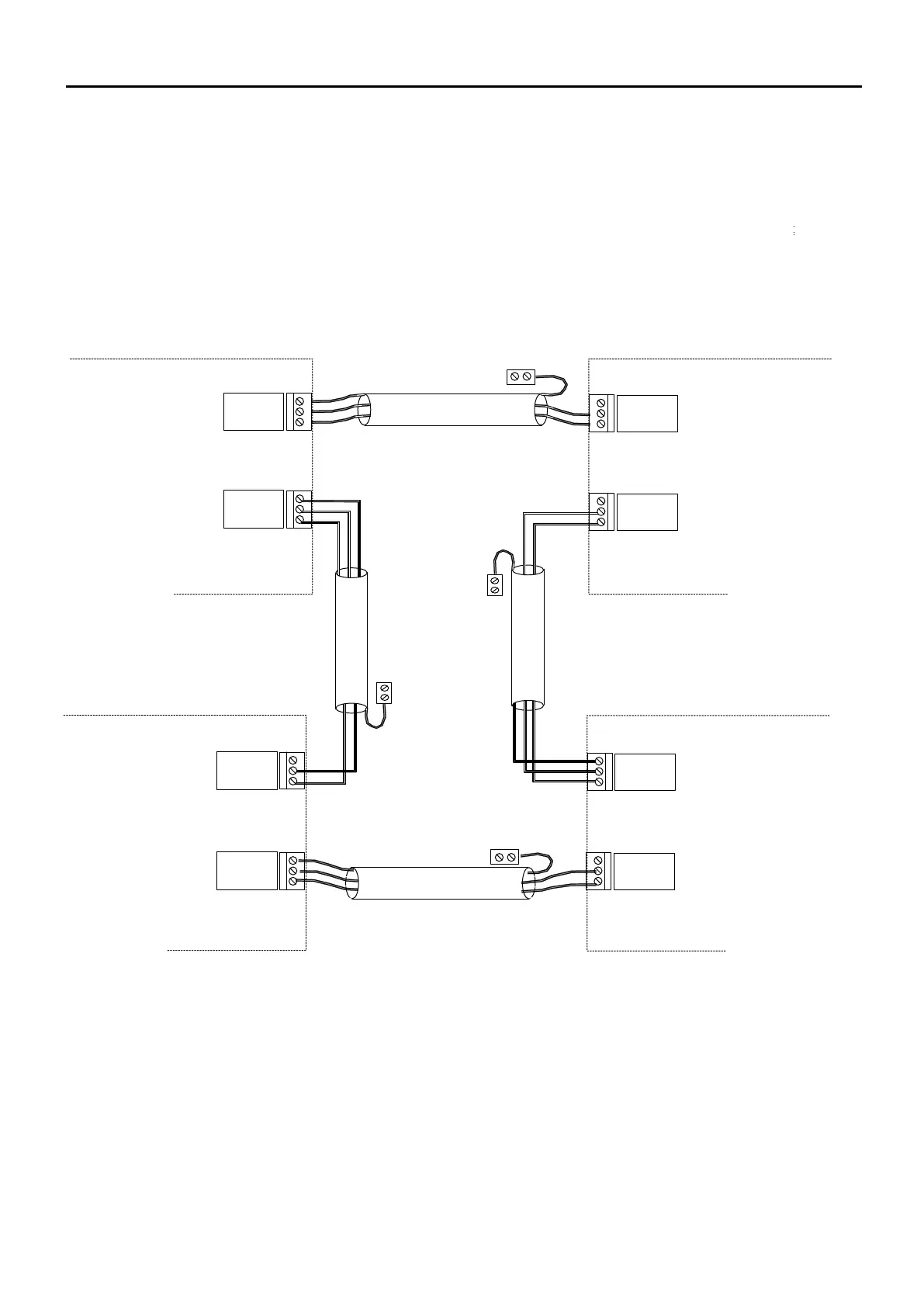
All network cables should be 2-core 1.5mm
2
screened and fire-rated. The cable screen must be connected to the
control panel (using the SCRN terminal provided, not at any earthing point) at one end only using the terminals
provided. Terminate the unused end in a connector block as shown below.
The 2 Network Ports (NET1-2) may be connected in any sequence between panels. Note your network connections
for future reference whilst installing them,
Eg. Panel 001, Network Port 1 connected to Panel 004 Network Port 2
Note: Terminal blocks shown below where the screen is not connected to the panel are fitted to prevent the
screen from shorting or touching other circuits.
PANEL 001
PANEL 004
SCRN
B
A
NET2
PANEL
002
PANEL 003
SCRN
B
A
NET
1
SCRN
B
A
NET2
SCRN
B
A
NET1
SCRN
B
A
NET2
SCRN
B
A
NET1
SCRN
B
A
NET2
SCRN
B
A
NET1



 To Next Page