Quadnet Control Panel Engineering and Commissioning Manual
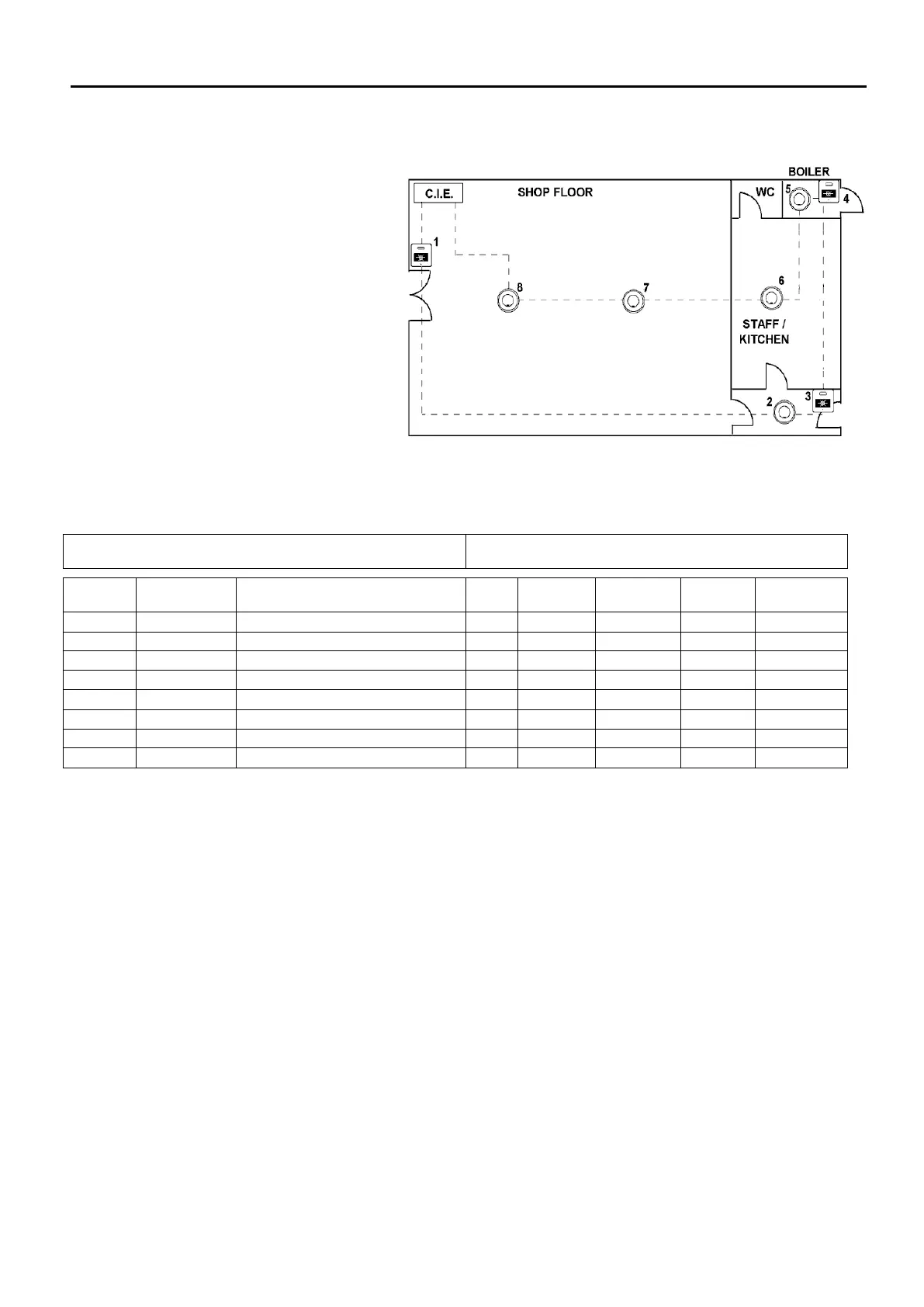
Configuration Example
From your ‘As-W
device addresses can be assigned,
starting from circuit end 1.
From this the device attributes may
be filled out on the configuration
sheets, as shown in the following
example:
Control Panel No.: 01
Description: West Wing
Loop No.: 1
Description: Ground Floor
DEVICE DESCRIPTION (24
CHARACTERS MAX)
Shop Floor: Main Entrance
These details may then be entered into the Quadnet OSP programming software in order to program the
operation of the system.
End User Training
A Fire Alarm System is of little use if the end user and/or the responsible persons who will be present in the
building do not know how to operate and respond to the system. It is therefore essential that commissioning
includes training for the users of the system and responsible persons.
User instructions and a Zone Chart should be left adjacent to the control panel. As access to the system
must be controlled by responsible persons, it would be unusual to display the access codes on this notice.
These codes must however be available for the responsible persons, so ensure that they are notified
correctly.
The Quadnet User Guide should be explained and left with the responsible person on site, for storage in an
accessible and known location, in order that the responsible person and the service engineer may keep
information records up to date.



 To Next Page