Advanced Features
This section describes several advanced features available within the FILMeasure 6 software. This
includes a description of the Fast Fourier Transform Thickness solver, as well as how to create and
edit n and k files.
Fast Fourier Transform Thickness Only Mode
Creating and Editing n and k Files
Fast Fourier Transform Thickness Only Mode (FFT
mode)
The FFT mode tends to be more robust when measuring very thick films or thick multi-layer
stacks, where the total thickness is greater than 5 microns.
To activate FFT mode, select the select FFT (Thickness Only) button located on the Analysis
Options > Analysis Method tab in the Edit Recipe box.
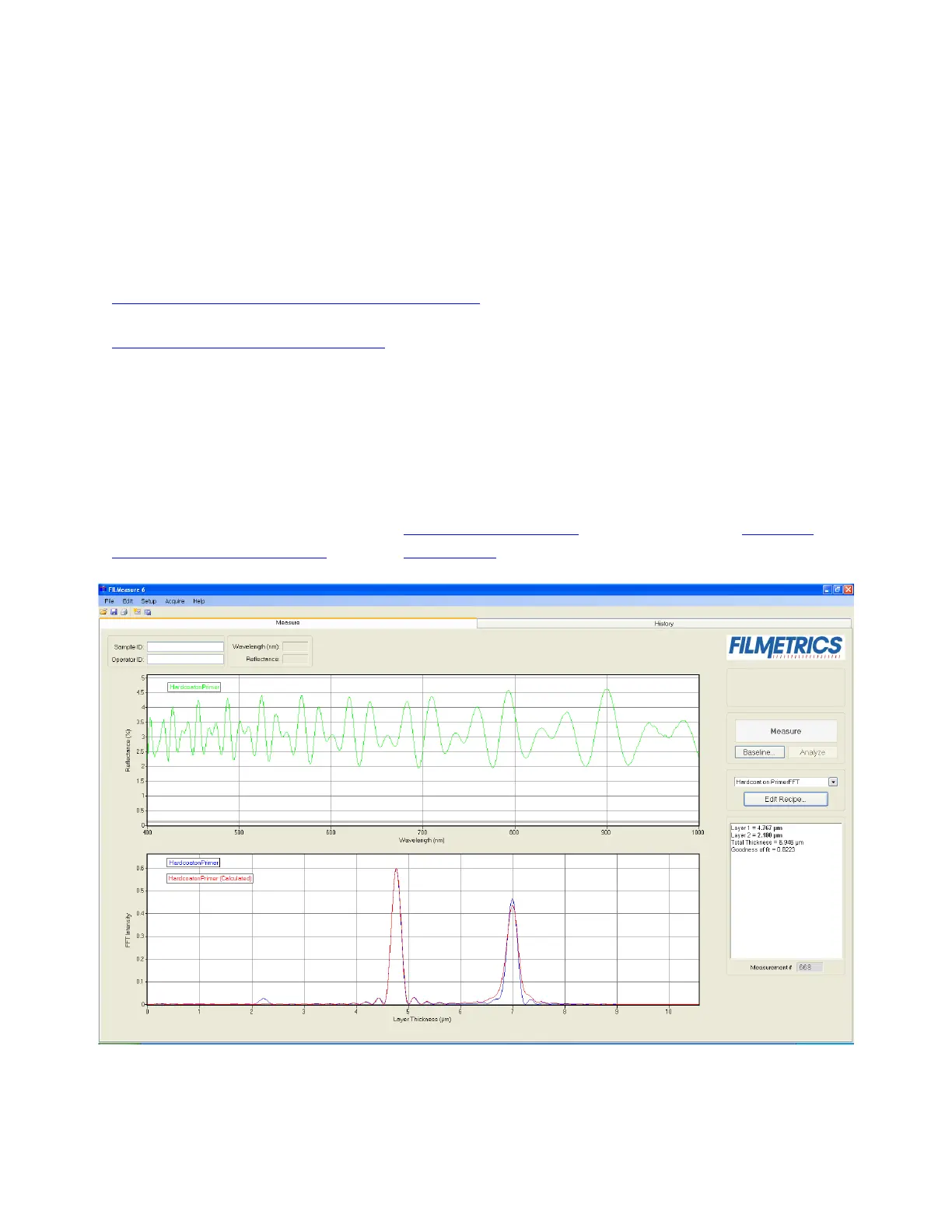
The Measure Tab shows a split screen with the measured spectrum on the top graph and the FFT spectrum on
the bottom graph.


 To Next Page