EasyManua.ls Logo

Finn MBH6 - Dust Suppression

Finn MBH6
133 pages
Print Icon
To Next Page IconTo Next Page
To Previous Page IconTo Previous Page
Loading...
33
CONTROL PANEL GUIDE AND SYSTEM OPERATION (CONTINUED)
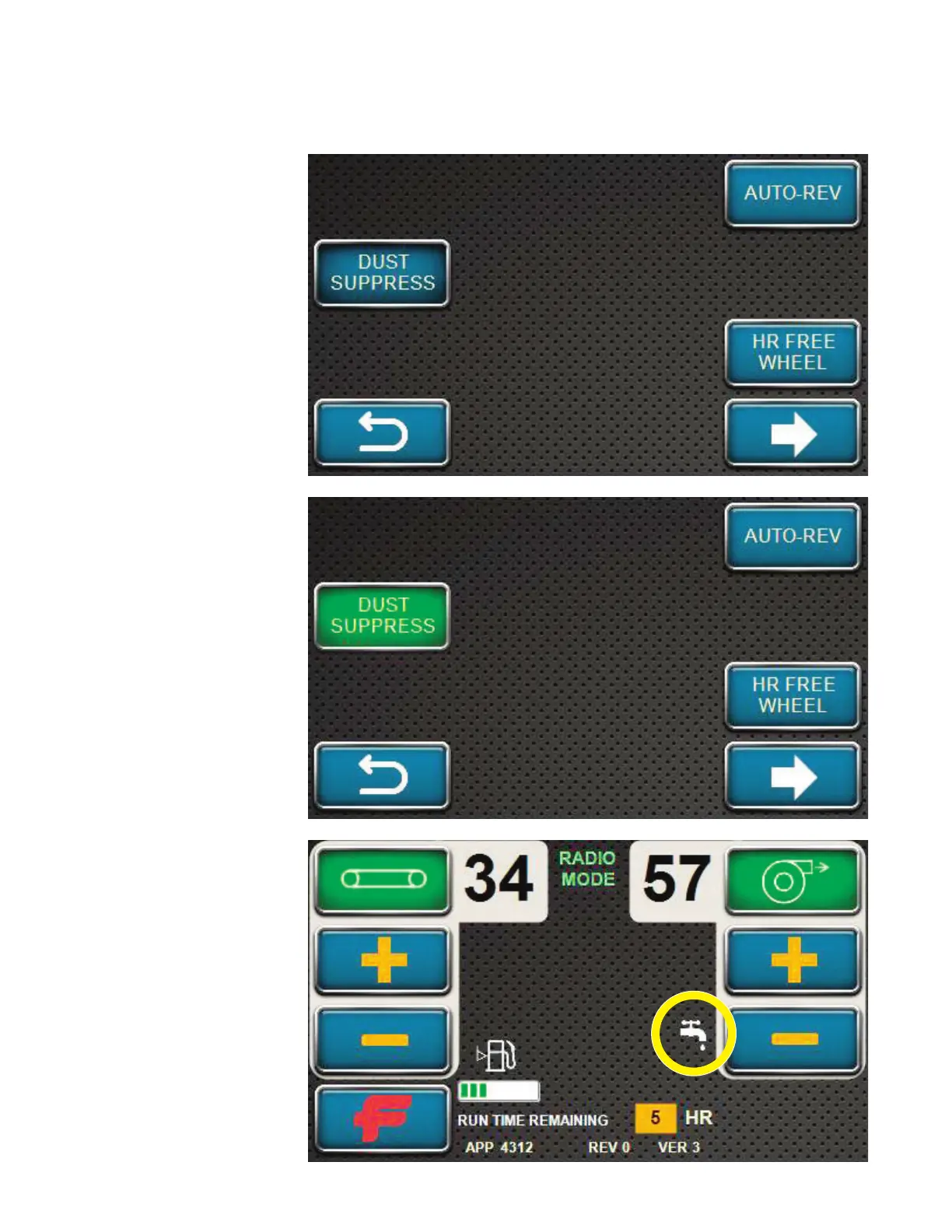
OPTIONS SCREEN - DUST SUPPRESSION
Pressing the DUST
SUPPRESS softkey
turns on the Dust
Suppression System.
This feature can
be activated before
pressing the FLOOR
softkey or the
BLOWER softkey on
the control panel.
Make sure all E-Stops
are released before
attempting to activate
the Dust Suppression
System. The Dust
Suppression System
will not activate if any
of the E-Stops on the
unit are activated.
The Dust Suppression
System will activate
when the floor is
moving forward.
A water icon will
appear on the home
screen when the Dust
Suppression System is
activated.

Table of Contents

Related product manuals