53
CONTROL PANEL GUIDE AND SYSTEM OPERATION (CONTINUED)
OPTIONS SCREEN - REGENERATION (CONTINUED)
RESET REGENERATION NORMAL OPERATION - DISPLAYS
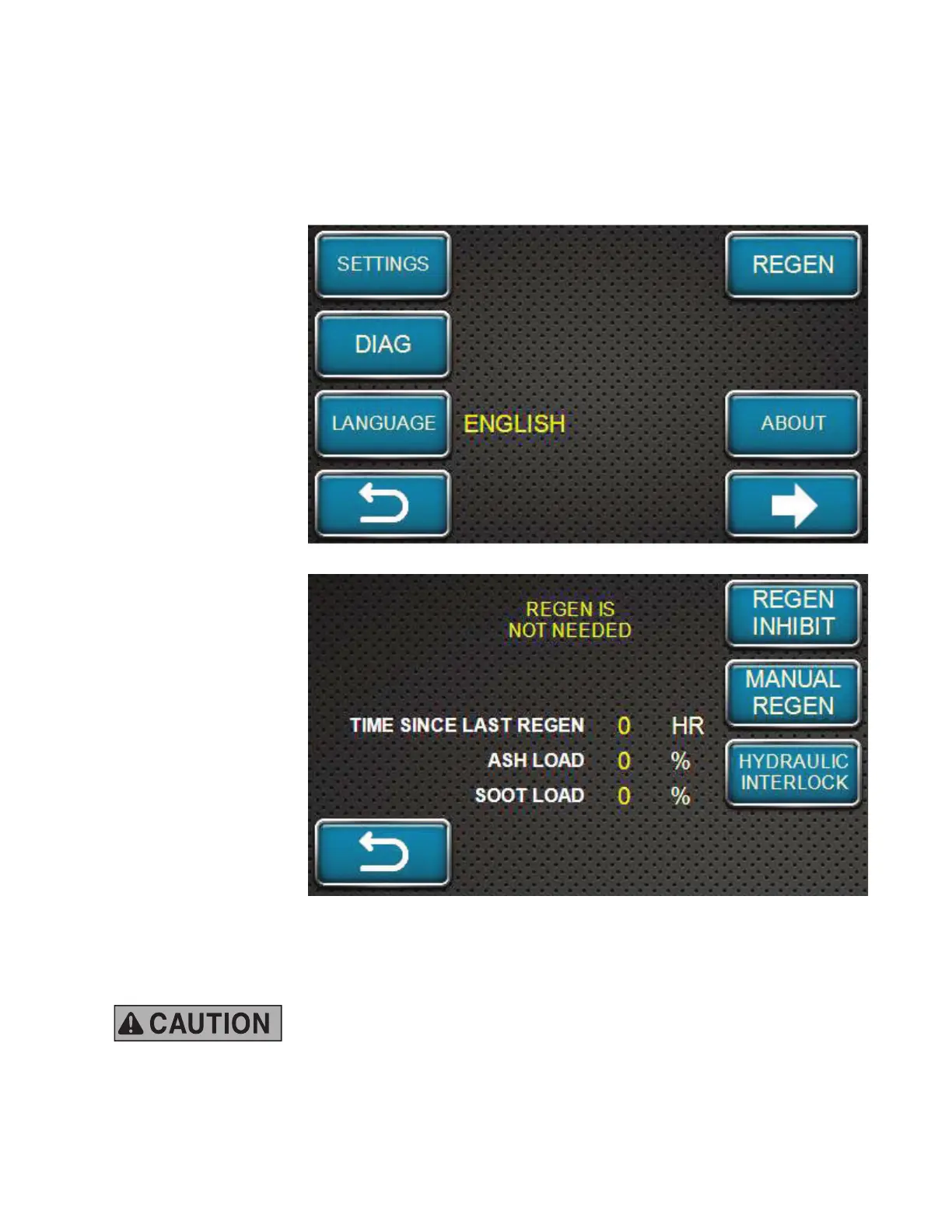
Return to the options screen shown here.
Press the REGEN
softkey to enter the
regeneration system
menu.
The engine control
panel is set at the
factory to allow Reset
Regeneration to
occur automatically.
However, the operator
has the option to inhibit
Reset Regeneration
via the control panel IF
the work environment
poses a risk to safe
regeneration.
During machine
operation with
Regeneration in the
"Allow" (non-Regen
Inhibit) state, on the
control panel, when
the ECU begins
Reset Regeneration,
a notification and
regeneration icon will
display at the bottom
of the screen.
NOTE: The ECU will
not perform Reset
Regeneration within
the first 50 hours of
engine life.
NOTE: The machine can be operated normally during Reset Regeneration. The machine can
also be turned OFF. If this occurs, Reset Regeneration will resume again when the machine has
been turned back ON and the DOC temperature has risen to a sufficient level.
During Reset Regeneration, post-injection is used and fuel is burned
directly inside the DPF (burned by chemical reaction inside the Diesel
Oxidation Catalyst (DOC). Through this heat, regeneration occurs inside the SF, but the
combustion increases the temperature of the exhaust gas to close to 600° C (1112° F).
Be careful that neither people nor fl ammable materials are near the exhaust gas outlet.



 To Next Page