37
CONTROL PANEL GUIDE AND SYSTEM OPERATION (CONTINUED)
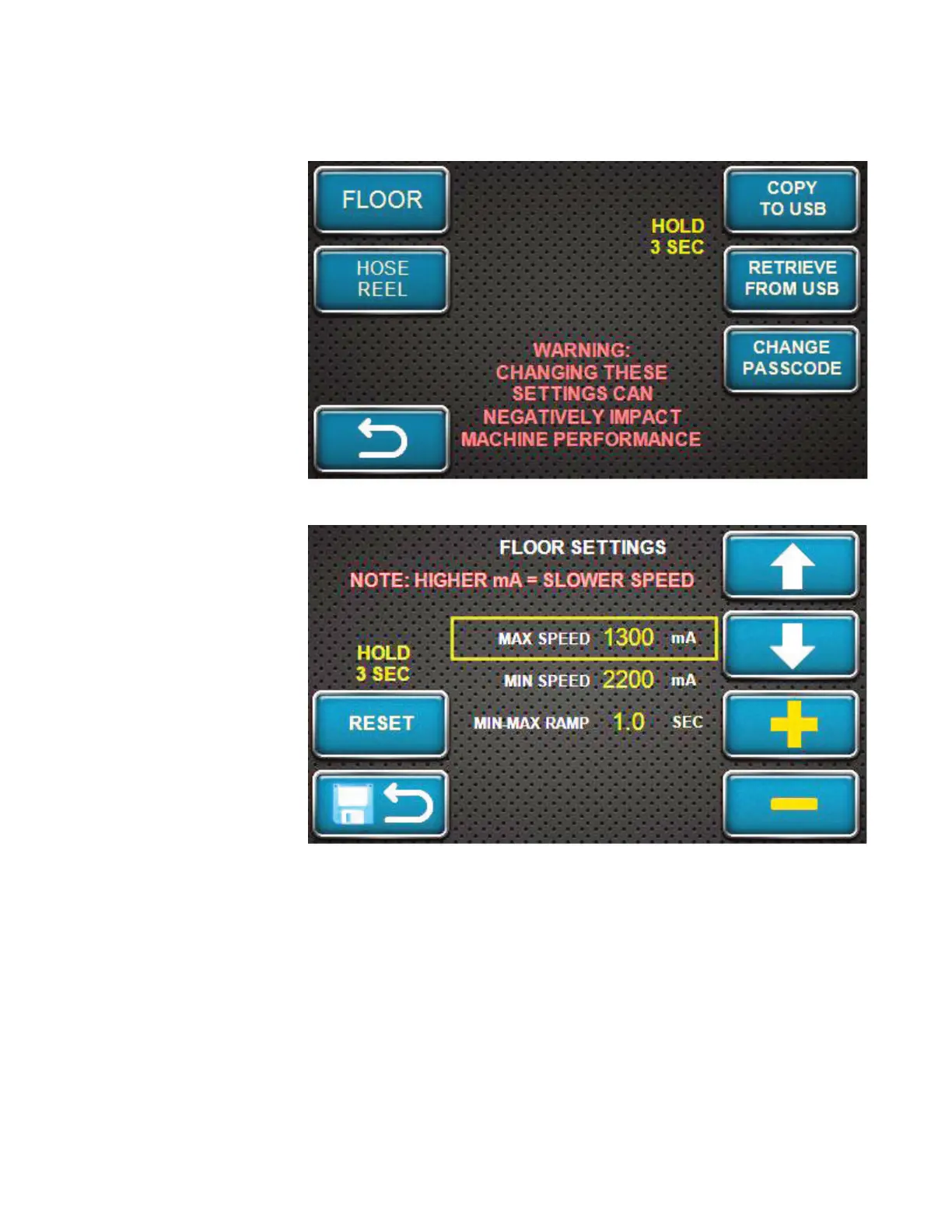
OPTIONS SCREEN - FLOOR SETTINGS
With the correct
passcode entered
and the OK softkey
pressed, this screen
will appear on the
display. Press the
FLOOR softkey to
enter the settings for
the Material Blower
floor settings.
Please note that this
screen does warn the
operator that changing
the settings can have
a negative impact on
the performance of the
Material Blower.
The floor settings
screen is shown here.
Use the up and down
arrow softkeys to
highlight the setting
the operator wants to
adjust. Use the plus /
increase and minus /
decrease softkeys to
change the setting.
Once changed, press
the SAVE AND BACK
softkey to save the
setting and return to
the previous screen.
To return the floor settings to factory settings, press and hold the RESET softkey for three (3)
seconds. The settings will return to the factory-set defaults. Press the SAVE AND BACK softkey
to save the change back to factory settings.



 To Next Page