32
CONTROL PANEL GUIDE AND SYSTEM OPERATION (CONTINUED)
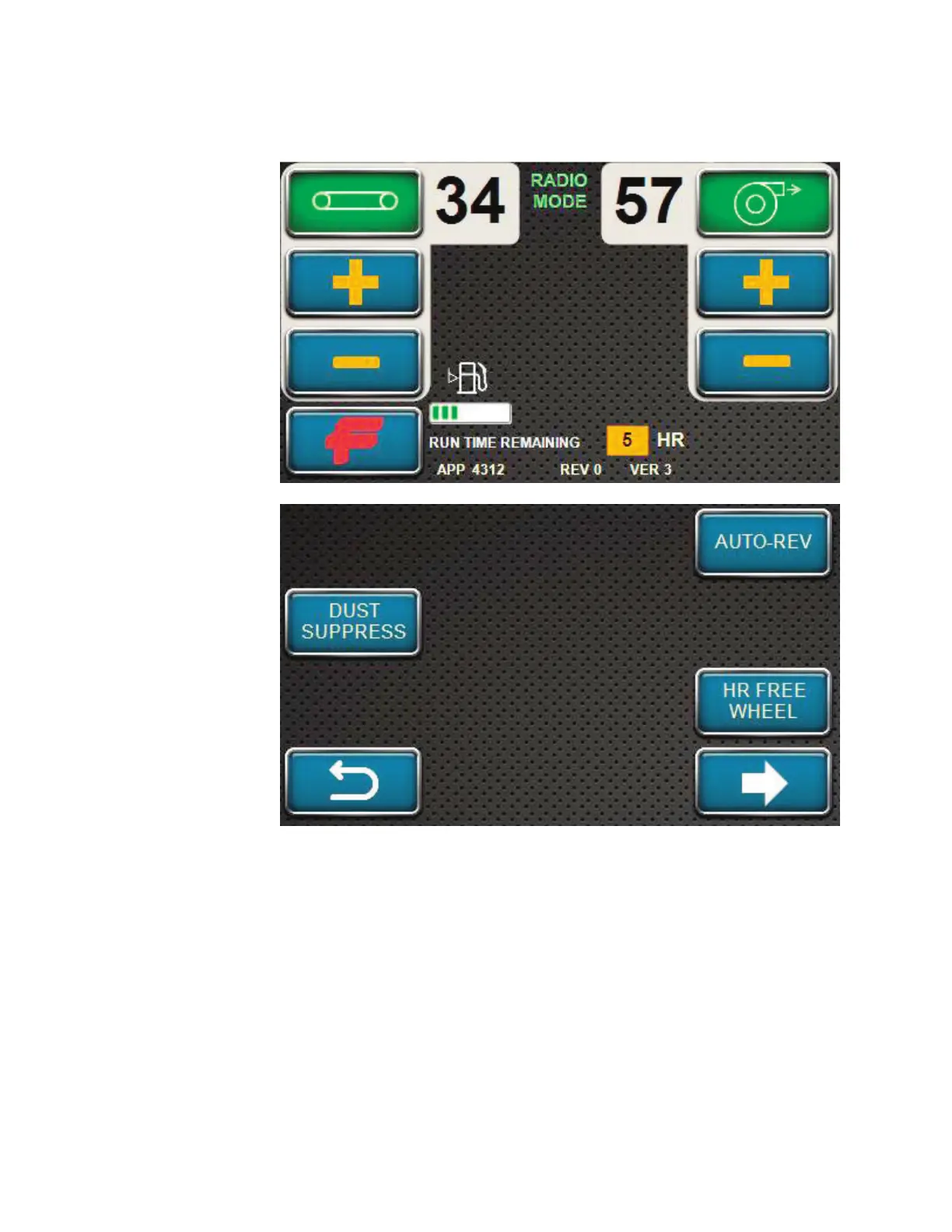
OPTIONS SCREEN
The options screen
can be entered by
pressing the FINN (F)
softkey. It is the only
functional softkey
when the unit is
in RADIO MODE.
Pressing the F softkey
will take you to the
Options Menu.
The Options Menu is
shown here. This menu
allows you to activate
certain features of the
unit.
A feature at this screen
include the Auto-
Rev. Press and hold
AUTO-REV softkey
while blower is on to
cycle airlock reverse /
forward until softkey
is released. The
“Material” indicator
light on the handheld
radio remote flashes
green during Auto-Rev
Mode.
If the HR FREE WHEEL softkey has not been selected BEFORE starting the unit, the operator
can select the HR FREE WHEEL softkey to unlock the hose reel at this screen.
On this screen is an arrow symbol pointing to the right. This softkey will take the operator to
additional options for the operation of the unit (which will be covered later in this section).
The bottom left softkey is the BACK command. This will take the operator back to the previous
screen.
The last softkey that appears on this screen is DUST SUPPRESS. This is the Dust Suppression
System of the unit.



 To Next Page