38
CONTROL PANEL GUIDE AND SYSTEM OPERATION (CONTINUED)
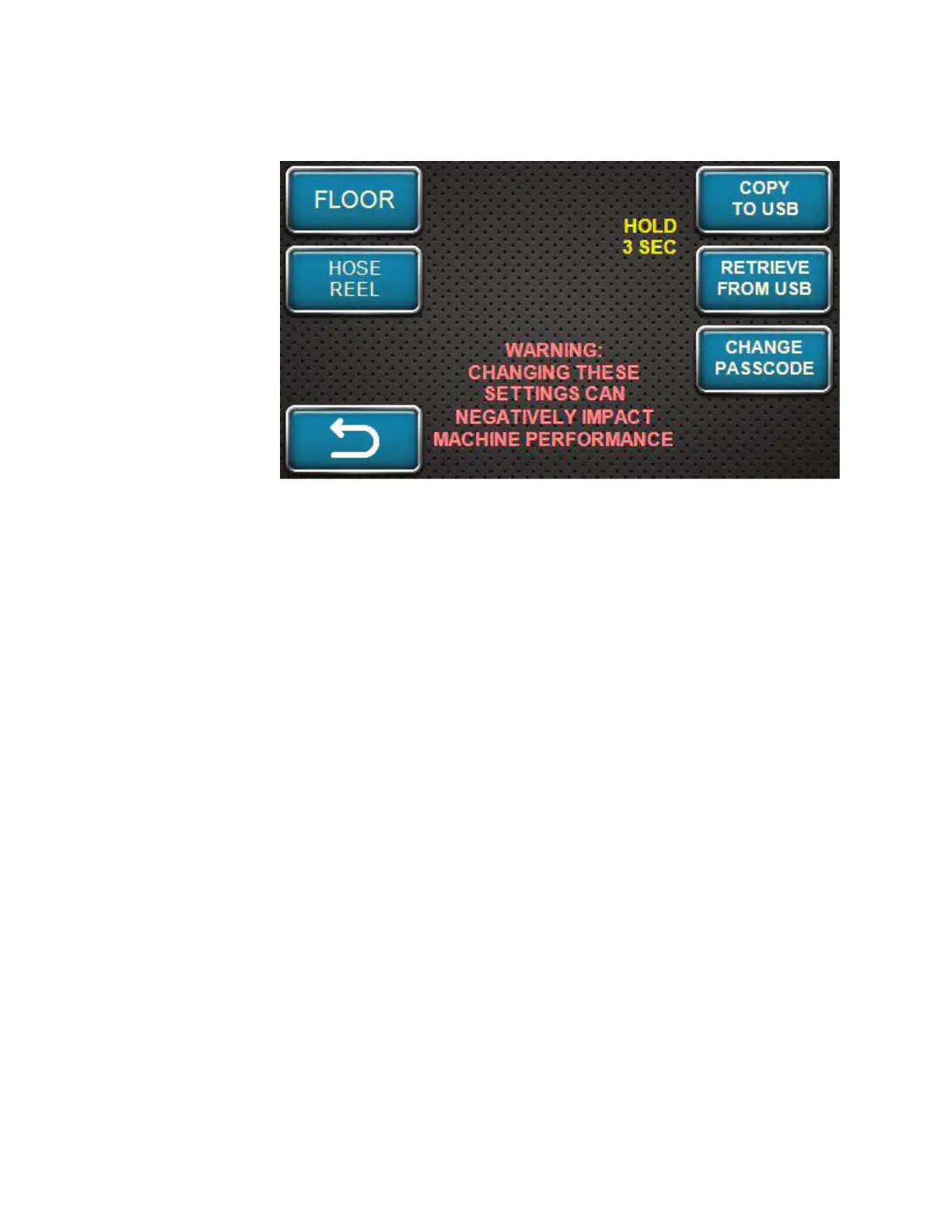
OPTIONS SCREEN - USB
Returning to this
screen, there are other
options to use.
Located on the main
control panel, there is
an USB port (as shown
in the Control Guide
section of this manual).
To use the USB port,
insert a USB stick into
the port. As instructed
by the yellow text on
this screen, press
and hold the COPY
TO USB softkey for
three (3) seconds. This
will write (save) the current setting values of the Material Blower to the USB stick.
If information is needed from a USB stick, press and hold the RETRIEVE FROM USB softkey for
three (3) seconds. This will apply setting values from the USB stick to the various settings saved
inside the display.
Yellow text will appear on this screen after each softkey press to inform the operator on status of
the copy or retrieval. Typical messages are as follows: “copy successful”, “copy error”, “retrieve
successful”, or “retrieve error”.
COPY TO USB will be used before software update; RETRIEVE FROM USB will be used after
software update so that original setting values can be restored if they are different from factory
defaults.



 To Next Page