39
CONTROL PANEL GUIDE AND SYSTEM OPERATION (CONTINUED)
OPTIONS SCREEN - HOSE REEL SETTINGS
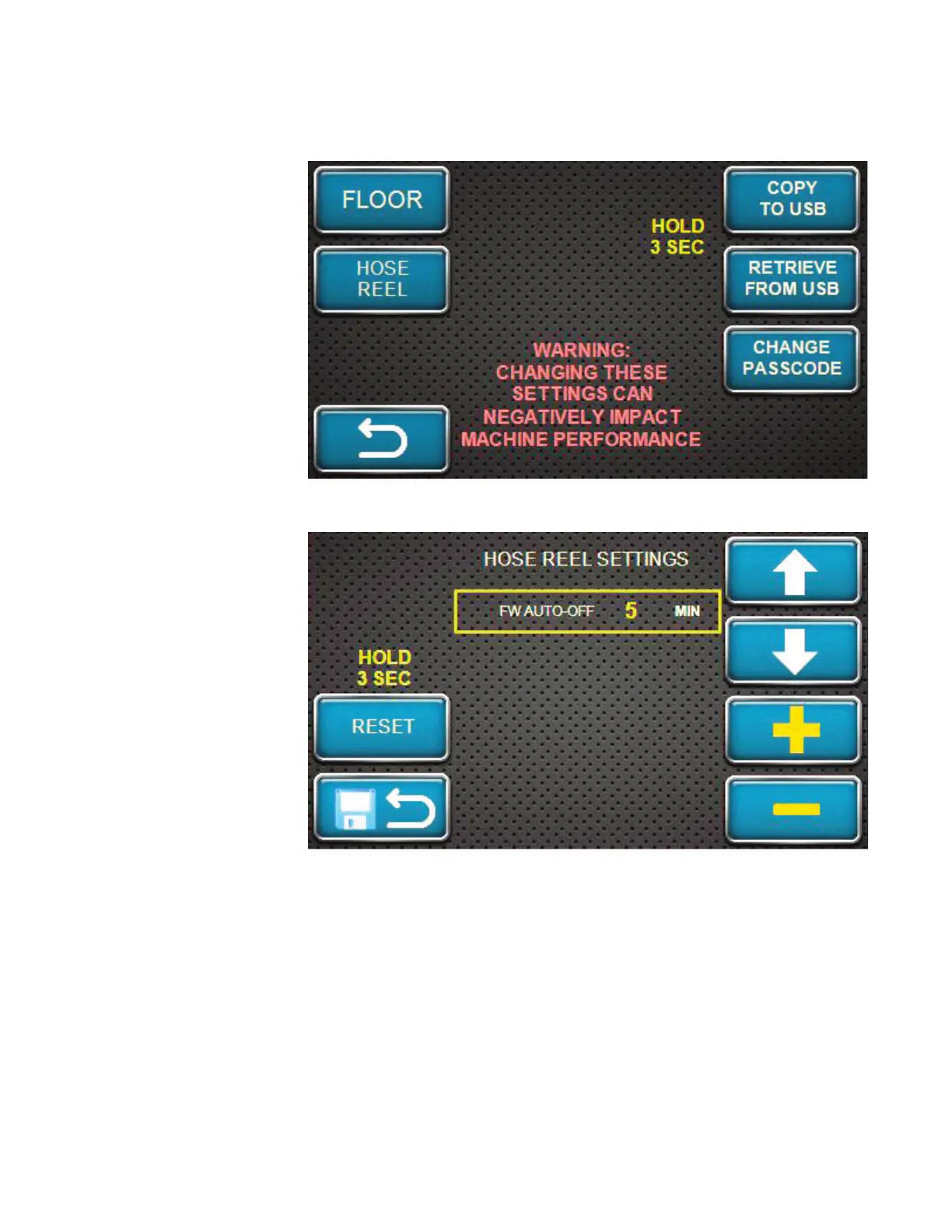
With the correct
passcode entered
and the OK softkey
pressed, this screen
will appear on the
display. Press the
HOSE REEL softkey
to enter the settings
for the Material Blower
hose reel settings.
Please note that this
screen does warn the
operator that changing
the settings can have
a negative impact on
the performance of the
Material Blower.
The hose reel
freewheel button
on the display will
automatically latch
off after a certain
amount of time has
passed per a passcode
protected setting. This
setting’s default value
is five (5) minutes, and
adjustable from one (1)
minute minimum to
twenty (20) minutes
maximum at one (1)
minute increments.
Use the plus / increase
and minus / decrease
softkeys to change the setting.
The freewheel output will energize the hose reel lock whenever a hose reel “in” or “out” command
is received from the radio or button station.
If the RESET softkey is held for 3 seconds, all values will reset to the factory default.



 To Next Page