EasyManua.ls Logo

Finn MBH6 - Page 50

Finn MBH6
133 pages
Print Icon
To Next Page IconTo Next Page
To Previous Page IconTo Previous Page
Loading...
44
CONTROL PANEL GUIDE AND SYSTEM OPERATION (CONTINUED)
OPTIONS SCREEN - DIAGNOSTICS (CONTINUED)
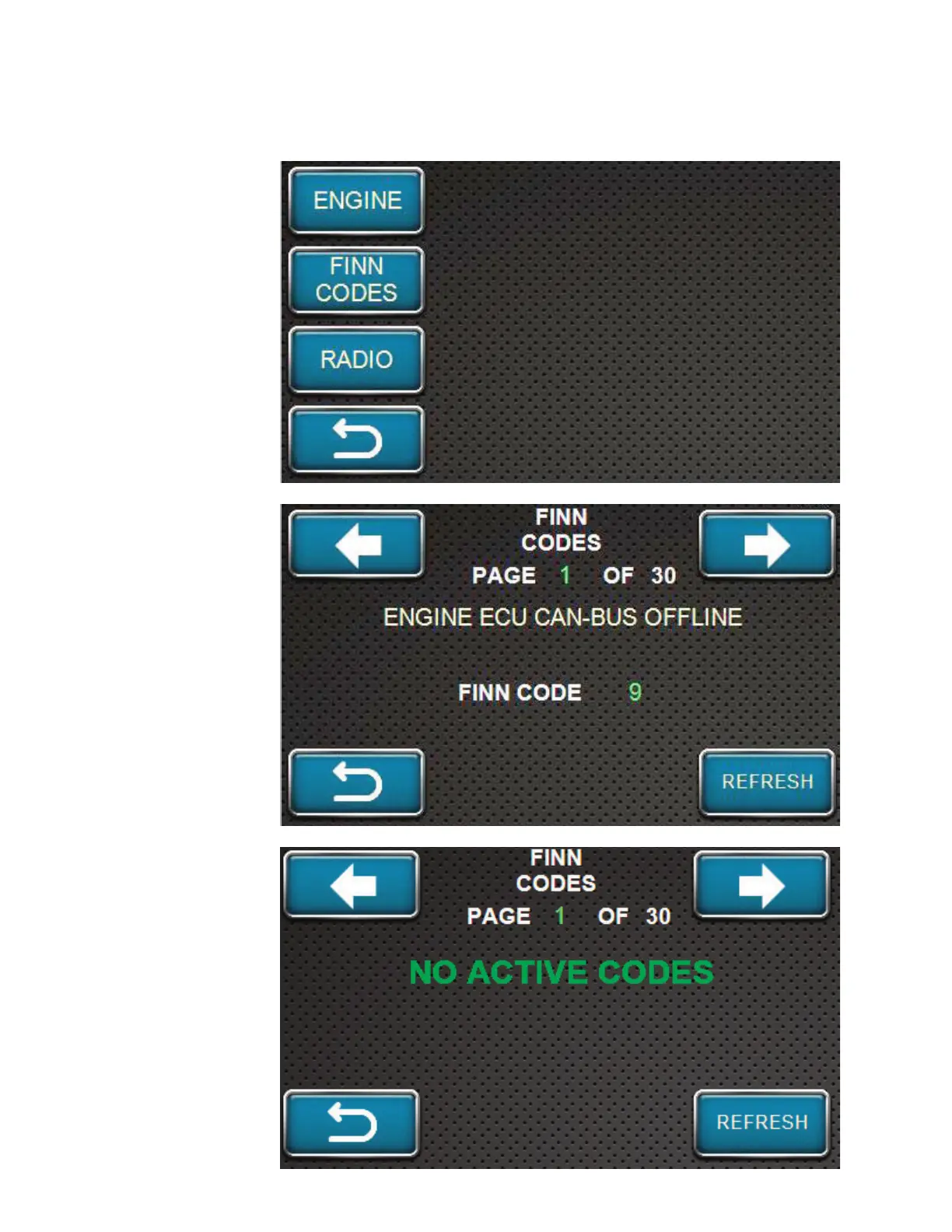
Return to the
Diagnostics main
screen (shown here).
Press the FINN
CODES softkey to
view the active codes
listed by the unit.
If there is an active
code, a screen similar
to the one shown here
will appear. IF there
are additional codes
to view, the direction
arrows at the top of
the screen will flash
red and blue. View
the additional codes
by pressing the arrow
softkeys.
If there are no active
Finn Codes, the
screen should appear
similar to the screen
shown here. Also, if
the code situations
are corrected, the
screen should look
like this one once the
REFRESH softkey is
pressed.

Table of Contents

Related product manuals