EQUIPMENT: FIRECLASS DUO-CEL
PUBLICATION: OM_DUO-CEL_APP
ISSUE No. & DATE: 2 20/06/18
PAGE 7 of 46
2.2 Fire Detection and Alarm Panel Description
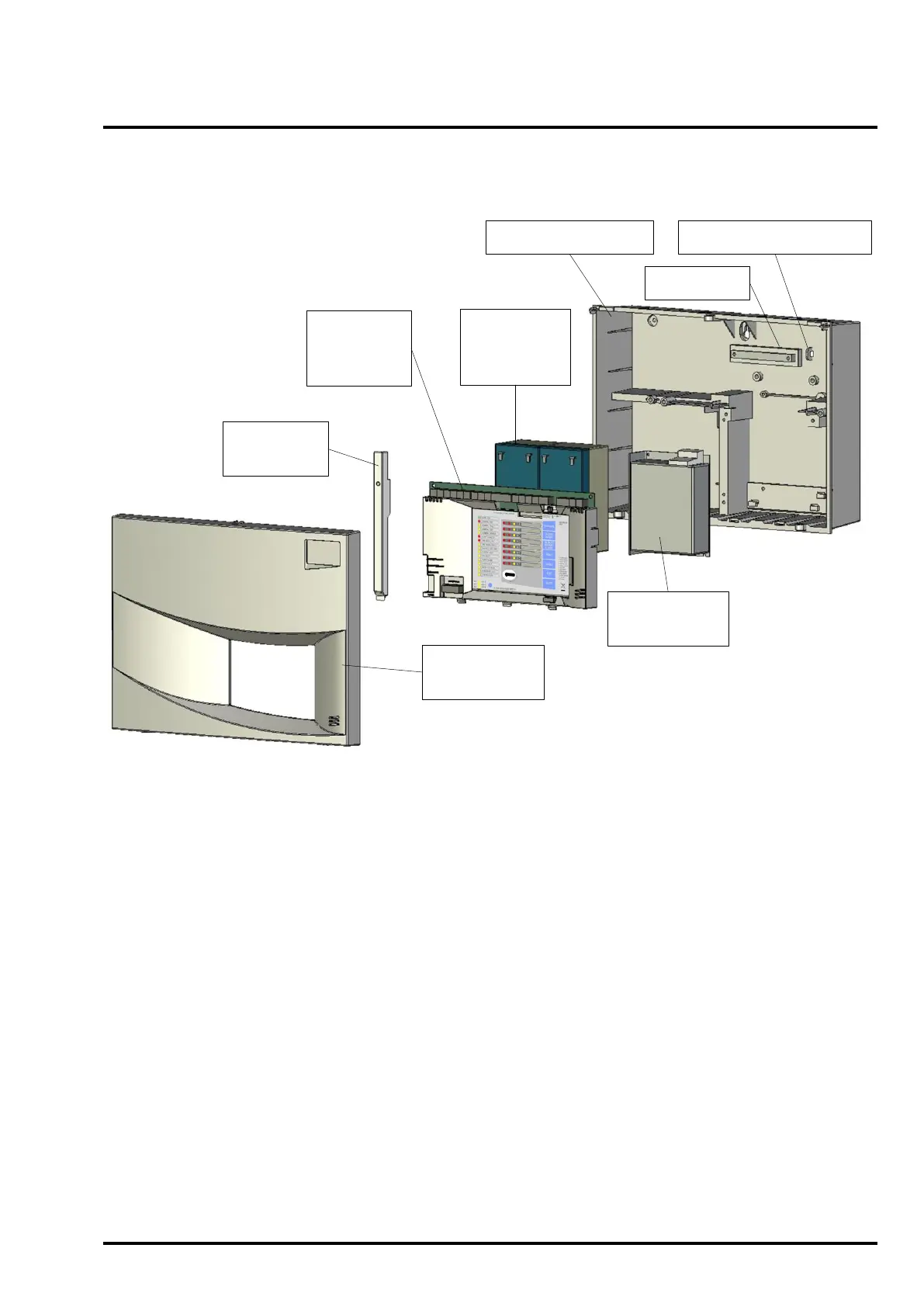
Figure 2 shows the exploded view of the DUO-CEL panel.
Figure 2 – DUO-CEL 8 Zone Panel – exploded view
Mains Cable Restraint
Earth Bar
Enclosure Backbox
Enclosure
Front Cover
Control
Board with
Cover
3.4Ah
Powersonic
Batteries
BAQ35T24
Power Supply
Battery
Clamp
2.2.1 DUO-CEL control board
The DUO-CEL panel is available in two formats;
Standard and Twin-Wire. The standard panel
monitors conventional detectors on the zone
circuits and operates conventional sounders via the
sounder circuits. The twin-wire panel monitors
conventional detectors on the zone circuits but can
also operate Fulleon Twin-Wire sounders from the
zone circuits. The conventional sounder circuits are
still available on the twin-wire panel.
The Twin-Wire control board is slightly different to
the Standard control board but this is only evident
at component level. Both control boards consist of a
PCB with all components mounted on the front. All
LED indicators, configuration switches/links and
user controls are mounted on this board. The board
accommodates the microcontroller (including
Firmware and RAM) and all of the site-specific
configuration features (DIL switch & EEPROM).
Power supply monitoring circuitry is also located on
this PCB.
2.2.2 Display overlay and insert
The display overlay is bonded to the PCB cover
and is used with a text label insert to identify each
of the zones. The insert slides into a pocket in the
overlay and cannot be removed when the front
cover is fitted.
User controls are operated by pressing on the
rectangular printed buttons on the overlay,
providing mechanical contact with the buttons on
the PCB.
The LEDs on the PCB are viewed through oval
windows in the overlay.
The text on the overlay is printed and therefore any
language variants will require replacement of the
complete overlay on the PCB cover.
The zone location insert is a card allowing text to be
hand-written or typed. It is not compatible with
printers. A paper insert can be used if printing via a
computer is required (paper insert is not supplied).



 To Next Page