Panda fpControl
27.5.20 Chapter 2: Panda fpControl - Page 31
2.5 The Menu
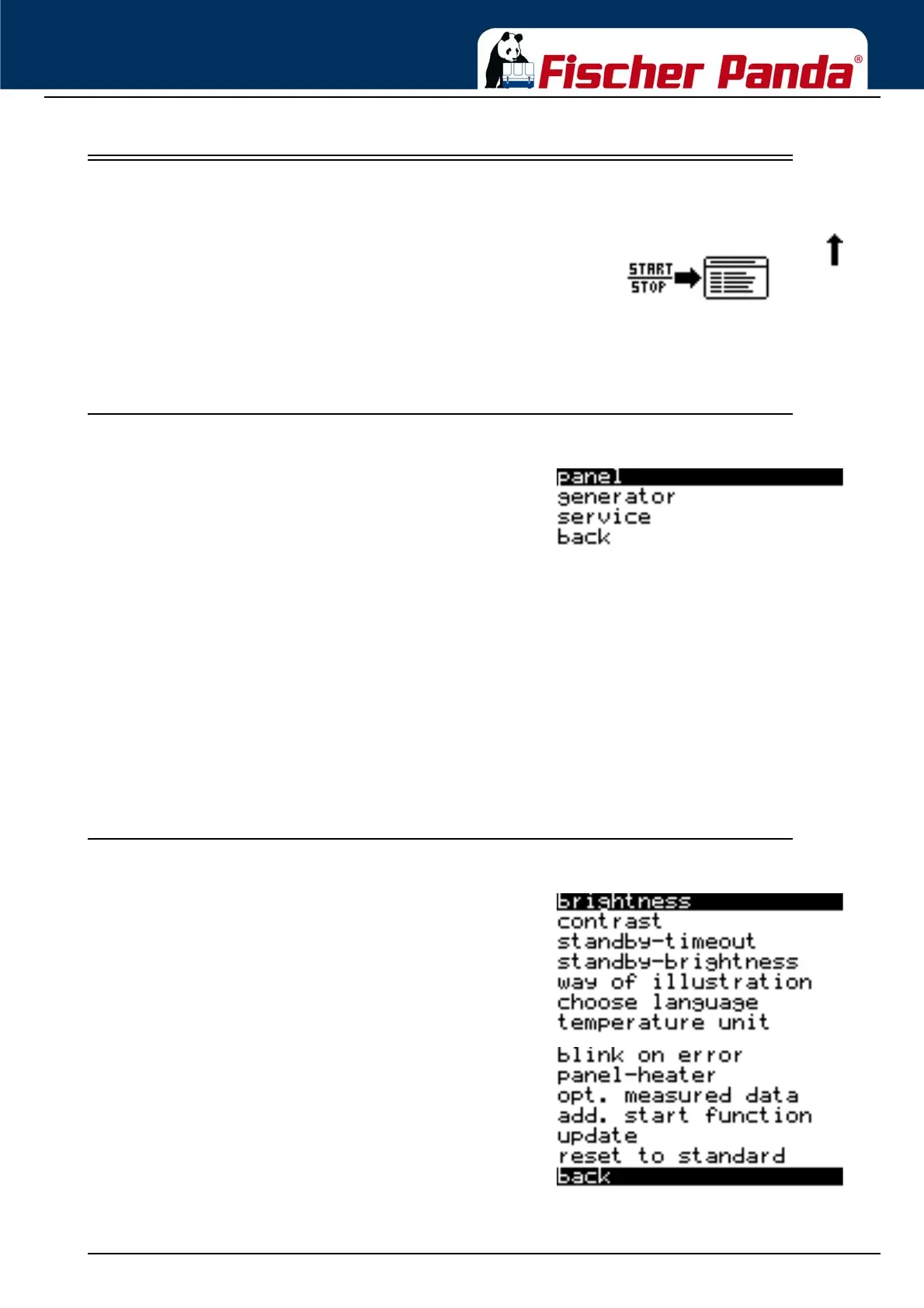
Fig. 2.5-1: Menu entry symbolsThe menu can be accessed from the final overview page.
Switch on the CP-G and scroll down to "Enter Menu” page.
Press the Start/Stop - Enter key to enter the menu.
2.5.1 Main Menu
Fig. 2.5.1-1: Main MenuYou can choose from the following sub-menus in the
main menu:
1. "Panel" sub-menu - The display of the of the panel can be adapted in the "Panel" sub-menu (e.g. brightness,
language, etc.).
2. "Generator" sub-menu - All settings related to the generator can be made in the "Generator" sub-menu, e.g.
bleeding the fuel pump etc.
3. The "Service" sub-menu is blocked and can only be accessed by trained personnel and Fischer Panda
employees.
4. Back - back to the overview pages
2.5.2 Sub-menu: "Panel"
Fig. 2.5.2-1: Sub-menu: PanelThe following items can be selected in the Panel sub-
menu:
1. Lighting
- changes the brightness of the display in Normal mode.
2. Contrast
- changes the contrast of the display.
3. Standby Time
- to set the time until the panel switches to Standby mode.
4. Standby Lighting
- changes the brightness of the display in Standby mode.
5. Display Mode
- changes the display mode of the overview pages.
6. Language selection
- changes the language of the panel
7. Temperature Unit



 To Next Page