Panda fpControl
Page 32 - Chapter 2: Panda fpControl 27.5.20
- to set the temperature unit to °C or °F
8. Audible alarm
- to activate the audible alarm in the event of faults
9. Flashing when faulty
- to activate panel flashing in the event of faults
10.Panel heating
- to activate panel heating at temperatures <+10°C
11. Optional measurement data
- to manage the additional information pages, e.g. tank
display
12.Additional start-up functions (only in the case of inverter
generators)
- Start without inverter/Inverter Softstart
13.Update
- Software update for the panel
14.Reset to standard
- to reset the "Panel" sub-menu to the factory settings
15.back
- Switching from the "Panel" sub-menu to the Main Menu
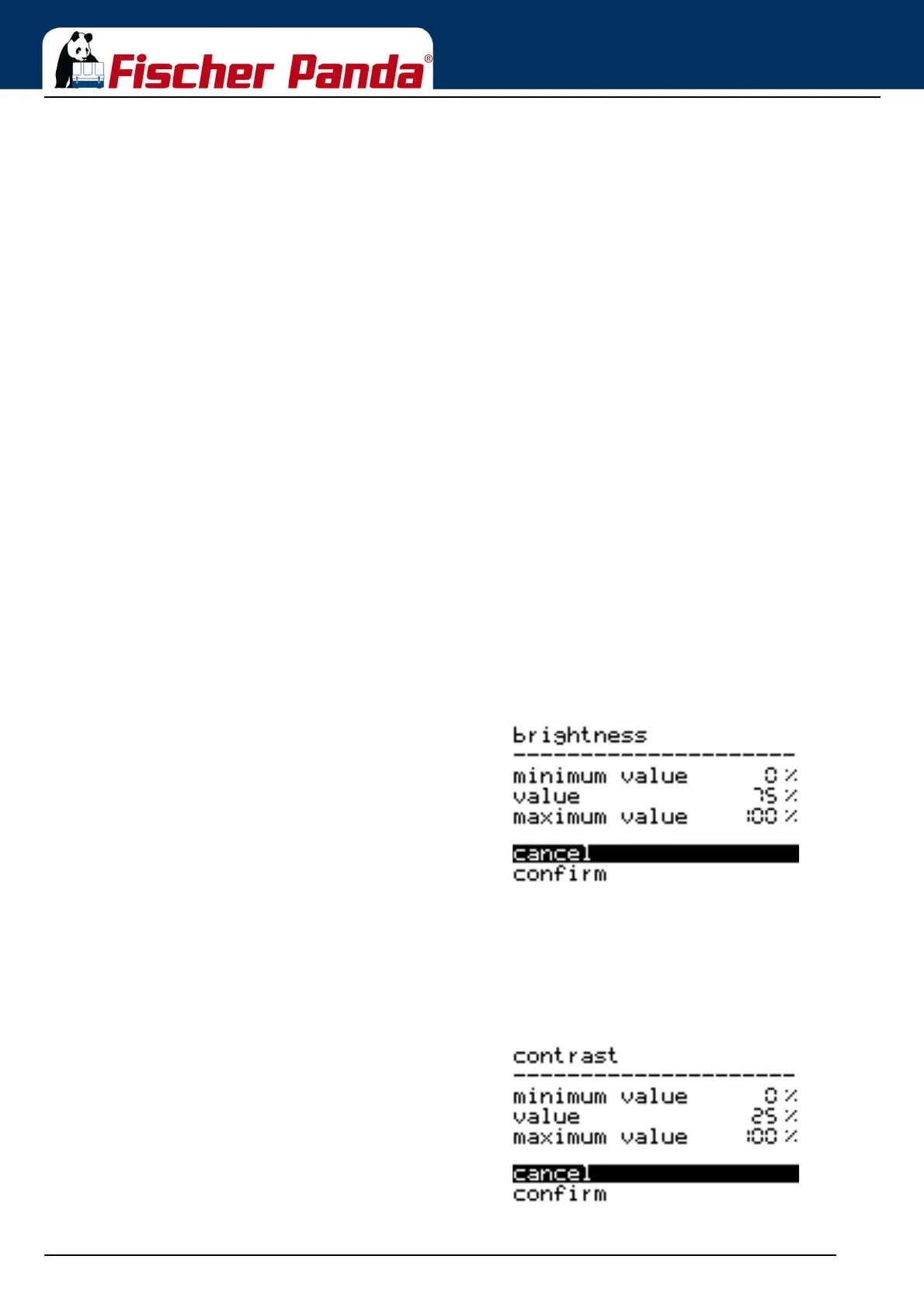
2.5.2.1 Setting the illumination of the CP-G
The menu item is selected by using the "Step-up"/"Step-down" keys and confirmed with the "Start/Stop-Enter“ key.
The respective menu item opens.
Fig. 2.5.2.1-1: Sub-menu: IlluminationThe value is changed by using the "Step-up"/"Step-down"
keys and the setting is confirmed with the "Start/Stop Enter“
key.
"Cancel" or "Confirm" can be selected by using the "Step-up"/
"Step-down" keys and then confirmed with the "Start/Stop-
Enter“ key.
2.5.2.2 Setting the contrast of the CP-G
The menu item is selected by using the "Step-up"/"Step-down" keys and confirmed with the "Start/Stop-Enter“ key.
The respective menu item opens.
Fig. 2.5.2.2-1: Sub-menu: ContrastThe value is changed by using the "Step-up"/"Step-down"
keys and the setting is confirmed with the "Start/Stop-Enter“
key.
"Cancel" or "Confirm" can be selected by using the "Step-up"/
"Step-down" keys and then confirmed with the "Start/Stop-
Enter“ key.



 To Next Page