Panda fpControl
Page 38 - Chapter 2: Panda fpControl 27.5.20
2.5.3.2 Setting the optional water pump/fan DC output of the CP-G
The menu item is selected by using the "Step-up"/"Step-down" keys and confirmed with the "Start/Stop-Enter“ key.
The respective menu item opens.
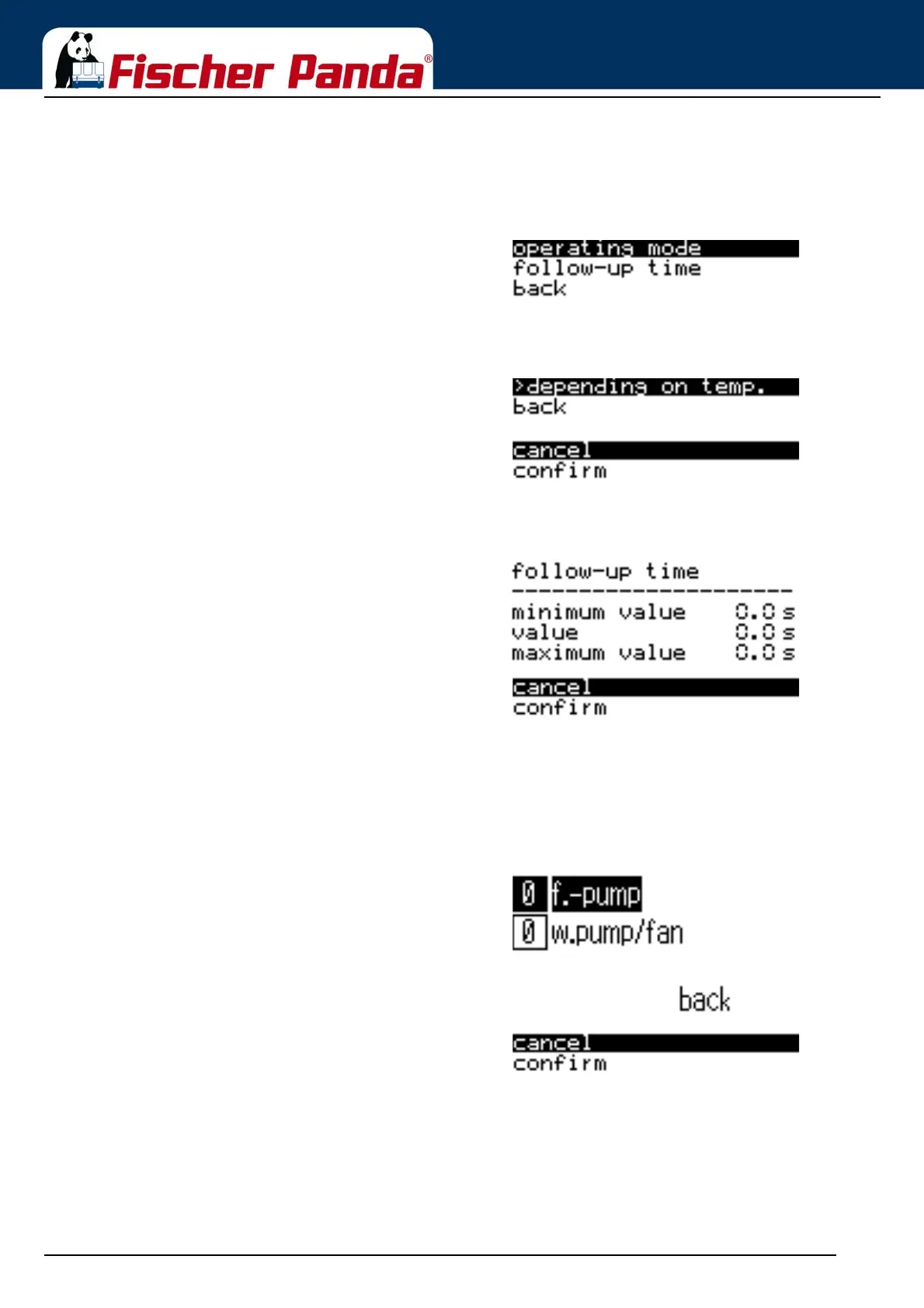
Fig. 2.5.3.2-1: Sub-menu: Optional DC Output"Operating Mode" or "Follow-up Time" can be selected by
using the "Step-up"/"Step-down" keys and then confirmed
with the "Start/Stop-Enter“ key.
The "Back" item returns you to the "Generator" sub-menu.
Select “cancel” or “confirm” by using the "Step-up"/"Step-
down" keys and then confirm with the "Start/Stop-Enter“ key.
Fig. 2.5.3.2-2: Sub-menu: Operating ModeSetting the “Operating mode” for the optional DC output
(DP) of the CP-G
An option can be selected by using the "Step-up"/"Step-
down" keys and the setting is confirmed with the "Start/Stop-
Enter“ key.
"Cancel" or "Confirm" can be selected by using the "Step-up"/
"Step-down" keys and then confirmed with the "Start/Stop-
Enter“ key.
Fig. 2.5.3.2-3: Sub-menu: Follow-up TimeSetting the follow-up time of the optional DP Output of
the CP-G
The value is changed by using the "Step-up"/"Step-down"
keys and the setting is confirmed with the "Start/Stop-Enter“
key.
"Cancel" or "Confirm" can be selected by using the "Step-up"/
"Step-down" keys and then confirmed with the "Start/Stop-
Enter“ key.
2.5.3.3 Switching the switching outputs of the CP-G
The menu item is selected by using the "Step-up"/"Step-down" keys and confirmed with the "Start/Stop-Enter“ key.
The respective menu item opens.
Fig. 2.5.3.3-1: Sub-menu: Switching OutputsSelect "Fuel Pump" or "Opt. DC Outputs" by using the "Step-
up"/"Step-down" keys and then confirm with the "Start/Stop-
Enter“ key.
The "Back" item returns you to the "Generator" sub-menu.
The value of the output can be set to "0" for deactivated or
"1" for activated by using the "Step-up"/"Step-down" keys.
Confirm with the "Start/Stop-Enter“ key.
2.5.3.4 Reading out the Event Memory of the CP-G
The menu item is selected by using the "Step-up"/"Step-down" keys and confirmed with the "Start/Stop-Enter“ key.
The respective menu item opens.
Siehe “Table of Faults” auf Seite 41. Siehe “Description of the symbols” auf Seite 43.



 To Next Page