Panda fpControl
Page 34 - Chapter 2: Panda fpControl 27.5.20
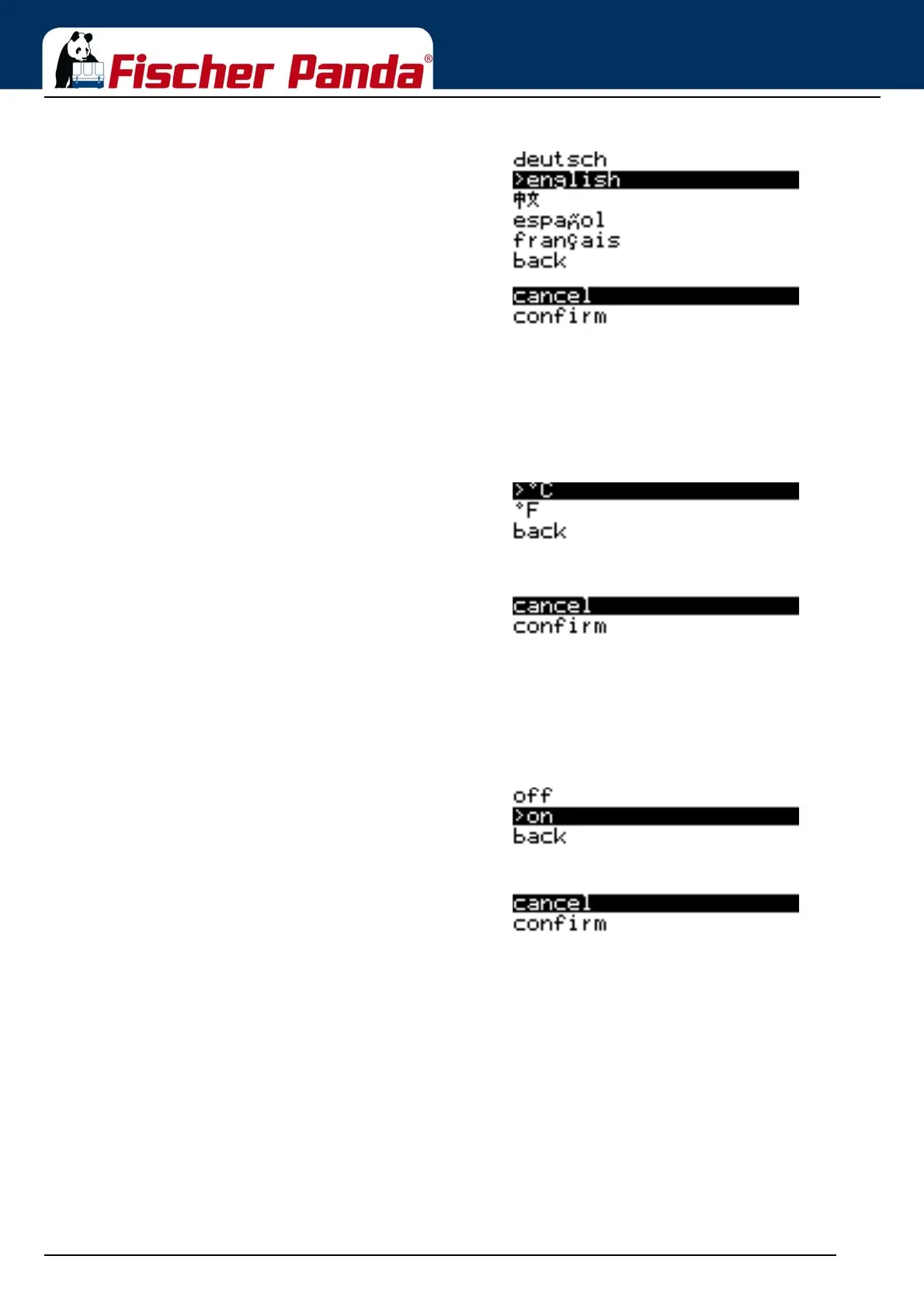
Fig. 2.5.2.6-1: Sub-menu: Language SelectionSelect the corresponding language by using the "Step-up"/
"Step-down" keys and then confirm with the "Start/Stop-
Enter“ key.
"Cancel" or "Confirm" can be selected by using the "Step-up"/
"Step-down" keys and then confirmed with the "Start/Stop-
Enter“ key.
2.5.2.7 Setting the Temperature Unit
The menu item is selected by using the "Step-up"/"Step-down" keys and confirmed with the "Start/Stop-Enter“ key.
The respective menu item opens.
Fig. 2.5.2.7-1: Sub-menu: Temperature Unit"°C“ for "degrees Celsius" or "°F" for "degrees Fahrenheit“
can be selected by using the "Step-up"/"Step-down" keys and
then confirmed with the "Start/Stop - Enter“ key.
The "Back" item returns you to the Panel sub-menu.
"Cancel" or "Confirm" can be selected by using the "Step-up"/
"Step-down" keys and then confirmed with the "Start/Stop -
Enter“ key.
2.5.2.8 Setting the Aural Alarm
The menu item is selected by using the "Step-up"/"Step-down" keys and confirmed with the "Start/Stop-Enter“ key.
The respective menu item opens.
Fig. 2.5.2.8-1: Sub-menu: Aural Alarm"Off" or "On" can be selected by using the "Step-up"/"Step-
down" keys and then confirmed with the "Start/Stop-Enter“
key.
The "Back" item returns you to the Panel sub-menu.
"Cancel" or "Confirm" can be selected by using the "Step-up"/
"Step-down" keys and then confirmed with the "Start/Stop-
Enter“ key.
2.5.2.9 Setting the display to flash in the event of a fault
The menu item is selected by using the "Step-up"/"Step-down" keys and confirmed with the "Start/Stop-Enter“ key.
The respective menu item opens.



 To Next Page