Multi-DENCO Medium Connections
FläktGroup DC-2013-0101-GB • Subject to modifications • R5-08/2020 71
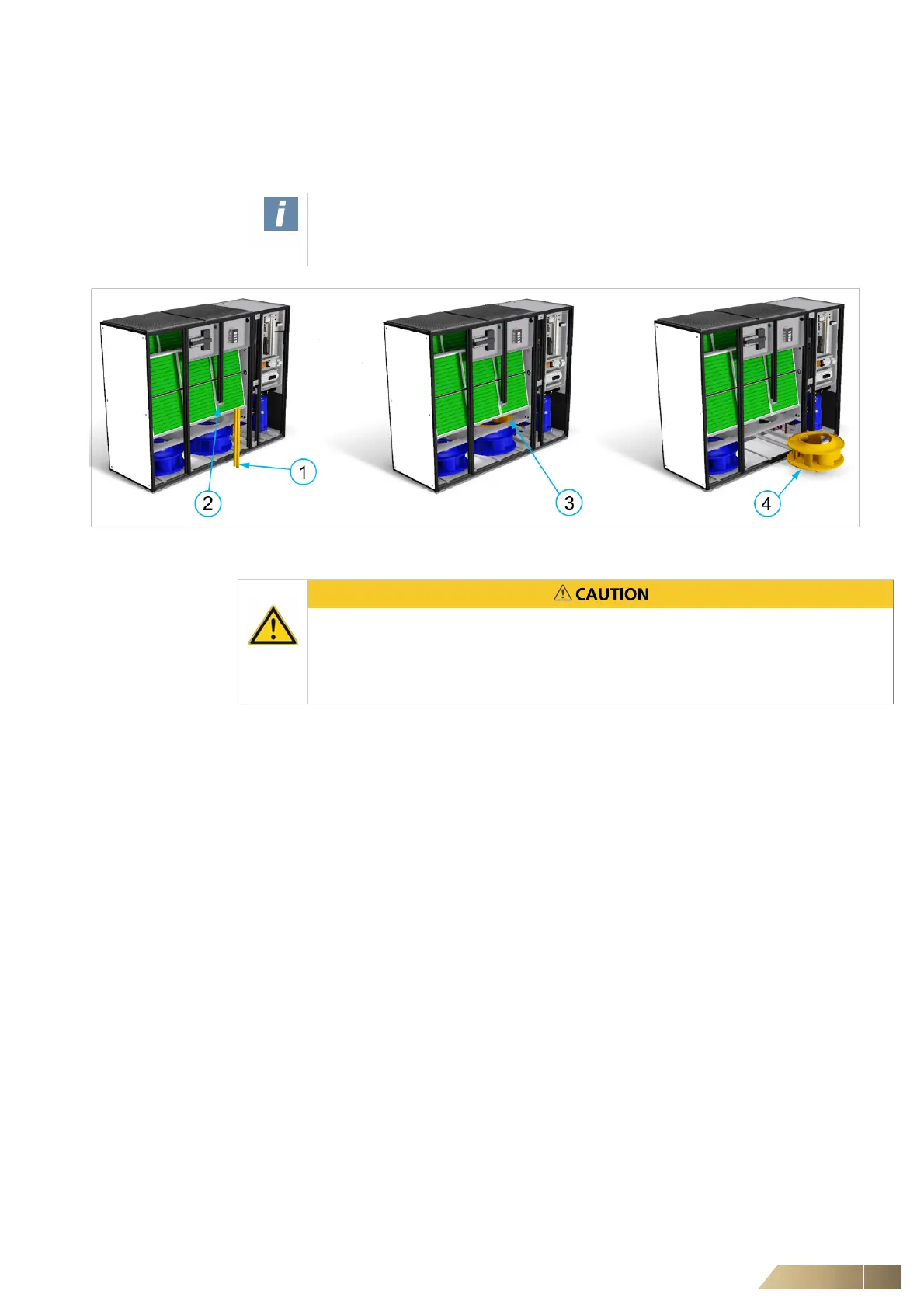
6.2.12 Fan removal to aid installation
On certain downflow units, access to the refrigeration pipework connections can be dif-
ficult (especially if there is no side access to the unit). Multi-DENCO units are designed
to allow for the removal of fan closest to the pipework to make installation easier.
Fig. 6-9
1 Remove the 2 x 4.8 mm self-tapping screws that connect the mullion to the horizontal
frame.
2 Remove the 2 x 4.8 mm self-tapping screws that connect the mullion to the bracket and
vertical frame
3 Loosen the fan inlet ring (6 x M6x25 bolts) but DO NOT REMOVE THE BOLTS
4 Remove the bolts used to fix the fan assembly to rails. Once unscrewed, remove the
assembly by pulling it towards the front of the unit as far as possible. Then lift the
assembly up and remove it from the unit.
NOTE – LABELLING OF ELECTRICAL WIRES!
It is very important to observe and label any electrical wires for the fan being
removed to ensure a correct re-installation.
Each fan assembly is heavy and can weight up to 36 kg (special designs could
weigh more).
• Conduct a risk assessment and plan any manoeuvre before starting any work.
• Ensure a safe lifting procedure is observed.


 To Next Page