EasyManua.ls Logo

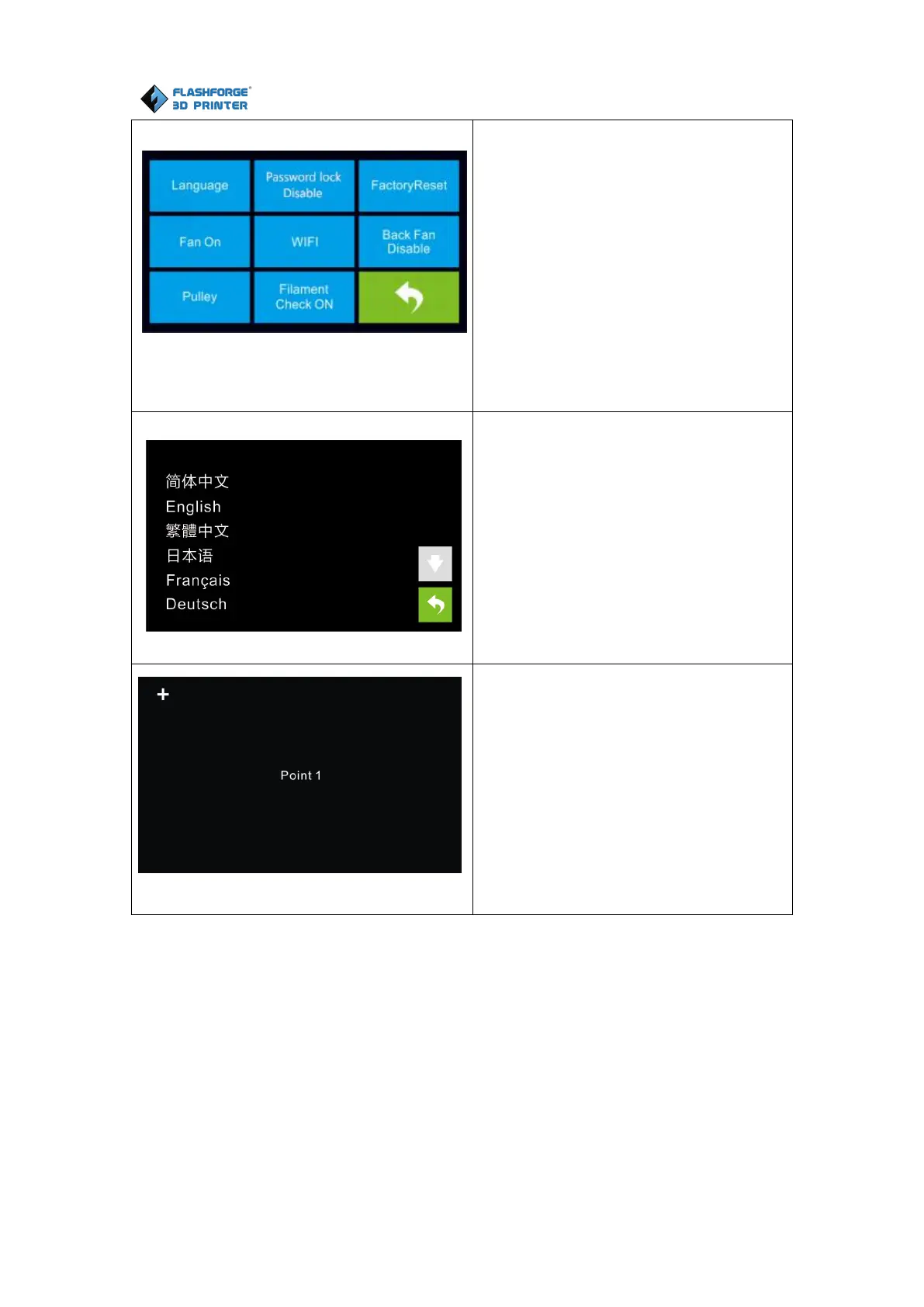
Flashforge DREAMER - Setting Interface Options; Setting; Language: To set the display language; TP Adjust: Adjust the touch screen

Flashforge DREAMER
69 pages
Print Icon
To Next Page IconTo Next Page
To Previous Page IconTo Previous Page
Loading...
Flashforge Corporation
Dreamer User Guide | www.flashforge.com
59
Tap [Setting] to enter the setting
interface
Language: To set the display language
TP Adjust: Adjust the touch screen
Factory Reset: Restore factory defaults
Fan on: To turn on/off the fan
WiFi: To turn on/off the WiFi
Update: To update the firmware
Pulley: To choose the pulley type
Enable filament detector: To enable or
disable filament detector.
Back

Language:
User can select corresponding language
as required.
TP Adjust:
To tap the “+” on the touch screen to
adjust the touch screen.

Other manuals for Flashforge DREAMER

Related product manuals