Cardiac Functions
ECG Functions 2
2-9
Alternatively, in the Numeric-Control Mode, press the number keys for a pacemaker-type wave
according to Table 2-6, and select RUN:
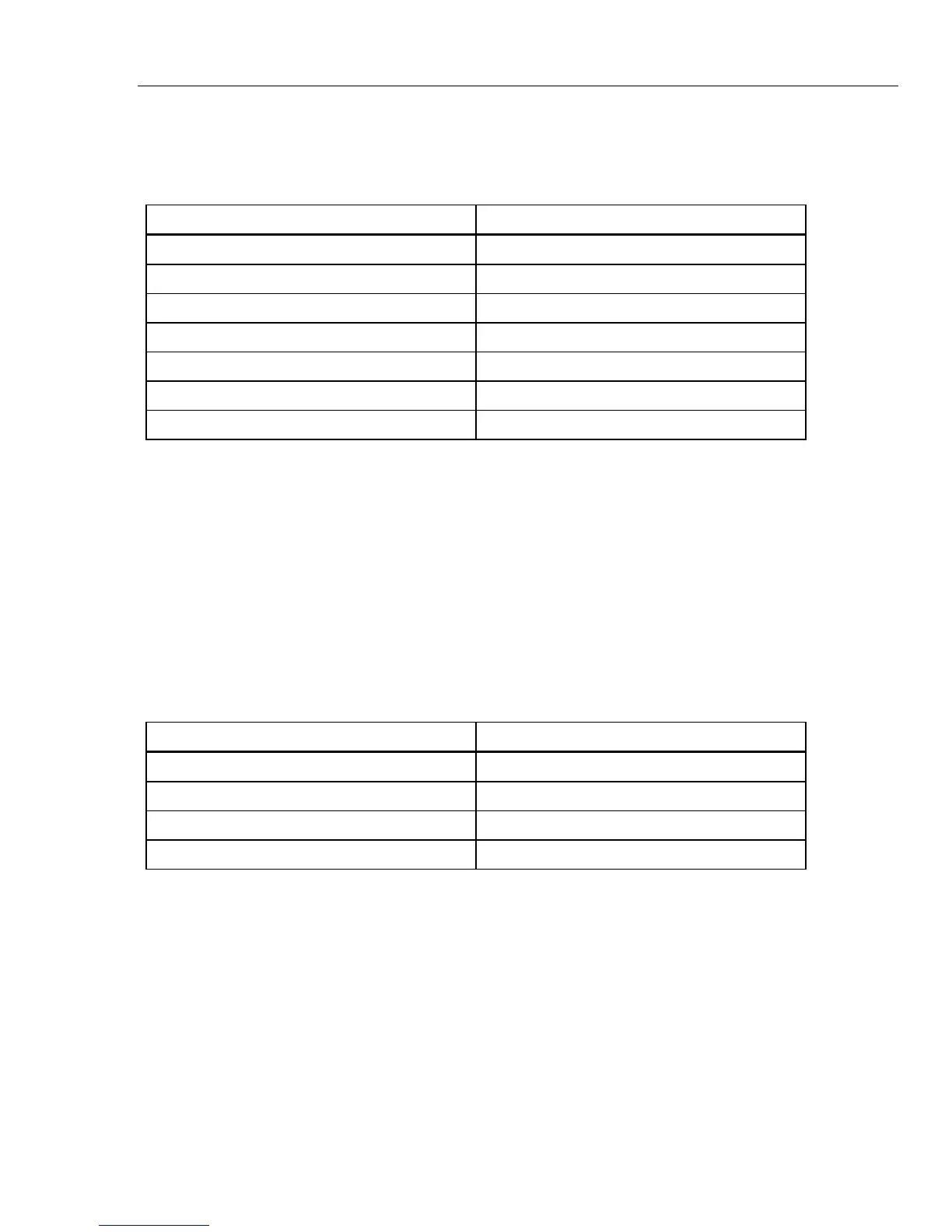
Table 2-6. Numeric Code for Pacemaker-Waveform Settings
Pacemaker-Waveform Setting Numeric Code
ATRIAL 80 BPM 383
ASYNC 75 BPM 110
DEMAND FREQ SINUS 111
DEMAND OCC SINUS 112
AV SEQUENTIAL 113
NON-CAPTURE 114
NON-FUNCTION 115
Adjusting Pacemaker–Spike Amplitude
The MPS450 offers a selection of four preprogrammed settings (mV) for pacemaker-spike
amplitude: 1, 2, 5, or 10.
Action in the Menu-Control Mode
1. On the LCD screen for the selected pacer-type wave, select AMPL repeatedly to
scroll to the desired spike-amplitude setting.
2. The pacemaker amplitude identified on the LCD screen is active when displayed and
remains active until the setting is changed.
Alternatively, in the Numeric-Control Mode, press the number keys for pacemaker-
spike amplitude according to Table 2-7, and select RUN:
Table 2-7. Numeric Codes for Pacemaker-Amplitude Settings
Pacemaker-Amplitude Setting Numeric Code
1.0 mV 384
2.0 mV 385
5.0 mV 386
10.0 mV 387
Adjusting Pacemaker–Spike Width
The MPS450 simulates five preconfigured settings (ms) for pacemaker-spike width: 0.1,
0.5, 1.0, 1.5, or 2.0.
Action in the Menu-Control Mode
1. On the LCD screen for the selected pacer-type wave, select WIDTH repeatedly to
scroll to the desired spike-width setting.
2. The pacemaker width identified on the LCD screen is active when displayed and
remains active until the settings are changed.
Alternatively, in the Numeric-Control Mode, press the number keys for the pacemaker-
width setting according to Table 2-8, and select RUN:



 To Next Page