MPS450
Operators Manual
2-26
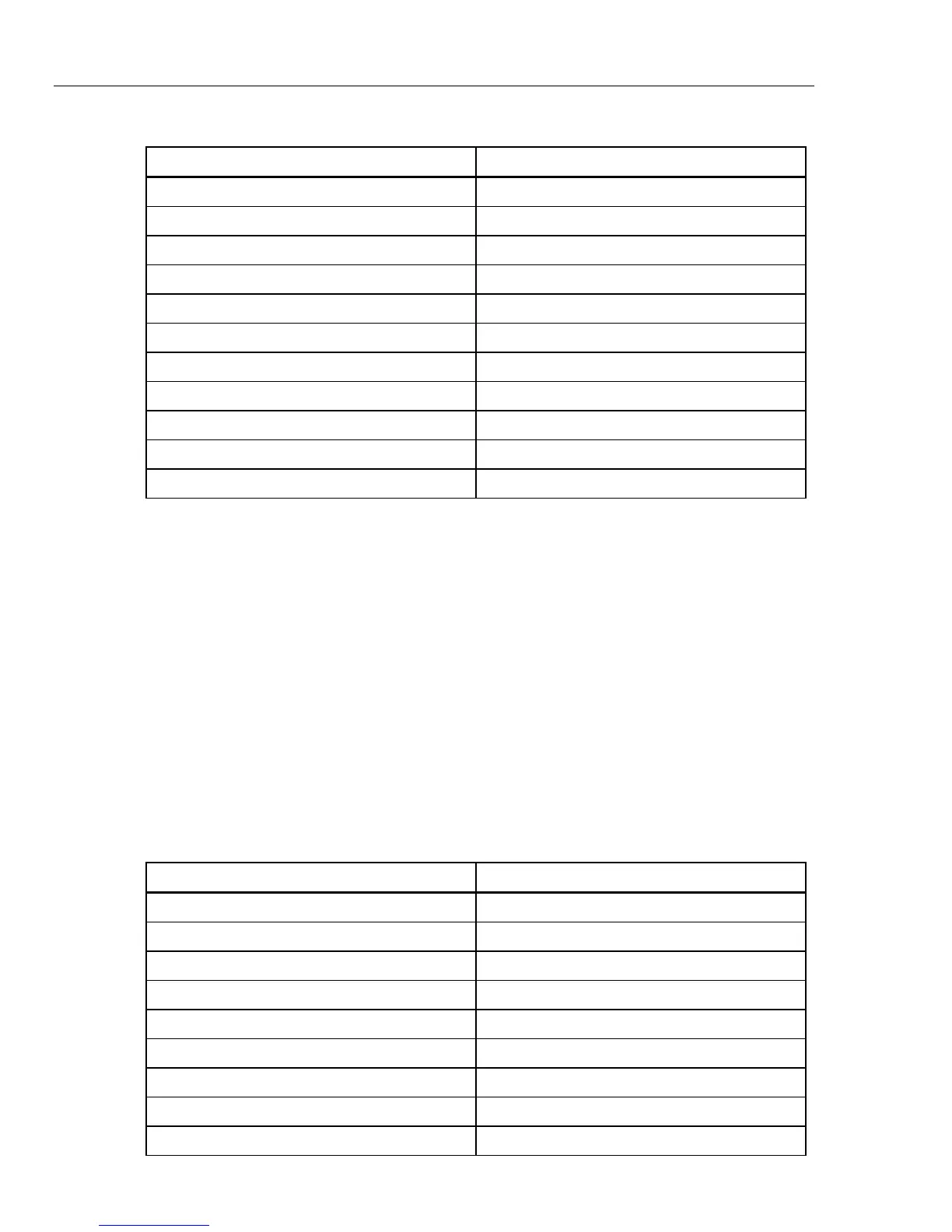
Table 2-20. Numeric Code R-Wave Width Settings (cont.)
R-Wave-Width Setting Numeric Code
100 ms 329
110 ms 330
120 ms 331
130 ms 332
140 ms 333
150 ms 334
160 ms 335
170 ms 336
180 ms 337
190 ms 338
200 ms 339
Setting R-Wave Amplitude
The MPS450 offers twenty preconfigured settings (mV) for R-wave amplitude on Lead
II: 0.05 to 0.50 (0.05 steps) and 0.50 to 5.50 (0.50 steps).
Action in the Menu-Control Mode
1. Press the top-menu key labeled PERF.
2. Select RWDET.
3. Select SEL to toggle to the screen for adjusting R-wave amplitude (width/AMPL),
with AMPL in upper-case letters.
4. Select DOWN or UP to scroll to the desired R-wave amplitude.
5. The amplitude identified on the LCD screen is active when displayed and remains
active until another wave is selected.
Alternatively, in the Numeric-Control Mode, press the number keys for R-wave
amplitude according to Table 2-21, and select RUN:
Table 2-21. Numeric Codes for R-Wave-Amplitude Settings
R-Wave-Amplitude Setting Numeric Code
0.05 mV 292
0.10 mV 293
0.15 mV 294
0.20 mV 295
0.25 mV 296
0.30 mV 297
0.35 mV 298
0.40 mV 299
0.45 mV 300



 To Next Page