Cardiac Functions
Arrhythmia Functions 2
2-21
Action in the Menu-Control Mode
1. Press the top-menu key labeled ARRHY.
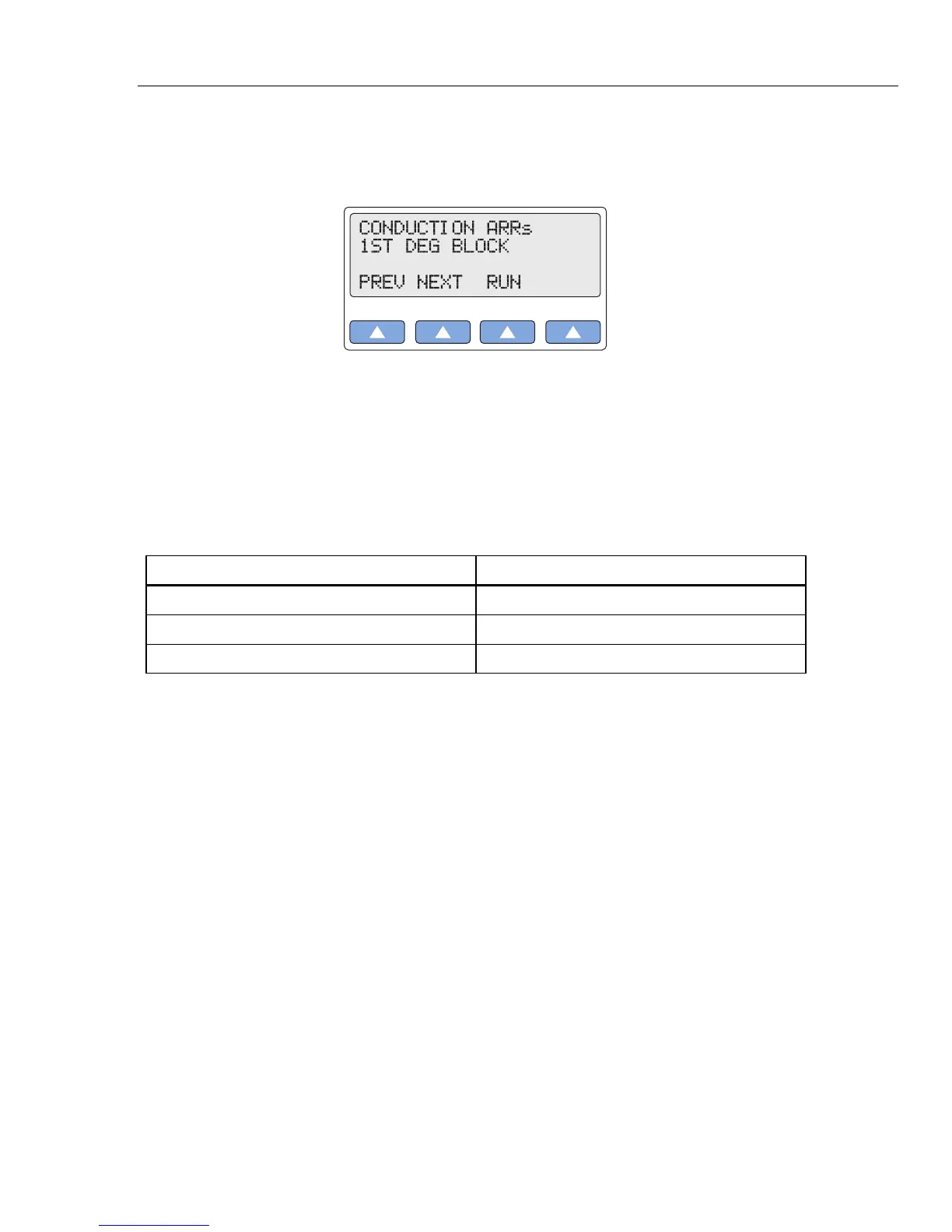
2. Select COND to display the following LCDC screen:
gje019.eps
3. Scroll to the LCD screen for the desired heart-block simulation: 1ST DEG BLOCK;
2ND DEG BLOCK; or 3RD DEG BLOCK.
4. Select RUN. The selected heart-block waveform runs continuously (repeats) until
another arrhythmia selection is made.
Alternatively, in the Numeric-Control Mode, press the number keys for the desired heart-
block simulation according to Table 2-15, and select RUN:
Table 2-15. Numeric Code for Heart-Block Settings
Heart-Block Setting Numeric Code
1ST DEG BLOCK 046
2ND DEG BLOCK 047
3RD DEG BLOCK 048
Bundle-Branch Block
Blockage in the right- or left-bundle branches, with beats exhibiting a wide QRS and a P-
R interval of 160 ms.
Bundle-branch blockage—also referred to as intraventricular conduction defect, BBB or
IVCD—is a form of heart block in which there is a conduction delay or failure from one
of the branches of the bundle of His (which start about a centimeter below the bundle of
His) to the Purkinje network. The blockage may be complete or incomplete, transient,
intermittent, or permanent. In most cases, the electrical impulse travels through the
normal bundle branch to stimulate one ventricle and then passes through the cardiac
septum to stimulate the other, resulting in one ventricle’s depolarizing later than the
other. (Both anatomically and functionally, the septum separates the heart into its left and
right halves.)
The MPS450 simulates a right- or left-bundle-branch block, with waveforms that contain
normal P waves. P-R intervals are 0.16 seconds; QRS complexes are wide.
Action in the Menu-Control Mode
1. Press the top-menu key labeled ARRHY.
2. Select COND.
3. Scroll to the LCD screen for the desired simulation: R BNDL BR BLOCK; or L
BNDL BR BLOCK.
4. Select RUN. The selected bundle-branch-block waveform runs continuously
(repeats) until another arrhythmia selection is made.



 To Next Page