MPS450
Operators Manual
2-24
Table 2-18. Numeric Code for Wave Amplitude Settings (cont.)
Wave Amplitude Setting Numeric Code
0.25 mV 276
0.30 mV 277
0.35 mV 278
0.40 mV 279
0.45 mV 280
0.50 mV 281
1.00 mV 282
1.50 mV 283
2.00 mV 284
2.50 mV 285
3.00 mV 286
3.50 mV 287
4.00 mV 288
4.50 mV 289
5.00 mV 290
5.50 mV 291
R-Wave Detection
In order to detect a heartbeat, a heart monitor looks for R waves; the detected beat is
annunciated and used for rate calculations and other analysis. By adjusting the R wave,
the range of settings can be determined for which a given heart monitor will detect a beat.
The MPS450 simulates an R wave that is adjustable to a wide range of preconfigured
settings for rate, width, and amplitude.
Setting R-Wave Rate
The MPS450 offers six preconfigured settings (BPM) for R-wave rate: 30, 60, 80, 120,
200, or 250.
Action in the Menu-Control Mode
1. Press the top-menu key labeled PERF.
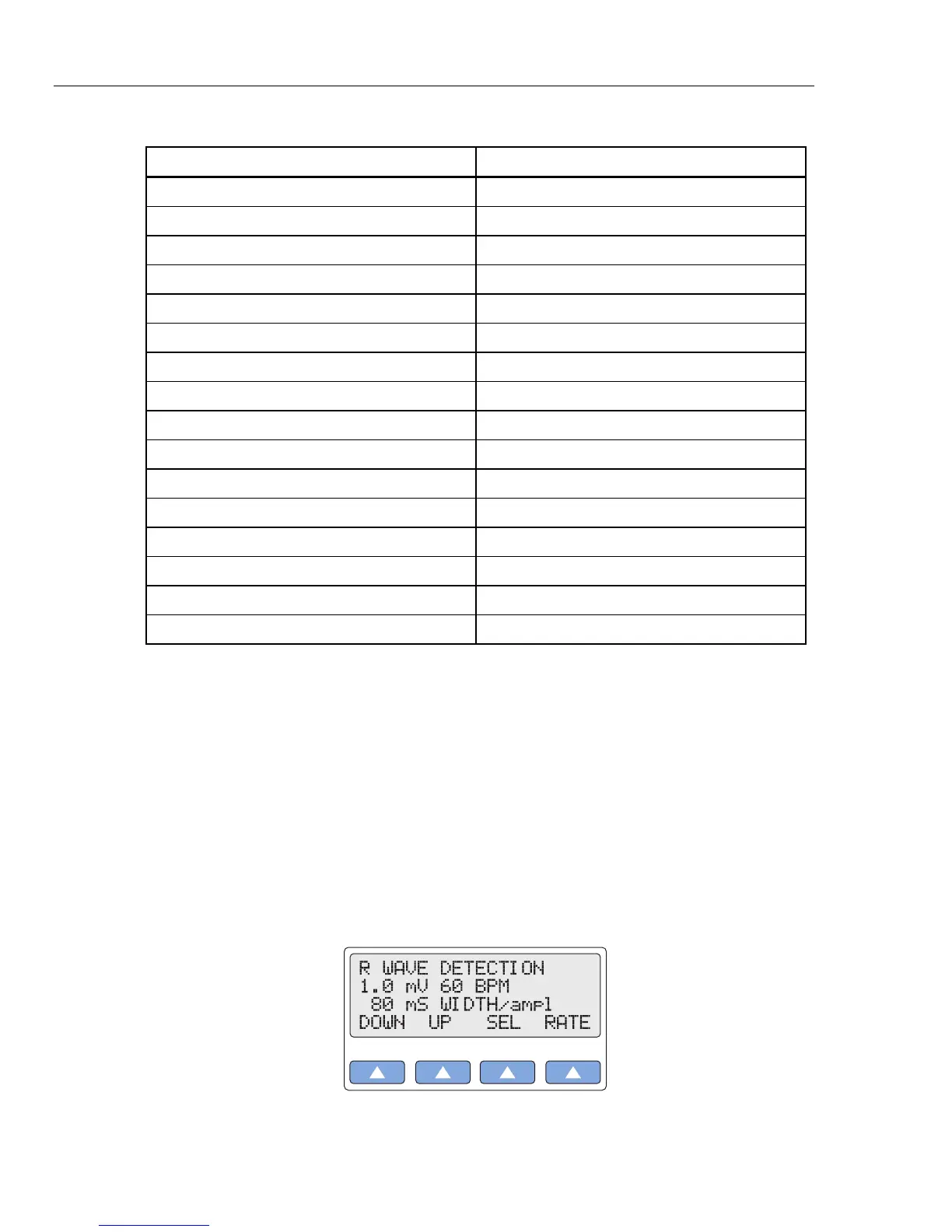
2. Select RWDET to display the LCD screen R WAVE DETECTION:
gje021.eps
3. Select RATE to scroll to a different R-wave rate. The rate identified on the LCD



 To Next Page