31
2-5-4. Switches on the Card
Do not access internal cards or make connections with the unit powered ON. Always power
OFF all connected units / disconnect power cords prior to accessing the interior.
Further note that adjustments and maintenance should only be performed by qualified
technical personnel familiar with FOR-A equipment.
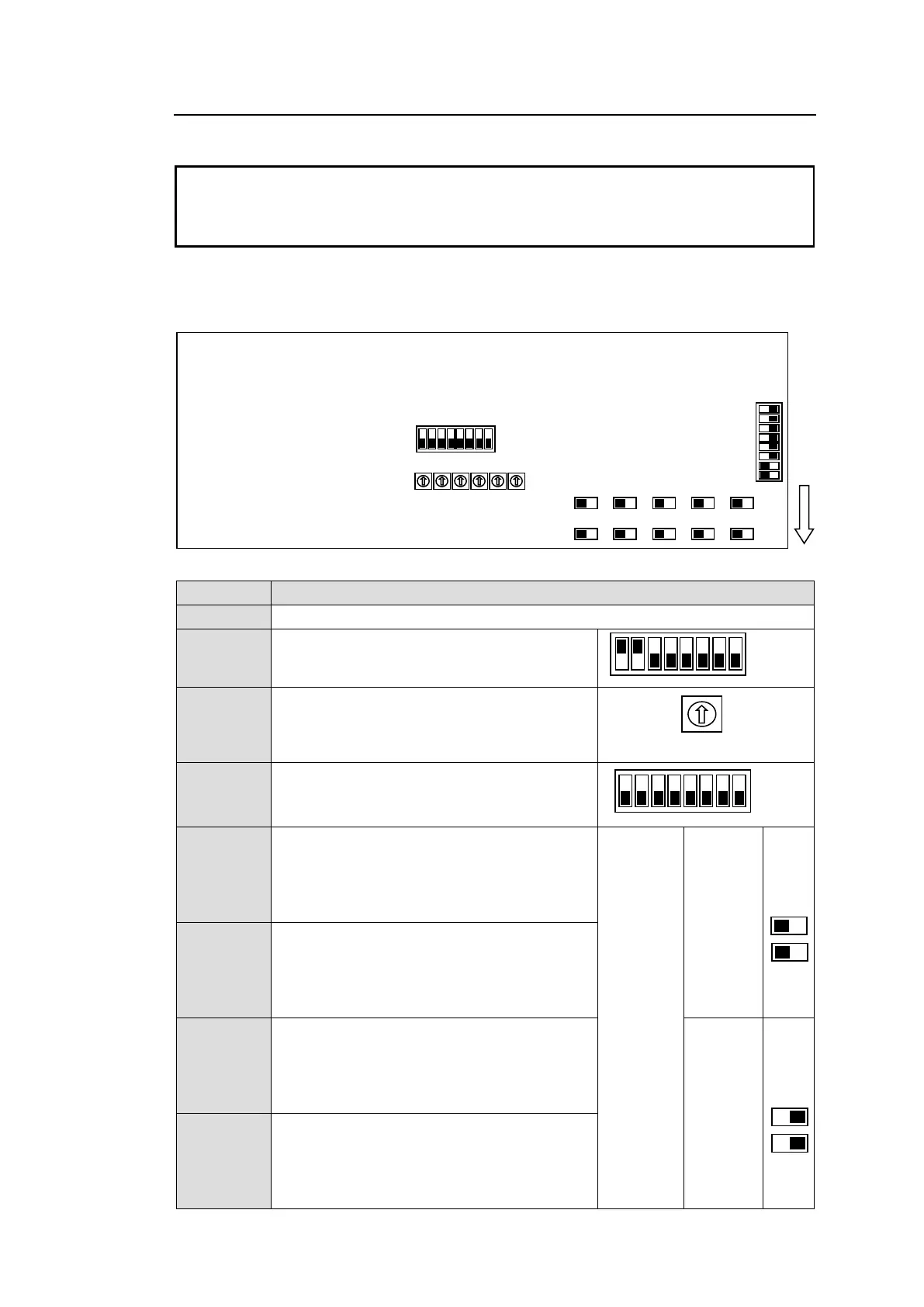
Remove the two screws on both sides of the MFR-GPI to access the internal card as shown
below. The figure below shows the factory default switch settings.
Used for maintenance. Do not use.
Used for maintenance. Do not use. (The
factory default setting is as shown at right.
The black boxes (■) represent switches.)
Used for maintenance. Do not use.
Used for maintenance. Do not use.
Used to select RS-232C/RS-422 for SERIAL
1.
The default setting is RS-232C (both
switches to the left). To change to RS-422,
set both switches to the right.
RS-
232C
(Factory
default
setting)
Used to select RS-232C/RS-422 for SERIAL
2.
The default setting is RS-232C (both
switches to the left). To change to RS-422,
set both switches to the right.
Used to select RS-232C/RS-422 for SERIAL
3.
The default setting is RS-232C (both
switches to the left). To change to RS-422,
set both switches to the right.
Used to select RS-232C/RS-422 for SERIAL
4.
The default setting is RS-232C (both
switches to the left). To change to RS-422,
set both switches to the right.



 To Next Page