49
4-6. Available Window Objects
Label 1 and Label 2 can display simultaneously.
Label 1 and Label 2 are concatenated.
Size: Select from 3 sizes.
Label text: Select from Title, Alarm and Title+Alarm.
Title: Displays channel names or text specified by DP-ID. Text and
background colors are selectable. Label 1 is assigned to Title1 and
Label 2 to Title2.
Alarm: Displays text only when an alarm occurs.
Title + Alarm: Displays alarms. Titles are displayed when no alarm
has been occurred.
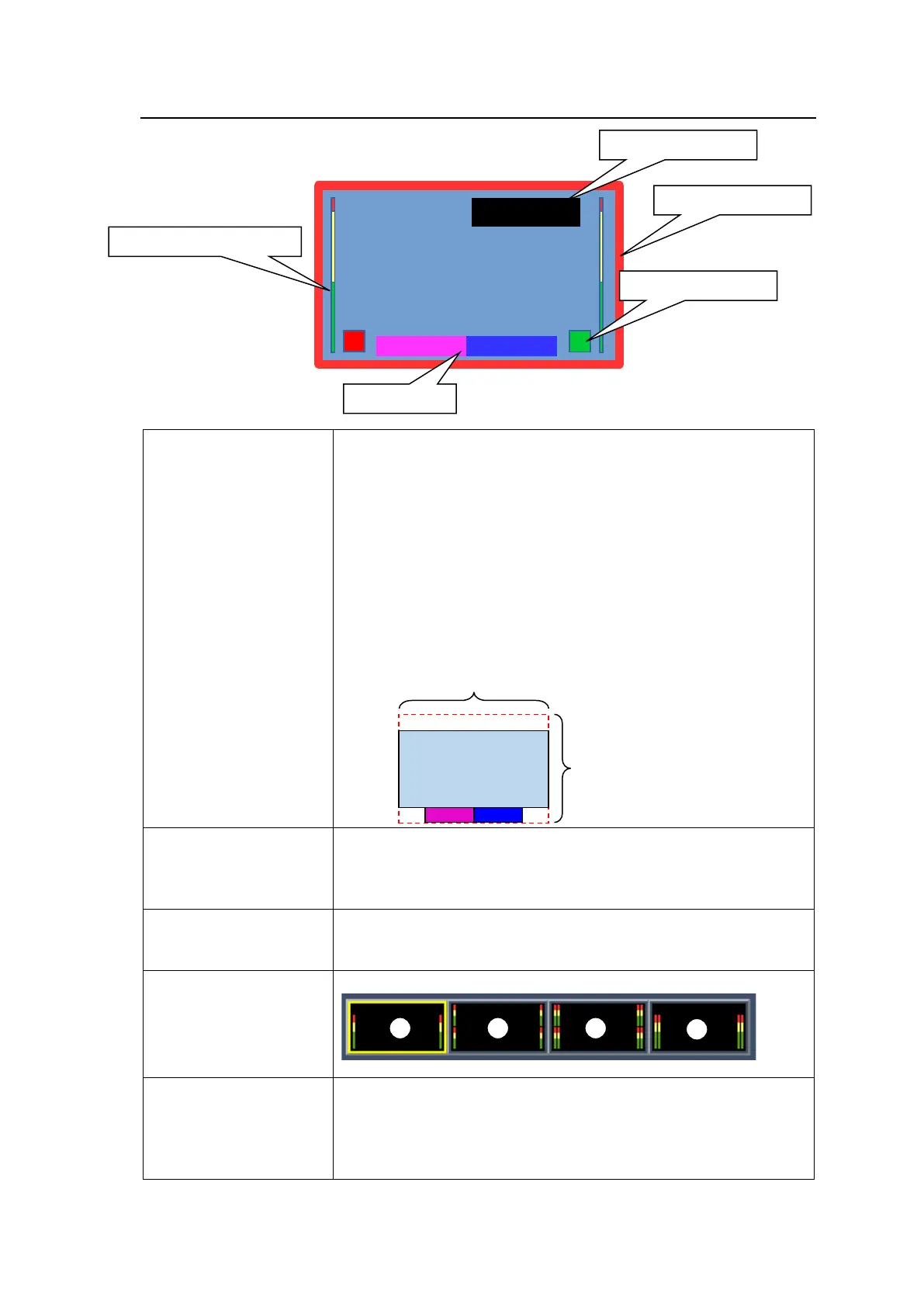
Labels can be placed within the red rectangle in the figure below.
Width: Select from 4 types.
Color: Select from 8 colors.
Also available as tally frame (in accordance with DP-ID information
assigned to labels)
Can be placed freely anywhere within windows.
Tally information is displayed according to DP-ID information
assigned to labels.
Layout: Select from the following 4 types (- in 4K mode)
Timecode is not displayed when FS Mode is set to ON. See Sec. 4-
2.)
Size: Select from 3 types.
Location: Same area as that of labels
Text and background colors selectable



 To Next Page