Introduction to the Wrist PDA Watch
Wrist PDA components
10
Wrist PDA User Guide
Wrist PDA components
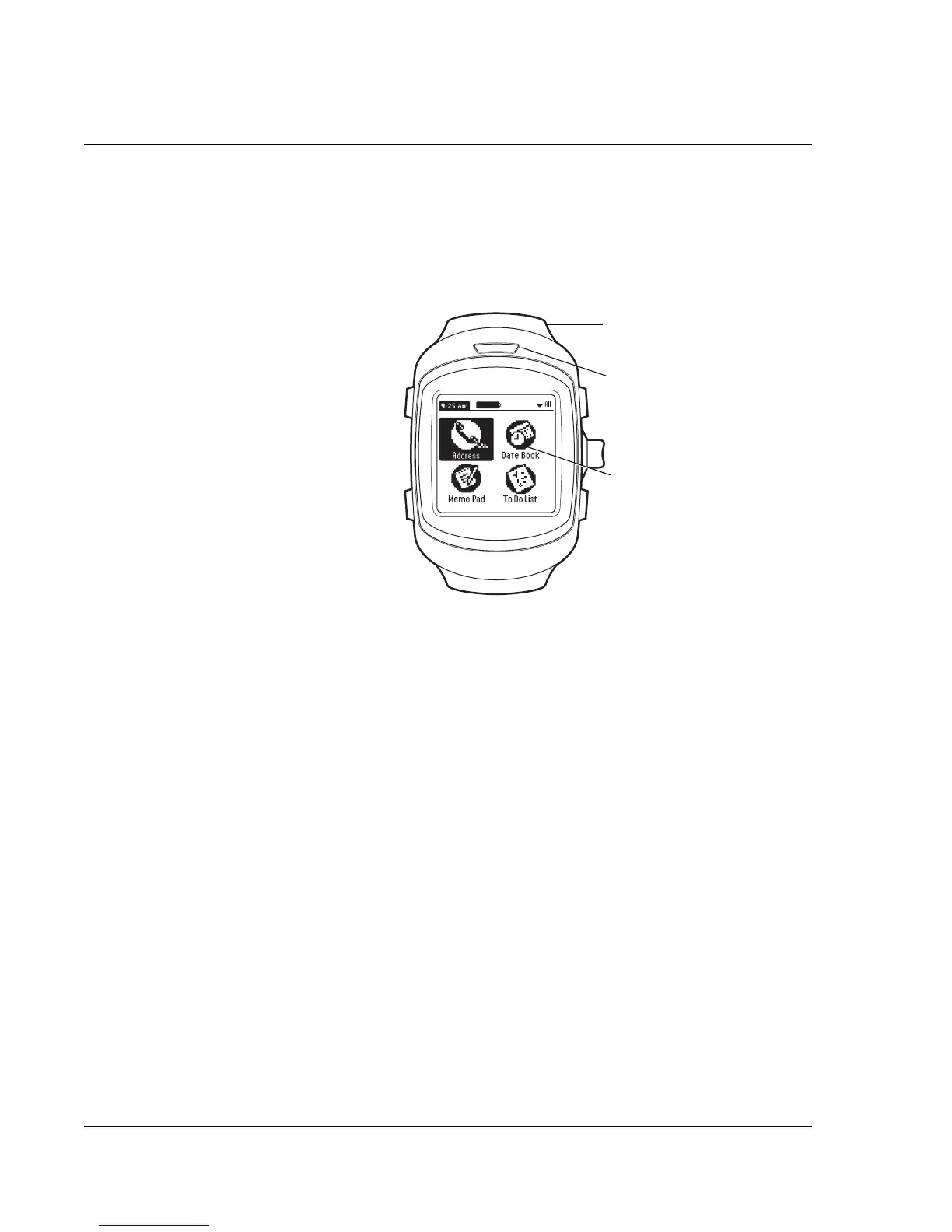
Main components
• Screen. View the applications and data stored in your watch.
It is touch-sensitive and responds to the stylus.
– Write letters and numbers on the screen using the built-in
Jot
®
handwriting software (see page 22).
– Activate the backlight by pressing and holding Back (see
page 11).
• Stylus. Remove the stylus from the wristband and use it as a
selection tool (like a mouse) or to write text and numbers on
the screen (see page 12).
• IR port. Use infrared technology to exchange data with other
Wrist PDA watches and Palm devices (see page 91).
Stylus (built into wristband)
Infrared (IR) port
Screen












 To Next Page