VM200 UserÕs Guide
Using the ST BUSS OUT
The VM200 converts the ST BUSS stereo digital signal to analog
using 20-bit 128-times oversampling D/A converters. The analog sig-
nal is then output from the ST BUSS OUT connectors on the rear
panel. These connectors are unbalanced phone jacks with a –10 dB
nominal output level.
The same ST BUSS stereo digital signal is also converted to an S/P
DIF signal via the S/P DIF encoder and output from the S/P DIF OUT
connector on the rear panel. (For more information, see “Using S/P
DIF OUT” on page 168.)
In a typical recording setup, you could use the ST BUSS OUT for mas-
ter recording.
Monitoring the ST BUSS OUT
You can monitor the ST BUSS OUT signal by connecting the MONI-
TOR OUT jacks to an amplifier and speakers. Set the Mon Sel (Mon-
itor Select) parameter on the
SETUP:SYSTEM 1:CLOCK/MON
function page
to “ST-B” (stereo buss) (see page 98).
You can also monitor the ST BUSS OUT signal through a pair of ste-
reo headphones connected to the PHONES jack. For more informa-
tion, see “Monitoring Signals” on page 97.
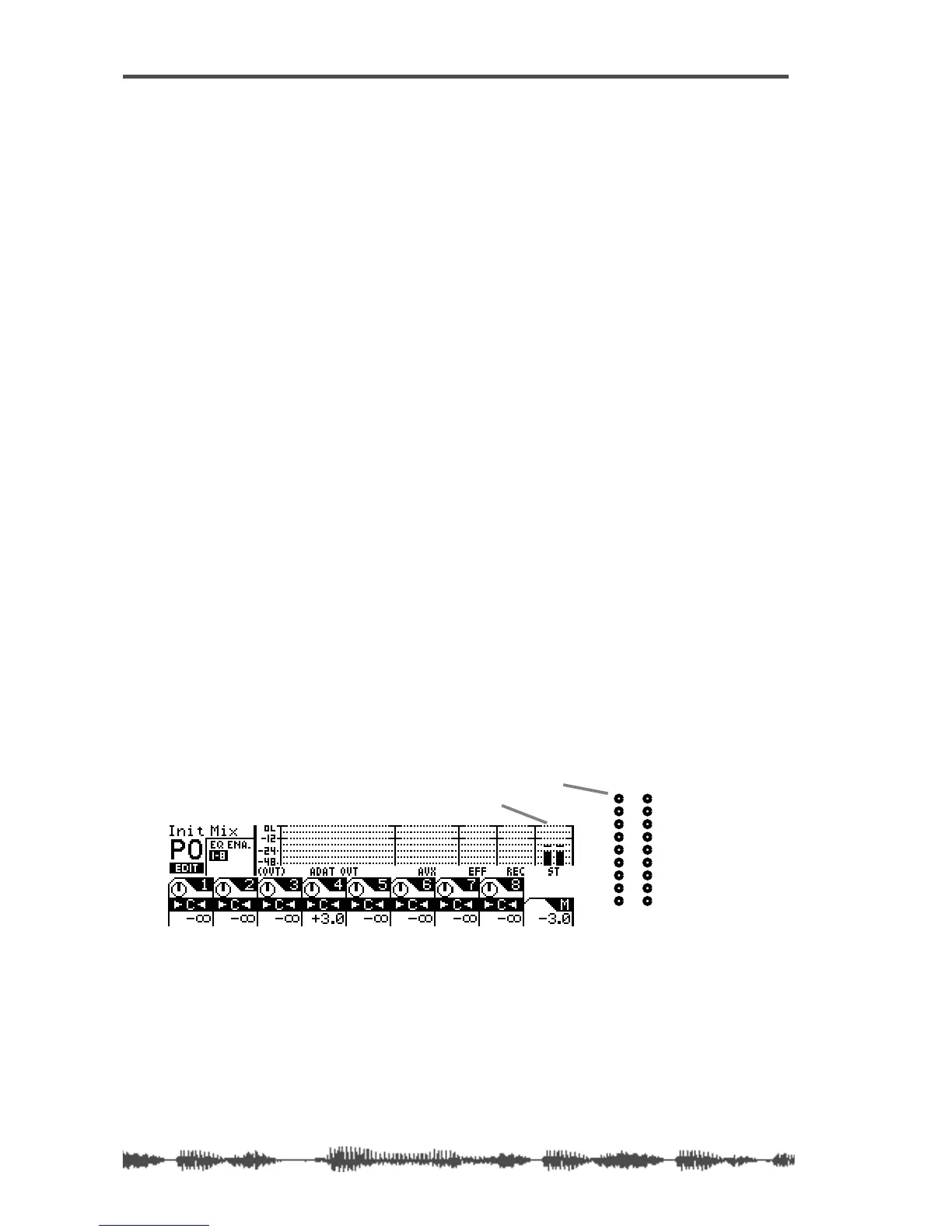
Viewing the ST BUSS OUT Meters
You can view the stereo output signal levels on the nine-segment
L/R Stereo/Solo LED meters.
You can also view the stereo output level on meters that appear on
the
CHANNEL EDIT/OUTPUTS
function page, which you can display by
pressing the
[CHANNEL/METER]
key twice.
See the “Monitoring Signals” on page 97 for more information.
ST BUSS OUT level
-48
-36
-24
-18
-12
-9
-6
-3
OL
ST BUSS/SOLO
LR
METER
LED meters



 To Next Page