119
Pairing AUX Sends
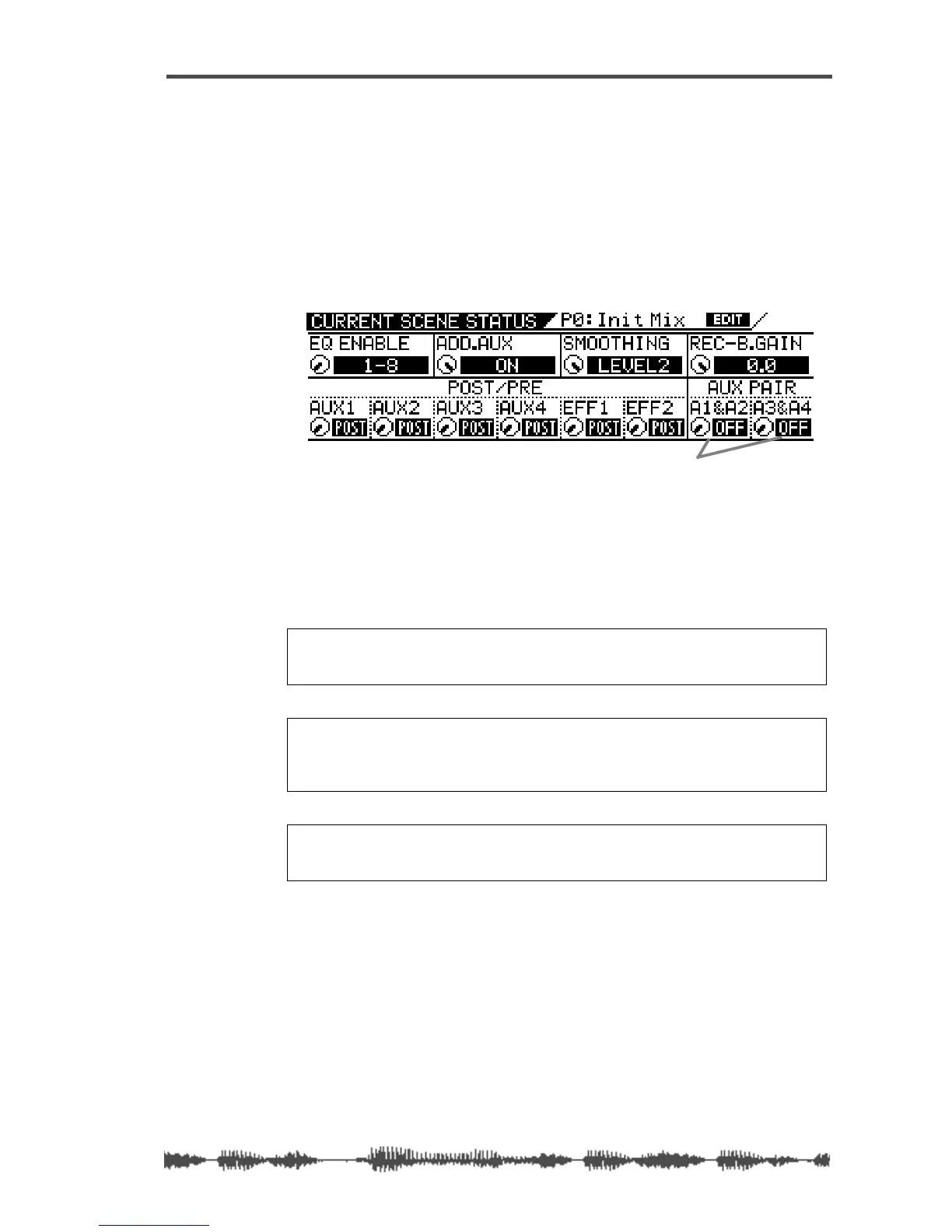
You can pair AUX Sends 1 and 2 and AUX Sends 3 and 4 for stereo
signal processing.
When paired, the Master Faders,
[ON]
keys, and monitors of each AUX
Send are set the same and linked for simultaneous control.
Follow these steps to pair AUX Sends:
1.
Press the
[CURRENT SCENE STATUS]
key.
The VM200 displays the
CURRENT SCENE STATUS
function page.
2.
Use the Freq and Q rotary controls for channels 7/8 to turn
the A1&A2 and A3&4 parameters On or Off.
The default setting is “off.”
If you change the parameter setting, the indicator flashes.
3.
Press the
[EXIT]
key to return to Channel Edit mode.
Note:
If the ADD. AUX parameter is on, the REC BUSS is disabled. For
more information, see “Enabling AUX Sends 3 & 4 (ADD. AUX Parame-
ter)” on page 115.
Note:
When AUX1 and 2 are paired, the AUX1 signal is sent to the left
channel and AUX2 signal is sent to the right. Similarly, when AUX3 and
4 are paired, the AUX3 signal is sent to the left channel and the AUX4
signal is sent to the right channel.
Note:
If the Smoothing function is set to Level 2 (default), the AUX pair
setting will affect the EFF pair setting. For more information on the
Smoothing function, see “Smoothing Function” on page 120.
AUX PAIR parameters



 To Next Page