VM200 & MIDI
192 VM200 User’s Guide
MMC (MIDI Machine Control) Send
MMC is an abbreviation for MIDI Machine Control. You can control
MMC-compatible recorders from the VM200 by sending MIDI
Machine Control (MMC) commands.
In MMC Send mode, the VM200’s [ON] keys 1 through 8 function as
the transport keys, store, recall keys for locate memories.
You can use the
[EQ EDIT] keys and [SOLO] keys to locate sixteen
definable locate points (LOCATE 1–16).
While you hold down the [ENTER] key, the
[SOLO] keys function as
the record track select keys. MMC commands are transmitted via
MIDI.
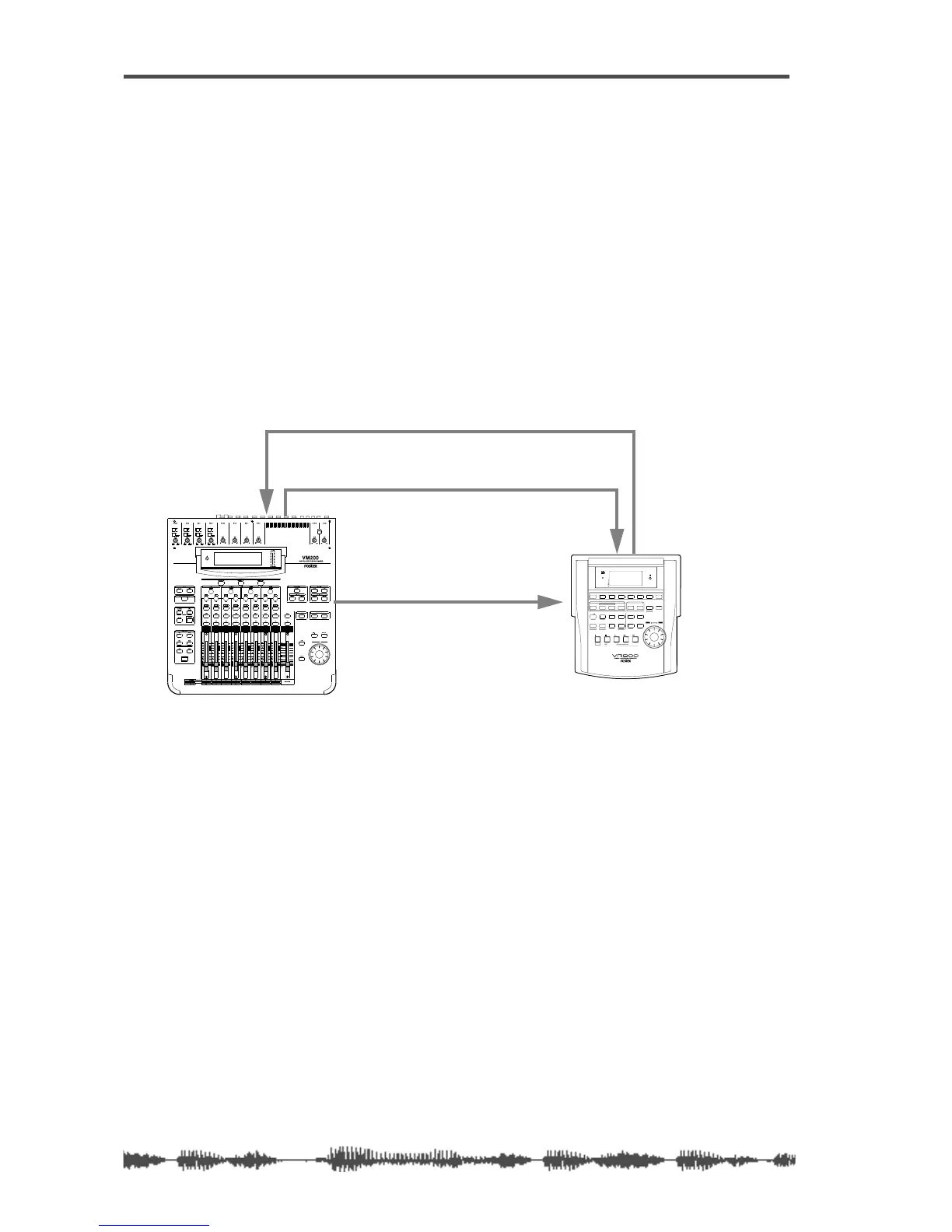
The following example illustrates remote control of an MMC-compat-
ible digital MTR (such as the Fostex VR800) from the VM200 using
MMC commands.
Setting the Device ID Number
1. Press the [MIDI] key.
The VM200 displays the 1:MIDI TX&RX function page.
2. Select an ID number for the DevID parameter.
Rotate the EQ/LO-MID Freq rotary control to specify the device ID
number of the connected digital MTR. Select a number from 000
to 126.
Entering MMC Send Mode
3. Press the [ROUTING/PHASE] key and the [PAIR/GROUP] key
simultaneously to enter MMC Send mode.
ADAT OUTADAT IN
ADAT IN
ADAT OUT
ADAT-compatible Digital multitrack recorder
MIDI Machine Control Data
MIDI IN
SHIFT P.EDIT
LOC MEM
RECORD
STOP
PLAY REW F FWD
AUTO PUNCH
CLIPBOARD
AUTO RTN
OUTIN
ENDOUTINSTART
EJECT
ACCESS
5678
OL
24
12
6
0
1234
RECORD TRACK
4321 5
678
EXECUTE
/ YES
EXIT
/ NO
DISP SEL
UNDO / REDO
EDITHOLD/
STORE
SETUP
JOG
VARI PITCH SCRUBLOCATEAUTO PLAY
PGM SEL
AUTO RTN
TIME BASE SEL
SHUTTLE
LOCATE REC END
LOCATE ABS 0
CLIPBOARD PLAY
PUNCH
AUTO
OPTICAL
A SYNC
PREVIEW



 To Next Page