Specifying Recall Safe Parameters
VM200 User’s Guide 157
3. Press the [EQ EDIT] keys of target channels to designate them
“safe” from being overwritten by recalled parameters.
The
[EQ EDIT] indicators of the recall safe channels light up, and
the
[EQ EDIT] indicators of the non-safe channels continue to
flash.
The box indicators of the recall safe channels are highlighted.
4. Press the [CHANNEL/METER] key to return to Channel Edit
mode.
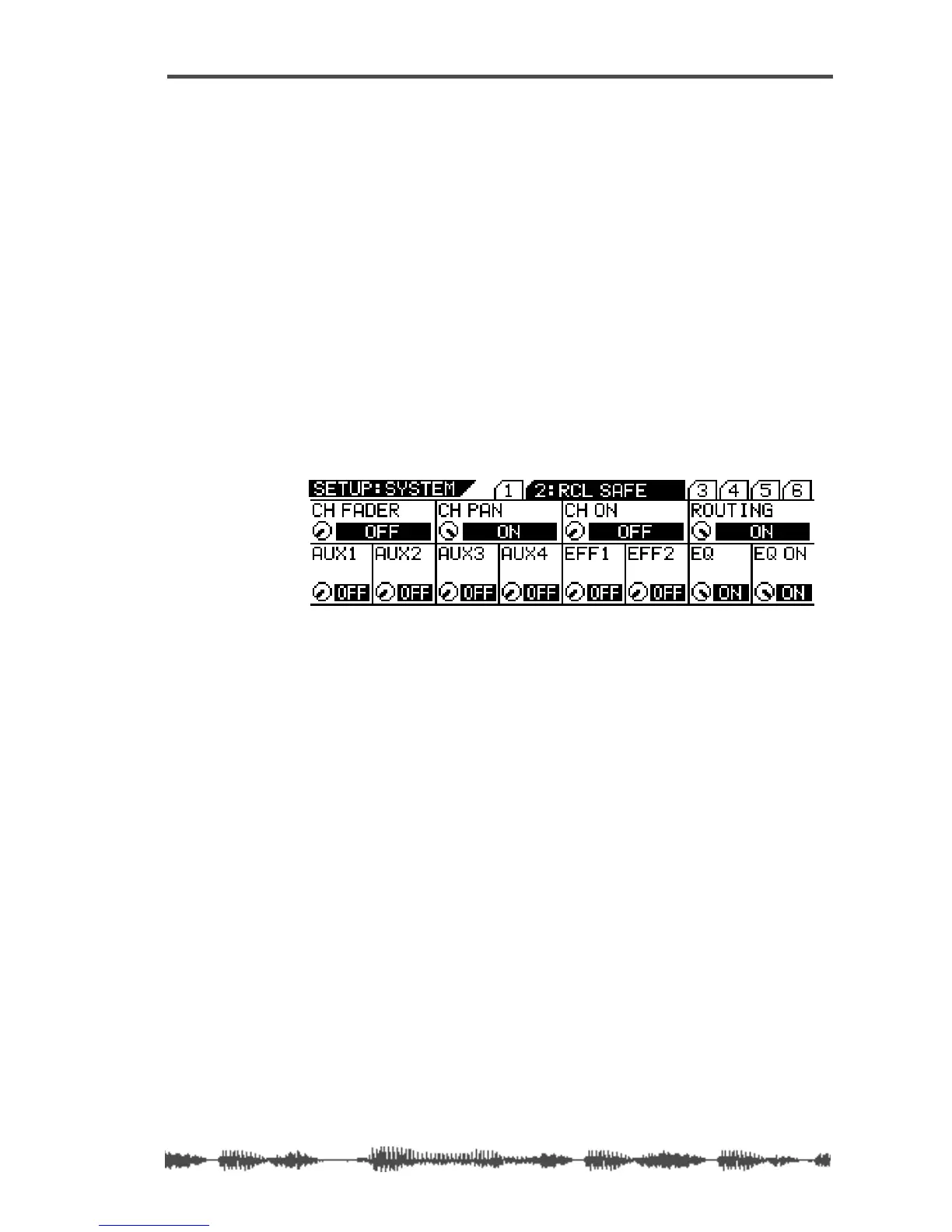
Specifying Recall Safe Parameters
The VM200 features a Recall Safe function that enables you to desig-
nate specific parameters as “recall safe.” When a new scene is
recalled, “safe” parameters are not updated.
1. Press the [SYSTEM] key three times.
The VM200 displays the 1:CH RCL SAFE function page.
2. Use the EQ Gain, Freq, and Q rotary controls for each parame-
ter to turn Recall Safe on or off.
The default setting is all Off.
3. Press the [CHANNEL/METER] key to return to Channel Edit
mode.



 To Next Page