Grouping Faders
VM200 User’s Guide
69
rus or drum kit on and off simultaneously during mixdown. You can
group these channels into a mute group.
Three groups are available: Mute Groups A, B, and C.
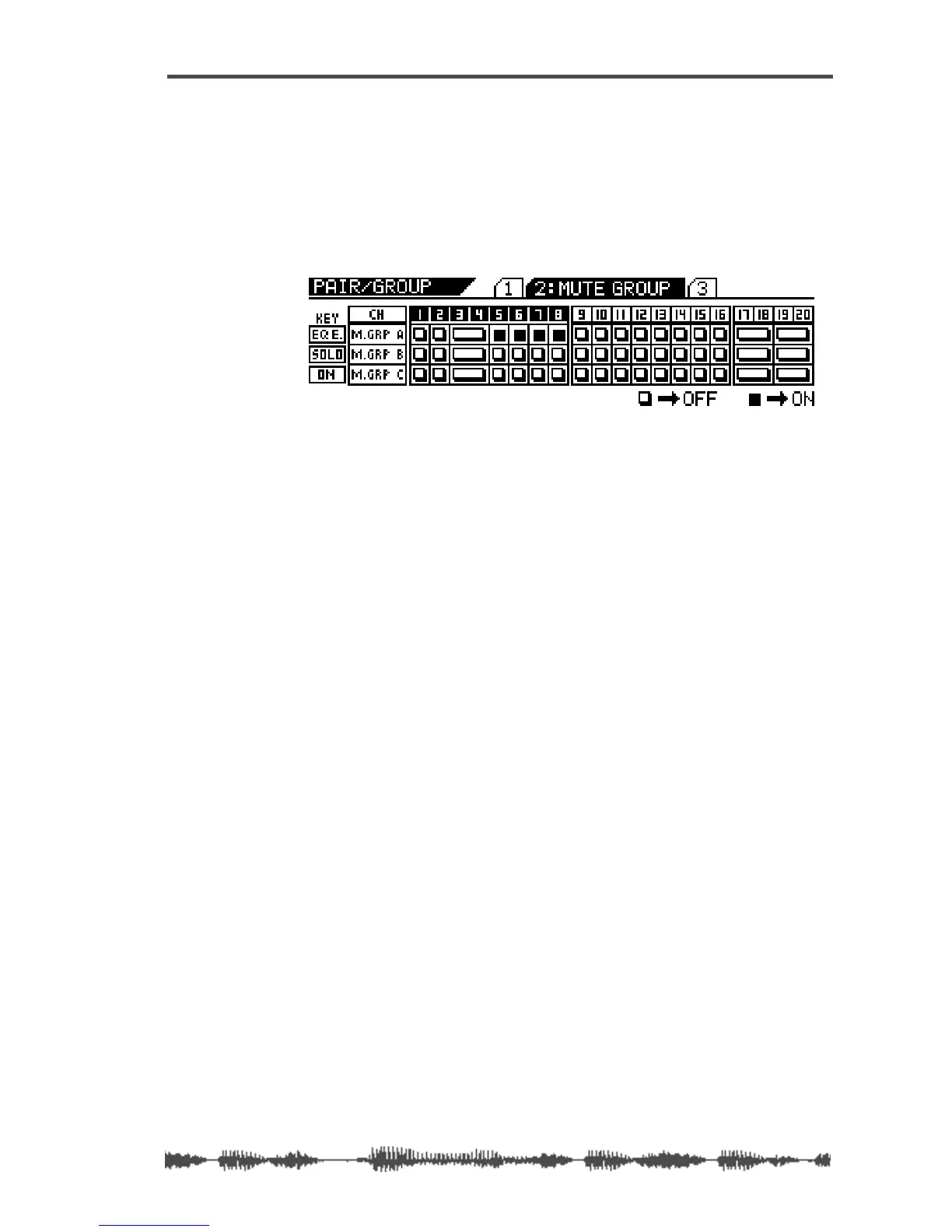
1. Press the [PAIR/GROUP] key twice to display the 2:MUTE GROUP
function page.
THE [PAIR/GROUP] key and all [EQ EDIT], [SOLO], and [ON] keys
flash.
2. Press the [EQ EDIT] keys for the channels you wish to add to
Mute Group A.
The
[EQ EDIT] keys light up and the corresponding indicators on the
display turn on (highlight).
In the example above, channels 5, 6, 7, and 8 are assigned to Mute
Group A. (No other channels are assigned to a Mute group.)
3. Press the [SOLO] keys for the channels you wish to add to
Mute Group B.
The
[SOLO] keys light up and the corresponding indicators on the
display turn on (highlight).
4. Press the [ON] key for the channels you wish to add to Mute
Group C.
The
[ON] keys light up and the corresponding indicators on the dis-
play turn on (highlight).
5. To remove a channel from the mute group, press the corre-
sponding
[EQ EDIT], [SOLO], or [ON] key.
The key resumes flashing and the corresponding display indicator
turns off.
6. Press the [EXIT] key or the [CHANNEL/METER] key to return to
Channel Edit mode.
Grouping Faders
You can group faders 1-8 into Fader groups. This enables you to con-
trol several faders simultaneously using only one fader.
Three groups are available: Mute Groups A, B, and C.
1. Press the [PAIR/GROUP] key repeatedly to display the 3:FADER
GROUP function page.



 To Next Page