Getting Started
54
VM200 User’s Guide
Adjusting the EQ
9.
Press the channel 1
[EQ EDIT]
key.
The
[EQ EDIT]
key lights up orange, and the
[EQ ON]
key in the
Selected EQ section lights up green.
If the
[EQ ON]
key is not lit, press the key to turn it on.
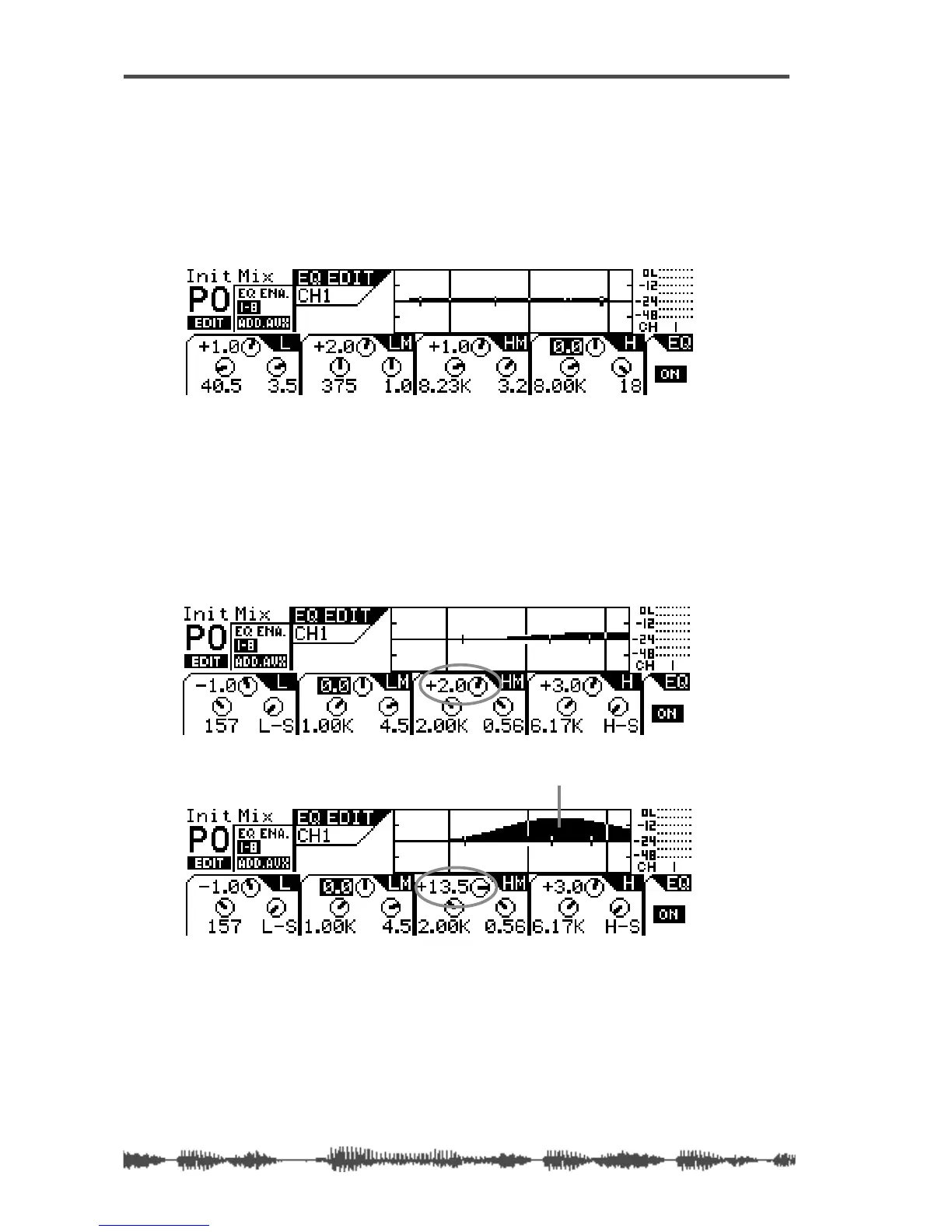
The following
EQ EDIT
function page appears.
10.
Use the EQ Gain, Freq, and Q rotary controls to adjust the
channel 1 EQ.
Each trio of rotary controls adjusts the EQ in a separate fre-
quency band. Use all 12 rotary controls to adjust the channel 1
EQ in each of the four bands.
For example, watch the response curve swell as you raise the
EQ/HI-MID Gain, as illustrated in figures A and B below.
A
B
the response curve swells when Gain is raised



 To Next Page