71
2.
Press the appropriate Page Select key to select the desired
channel layer.
The selected Page Select key lights up; unselected Page Select keys
continue to flash.
3.
Press the
[EQ EDIT]
key for the target channel.
The selected
[EQ EDIT]
key lights up. The number of the selected
channel appears in the upper left portion of the
CHANNEL VIEW
func-
tion page.
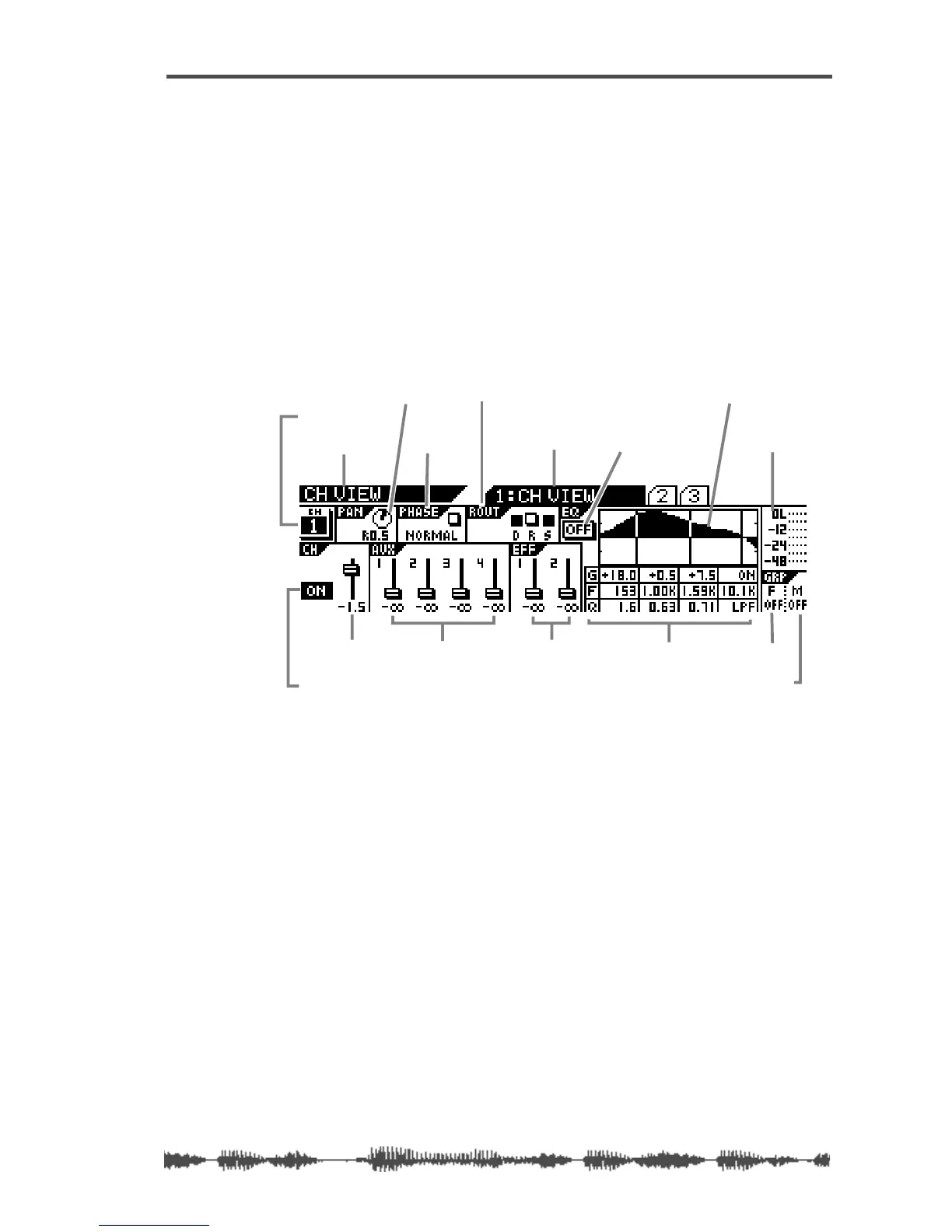
The following illustration describes the components of the
CHANNEL
VIEW
function page.
4.
Press the
[EXIT]
key or the
[CHANNEL/METER]
key to return to
Channel Edit mode.
function page title
sub-page title
channel number
[ON] key status
channel fader level
aux send levels effect send levels
routing (Direct, Rec buss, St buss)
EQ on/off
EQ curve graphic
EQ numeric settings
(gain, freq, Q)
level meter
fader group
mute group
phase
channel pan setting



 To Next Page