Editing EQ Program Titles
VM200 User’s Guide
89
6.
Press the
[ENTER]
key.
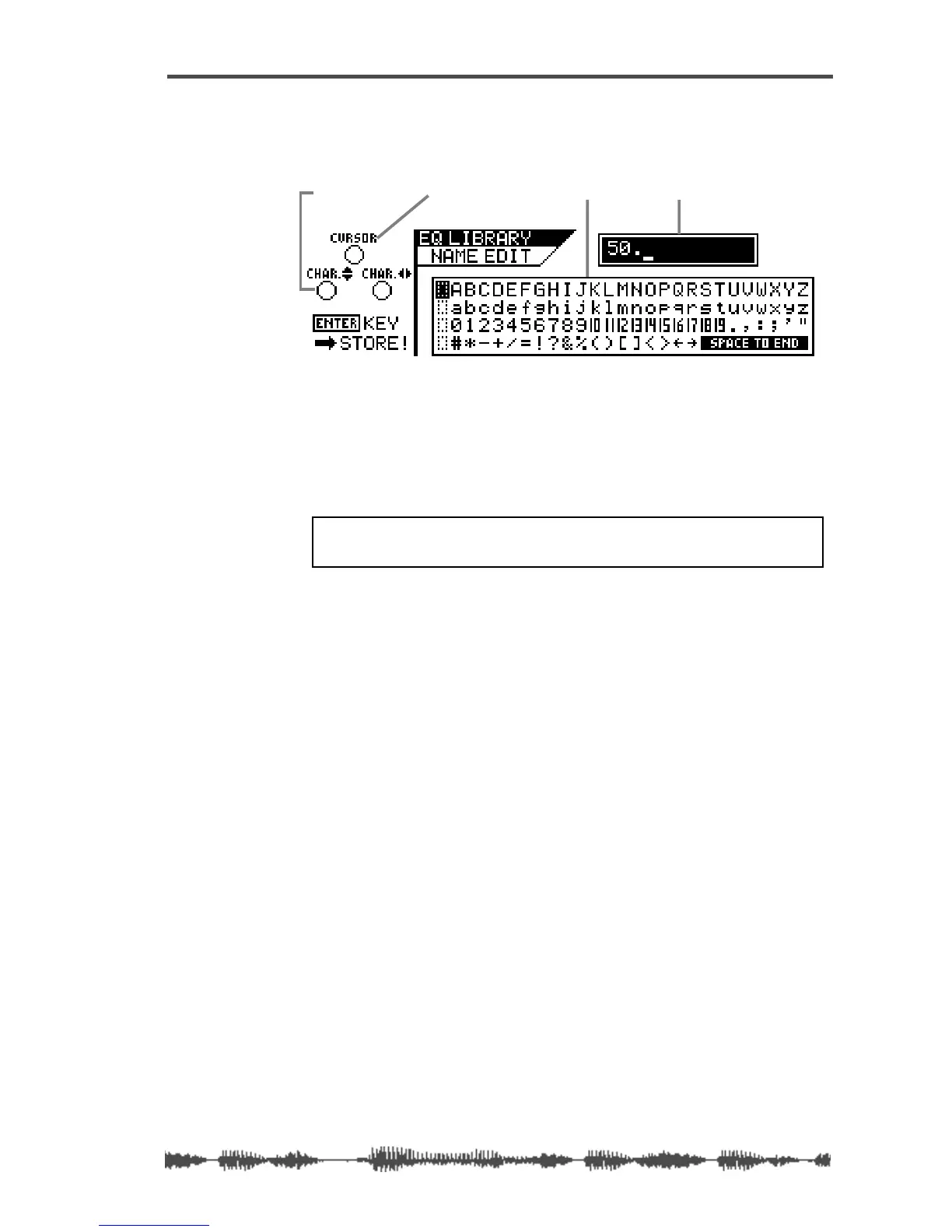
The VM200 displays the
EQ LIBRARY NAME EDIT
function page. The
title box shows the program number, but the name is now blank.
Use any Gain, Freq, and Q rotary controls to re-assign a name to
the EQ program. Refer to “Storing EQ Programs” on page 86 for
more information on controlling the cursor and character selector.
7.
When you’ve finished re-naming the program, press the
[ENTER]
key to store the new EQ program title.
The VM200 displays the
EQ EDIT
function page.
8.
Press the
[EXIT]
key at any time to exit the
EQ LIBRARY STORE
or
EQ LIBRARY NAME EDIT
function pages.
The VM200 displays the
CHANNEL EDIT
function page.
character-selector
title box
character selector boxcursor
WARNING: Do not power off the VM200 while it is writing to
memory or you may damage the system.



 To Next Page