Copying EQ Settings
VM200 User’s Guide
91
4.
Press the appropriate Page Select key to specify the channel
layer, then press the
[EQ EDIT]
key of the copy destination
channel(s).
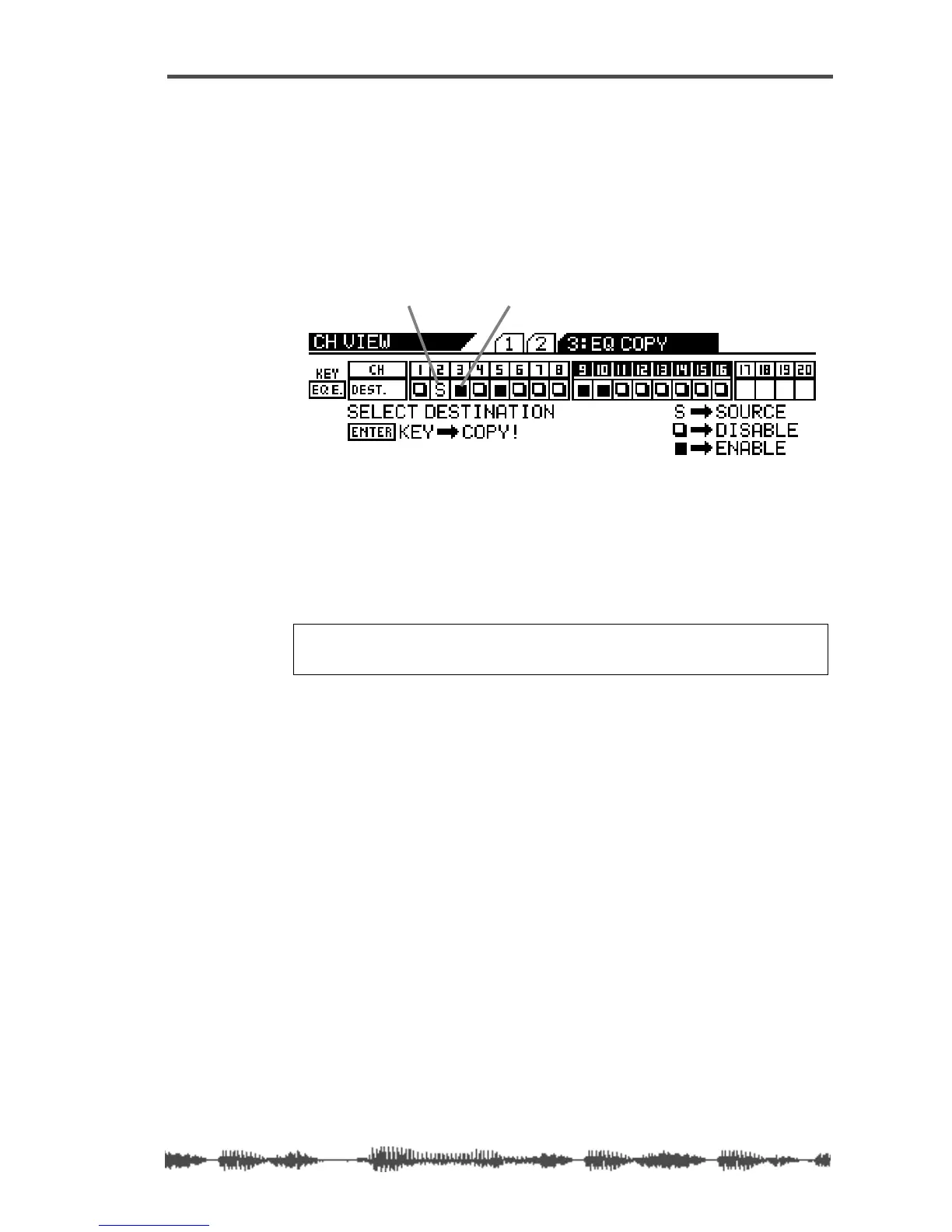
You can select multiple channels as EQ copy destinations.
The selected
[EQ EDIT]
key(s) light up. The EQ COPY function page
highlights (enables) the selected destination channel(s) as follows.
5. Press the [ENTER] key to execute the copy operation.
The EQ COPY function page flashes the word “COMPLETE!” on the
display for a few seconds, and the VM200 displays the first CH COPY
function page.
6. Press the [EXIT] key or the [CHANNEL/METER] key to return to
Channel Edit mode.
source channel
oneof four destination channels
Note: Even if channels are paired, you can copy to and from each
of the paired channels independently.



 To Next Page