PRO PAK’R User Manual Version 1.0 Page -20-
FP International
3 operAting instructions
3.3.2 chAnging mAchine settings
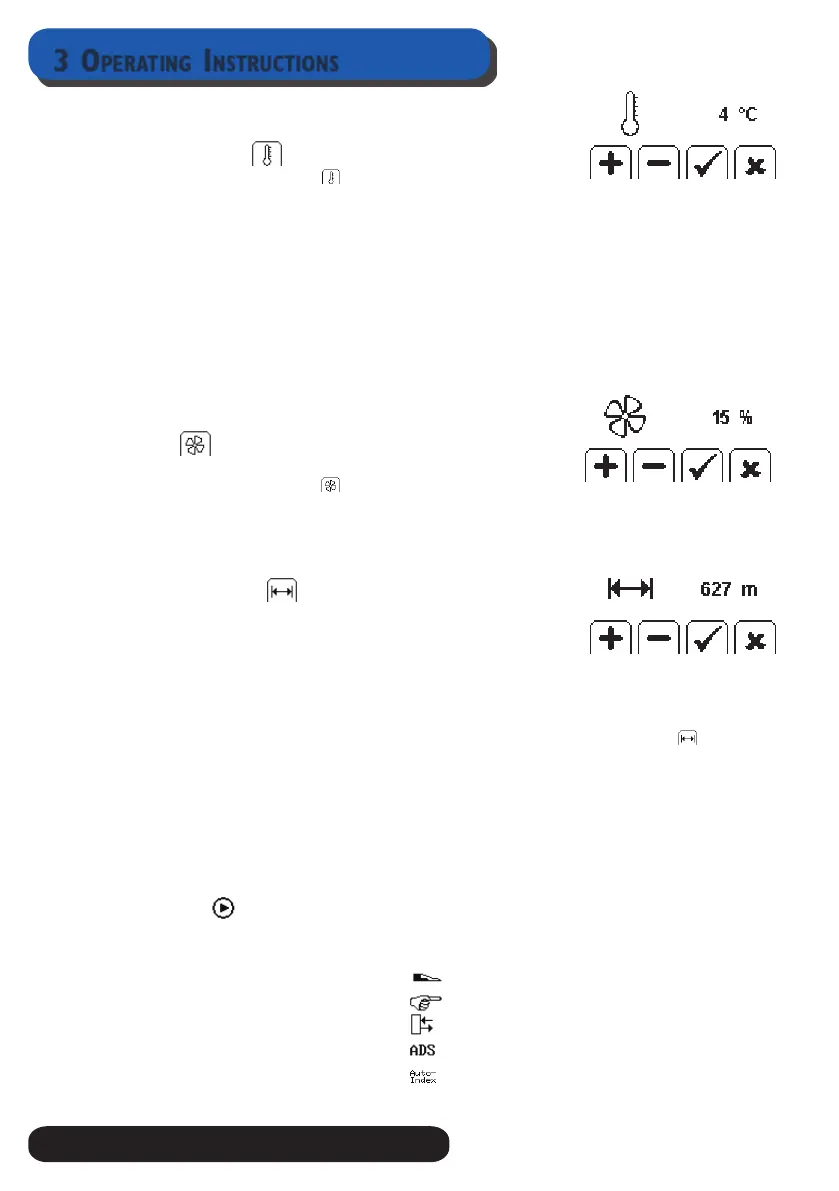
temperAture control
Press the button below the ( ) to adjust.
• If the air cushions become at, and upon inspection the heat seals are leaking air,
increase the Temperature Control by pressing the button below the “+” icon
• If the air cushions become at because the seals are burned through at the seal line as
evidenced by holes in the air cushions, decrease the temperature control by pressing
the button below the “-” icon
Press the button below P to accept
After changing the temperature control setting, the PRO PAK’R may take a few moments to
establish the new seal temperature.
During heat-up or cool down, RED LED will ash until the correct temperature has been
achieved.
If air cushions continue to show poor seals and produce at cushions, contact FPI for assis-
tance.
Air control
Air Control regulates the amount of air in the Air Cushions.
Press the button below the ( ) to adjust
If you want to increase the ll level, press the button below the “+”icon
If you want to decrease the ll level, press the button below the “-” icon
Press the button below P to accept
AdJust length control
Length control sets the length of a string of air cushions to be pro-
duced each time you press the start button. You have 2 options:
continuous mode:
Length control at the factory is preset at continuous production. Press start button and the
machine will run the lm until the lm roll is empty or the stop button is pressed.
fixed length
If you want to produce a xed length of a string of air cushions, press below , press the +
Button until desired length is displayed. The machine will count down the length of air cush-
ions produced.
Press P to accept
To change from Fixed to Continuous mode, press - button in the length control menu until
the display shows “0:”
Access menu
mode options
In this option you can select the operation mode, there are 5 option to select
Option 1 Foot Pedal
Option 2: Manually
Option 3: Sensor
Option 4: ADS
Option 5 Auto-Index
Select the desired Mode option. Accept press P.


 To Next Page