EasyManua.ls Logo

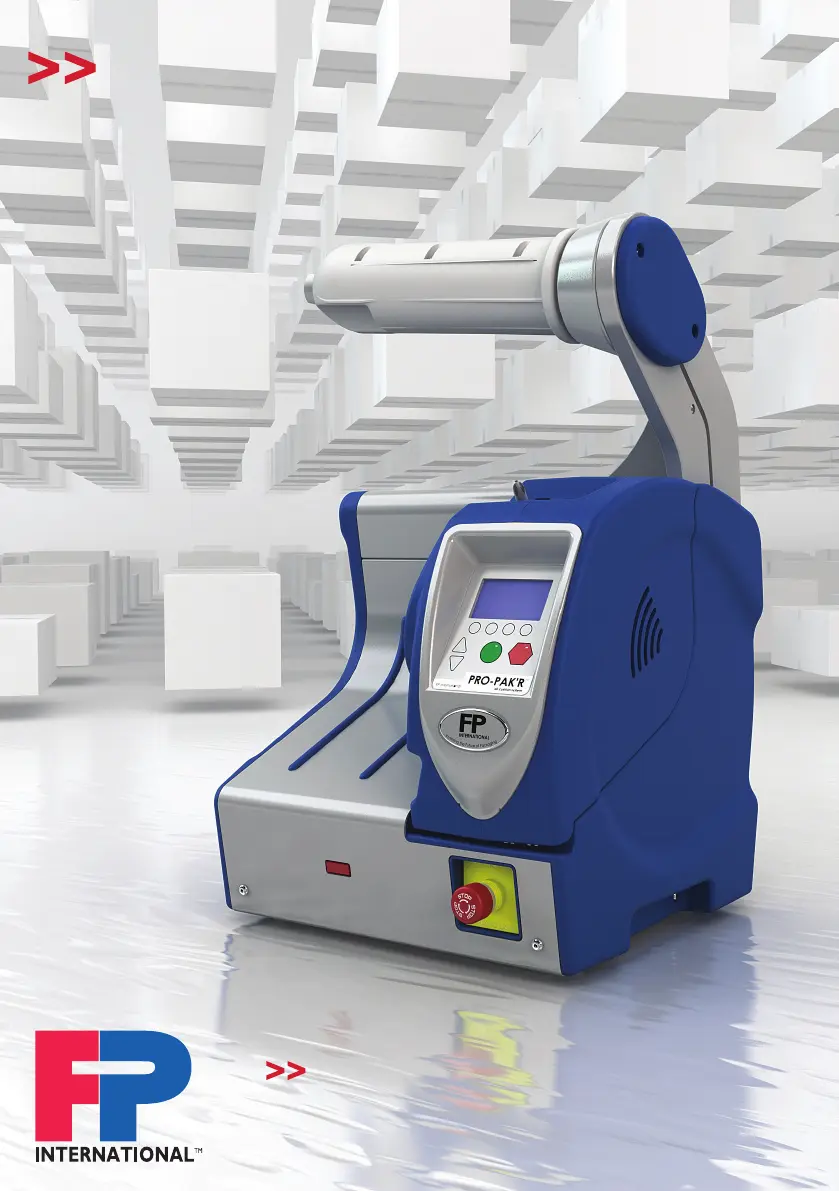
FP PRO PAK'R - User Manual

FP PRO PAK'R
120 pages
Print Icon
To Next Page IconTo Next Page
Loading...
PRO PAK’R User Manual Version 1.0 Page -1-
FP International
www.fpintl.eu
PRO PAK’R
USER MANUAL
Never stop
PROgressing

Table of Contents

Questions and Answers

  • R
    Rachael AlexanderAug 4, 2025
    What to do if FP PRO PAK'R cushions are flat?
    • T
      Thomas WilsonAug 5, 2025
      If the cushions of your FP Packaging equipment are flat and not holding air, there might be several reasons: * The air fill tube may not be inside the film, in which case you should reload the film onto the fill tube. * Seals may be leaking, so adjust the seal temperature or clean the backing wheel. * There may be too much air fill, so reduce the air fill.
  • K
    Kristy LopezAug 12, 2025
    How to fix FP PRO PAK'R Packaging equipment if film jams frequently?
    • C
      clarkjeremyAug 12, 2025
      If the film jams frequently in your FP Packaging equipment, the issue might be due to: * A dull blade. Try replacing, reversing, or sliding the blade. * Worn backing wheel. Replace or clean the backing wheel. * A worn fill tube. Replace the fill tube. * A worn cone tip. Replace the cone tip.
  • J
    Jessica MartinezAug 19, 2025
    How to troubleshoot no power to FP PRO PAK'R Pro Pak’r machine?
    • P
      Paul FlowersAug 20, 2025
      If there is no power to your FP Packaging equipment Pro Pak’r machine: * Ensure the power cord is plugged into both the Pro Pak’r and the outlet. * Turn the power switch ON. * Turn the toggle switch ON. * Replace the fuse on the power inlet. * Tighten the display cover screw with a screwdriver.
  • A
    Audrey BauerAug 26, 2025
    Why does FP PRO PAK'R film won’t run?
    • S
      Sheena KellerAug 26, 2025
      If the film won’t run in your FP Packaging equipment, it could be due to a few reasons: * The film roll might be installed backwards. Turn the film roll around. * A non-FPI film might be installed. Install an FPI film roll. * Turn the roll.

Summary

About This Manual

Machine Identification

The Manufacturer

Service Centres

Foreword

Using the Manual

Typographic Convention

Service and Information

Warranty and Liability

Introduction

1.1 Intention of Use

Defines the intended purpose and application of the air cushion machine.

1.2 Glossary of Machine Terms and Jargon

Explains key terms and jargon used within the manual for clarity.

1.3 Models and Accessories

Details the different versions of the machine and available optional accessories.

1.3.2 Not Included With The Machine

Lists items that are not part of the standard machine package.

Safety

2.1 Introduction

Introduces the importance of safety and compliance with manual instructions.

2.2 Safety Features

Lists the built-in safety features of the machine.

2.3 Safety Rules

Outlines essential safety rules for operating and maintaining the machine.

2.4 Unauthorized Use

Specifies purposes for which the machine is unsuitable.

2.5 Machine Users

Categorizes users into Operators (Level 1) and Maintenance Personnel (Level 2).

2.6 Workplace

Defines the space requirements for the machine's operating area.

2.7 Personal Protective Equipment

States that no PPE is required for operating the machine.

2.8 Emergency Switch

Details the function and operation of the emergency stop button.

2.9 Cautions on the Machine

Refers to cautionary notices affixed to the machine and their meaning.

2.10 Fire and Other Emergencies

Provides guidance on handling fire or other emergency situations.

Operating Instructions

3.1 Construction and Operating Controls

Describes the machine's configuration and its various operating controls.

3.1.1 Configuration

Illustrates the physical setup and components of the PRO PAK'R machine.

Front and Rear Views

Identifies and labels components visible from the front and rear of the machine.

Machine Component Identification

Lists and explains the function of key machine components and controls shown in the front view.

Internal Machine Components Identification

Identifies and labels key internal parts of the machine shown in detail.

3.1.2 Control Panel Keypad Instructions

Explains the function of each button on the machine's control panel.

3.1.3 Control Panel Display Symbols

Lists and explains the meaning of icons displayed on the machine's screen.

3.2 Starting Up The Machine

Provides step-by-step instructions for powering on and preparing the machine.

3.3 Loading Film

Illustrates the procedure for correctly loading the film roll into the machine.

3.3.1 General Instructions to Operate The Machine

Outlines general procedures and important checks before operating the machine.

3.3.2 Changing Machine Settings

Explains how to adjust temperature, air control, and length settings.

Access Menu: Mode Options

Describes how to access and select different operating modes.

3.3.3 Display Error

Provides a troubleshooting guide for error codes and display messages.

3.3.4 Moving the Machine

Details the safe procedure for relocating the machine.

3.3.5 Setting Up

Guides on proper machine setup, including workplace and connection requirements.

3.4 Cleaning

Provides instructions and warnings for cleaning the machine.

3.5 Transport and Storage

Covers guidelines for moving and storing the machine safely.

3.6 Commissioning

Outlines the process and checks required before the machine's first use.

Repair and Maintenance

3.7 Replacing Blades and Cone Tip

Instructions for replacing the cutting blade and cone tip.

3.7.1.1 Change Cone Tip

Step-by-step guide to changing the cone tip.

3.7.1.2 Replace Blade

Procedure for replacing the machine's blade.

3.7.3 Replacing Wear Strips

Details how to replace the wear strips that guide the film.

3.7.4 Cleaning Backing Wheel

Instructions for cleaning the backing wheel.

3.7.5 Replace Backing Wheel

Procedure for replacing the backing wheel.

3.7.6 Extension Wide Film

Instructions for attaching the optional wide film extension.

Specifications

4.1 Machine Specification

Technical details of the machine's general specifications.

4.1.1 General

Provides overall physical and performance specifications.

4.1.2 Product to be Processed

Details the types and dimensions of film compatible with the machine.

4.2 Electrical Specification

Outlines the electrical requirements and ratings of the machine.

4.3 Machine Environment

Specifies the recommended ambient conditions for machine operation and storage.

4.4 Directives and Standards Applied

Lists the European directives and standards to which the machine complies.

Indications on the Machine

5.1 Machine Identification Plate

Explains the information found on the machine's identification plate.

5.2 Warnings

Displays and explains warning pictograms found on the machine.

EC Declaration of Conformity

FP PRO PAK'R Specifications

General IconGeneral
BrandFP
ModelPRO PAK'R
CategoryPackaging equipment
LanguageEnglish