12
Installation Manual
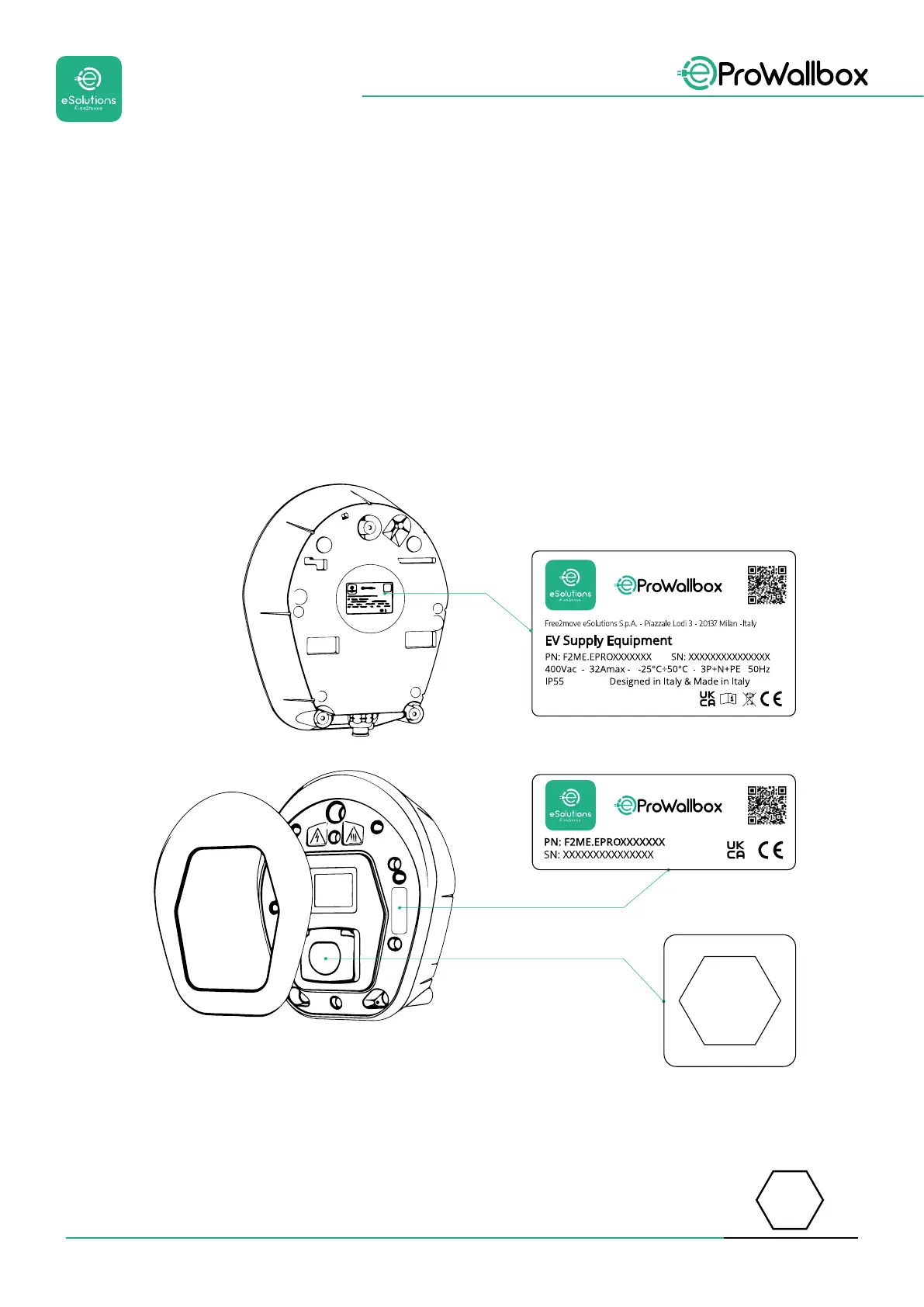
2.3 Identication label
Theinformationonthelabelisshowninthegurebelow.
Thedetailsmaydierfromthoseshowninthegure,dependingontheversion
of the appliance.
NOTE
The Part Number (PN) and Serial Number (SN) can also be found on the packaging
as well as in the eSolutions Charging app after pairing eProWallbox to the user’s
proleandinPowerUp after pairing with QR code. The QR code is the same on
both labels and is used to complete the installation with PowerUp and eSolutions
Charging applications.
The label inside the package with the printed letter C indicates the type of socket
installed on the product. This label should be applied near the socket when
installation is completed.
AC EN 62196-2 TYPE 2 Plug and socket
≤ 480 V
RMS
C



 To Next Page