41
Installation Manual
3.16 Wi-Fi setting
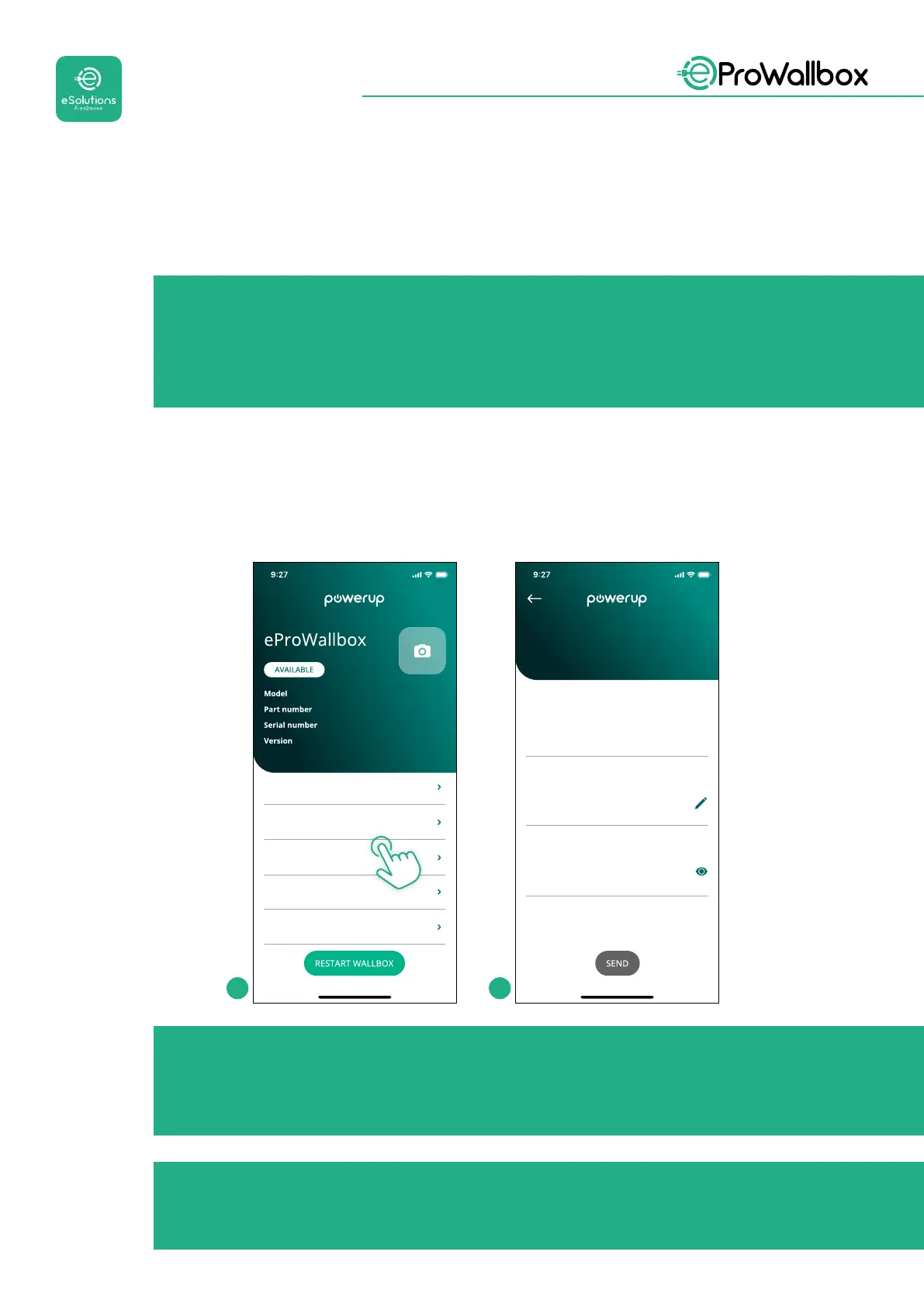
ItispossibletocongureaWi-FiconnectionthroughPowerUp.
NOTICE
For service purposes it is possible to temporarily connect the
wallbox to a Wi-Fi Hotspot generated by any smartphone, including
the one in use for the conguration. Use this procedure if the device
is oine and a software update is required.
ToconguretheWi-Fi,gotothededicatedsectionoftheapp“Wi-Fisettings”and
enter the credentials of the selected Wi-Fi connection:
• Wi-Fi SSID: the Wi-Fi network name has to be inserted here. If the Wi-Fi
networkisgeneratedviaHotspot,enterthenameoftheHotspotinthiseld.
• Wi-Fi Password: insert here the password of the Wi-Fi network or Hotspot.
eProWallbox
F2ME.EPROXXXXXXXX
0000AB0123456789
2.9.1
Country settings
Operating mode
Wi-Fi settings
Master / Slave
Internet mobile pameters
Wi-Fi network
Wi-Fi
my-network
Wi-Fi connection status
Connected
Wi-Fi password
Wi-Fi password
1 2
NOTICE
At the rst set-up, eProwallbox detects the same connection
network of the smartphone, but it is also possible to manually insert
the SSID of another Wi-Fi connection.
NOTICE
Once the function is enabled, to make the changes eective, always
restart the wallbox through the dedicated button on the homepage.



 To Next Page