48
Installation Manual
5.2 Backend connection setting
By default, eProWallboxisconguredtoconnecttotheeSolutions control platform
(CPMS). When requested, eProWallbox can be connected to a third-party backend
platform using OCPP 1.6 JSON protocol via 4G LTE, using a third-party SIM card or via
Wi-Fi.
WARNING
Pay careful attention to ensure that the ProWallbox is switched o
before carrying out these operations.
The function supports clear text or TLS encrypted OCPP connections.
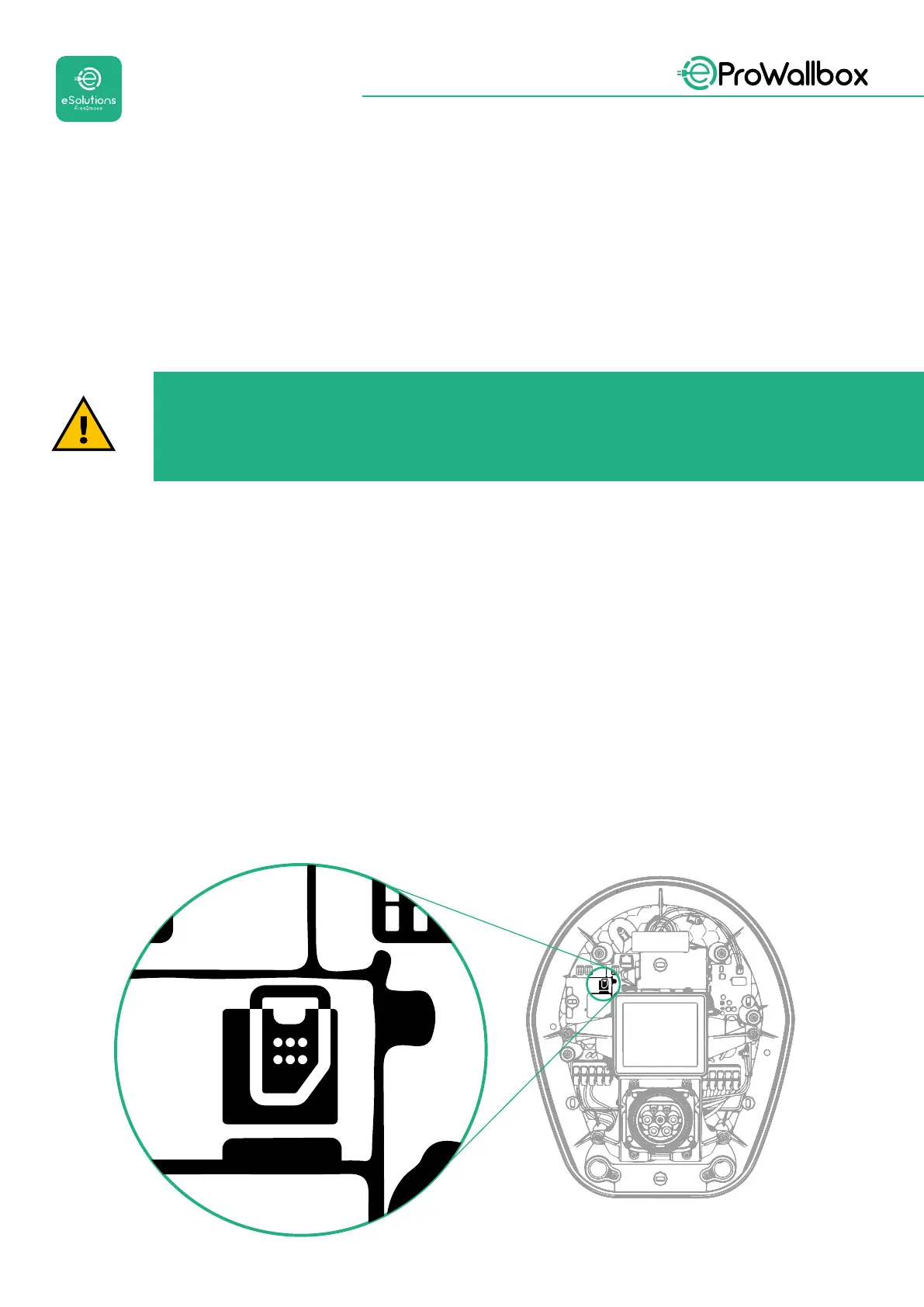
To install a third-party SIM card:
• TurnoeProWallbox
• RemovetheexternalcoveroeProWallbox
• Pull the cover out removing the 6 screws using the Torx T20 ¼’’ screwdriver
• RemovetheexistingSIMcardfromtheslot,asindicatedinthegure,and
insert the new one
• Close eProWallbox following the instructions at paragraph 2.12
• Turn on eProWallboxandproceedwiththeconguration



 To Next Page