34
Installation Manual
3.11 Closing operations and power on
Before closing, check to ensure that the power supply cables are connected
properly, making sure that the respective positions of the phases and neutral in
the CN1 terminal block respect the markings.
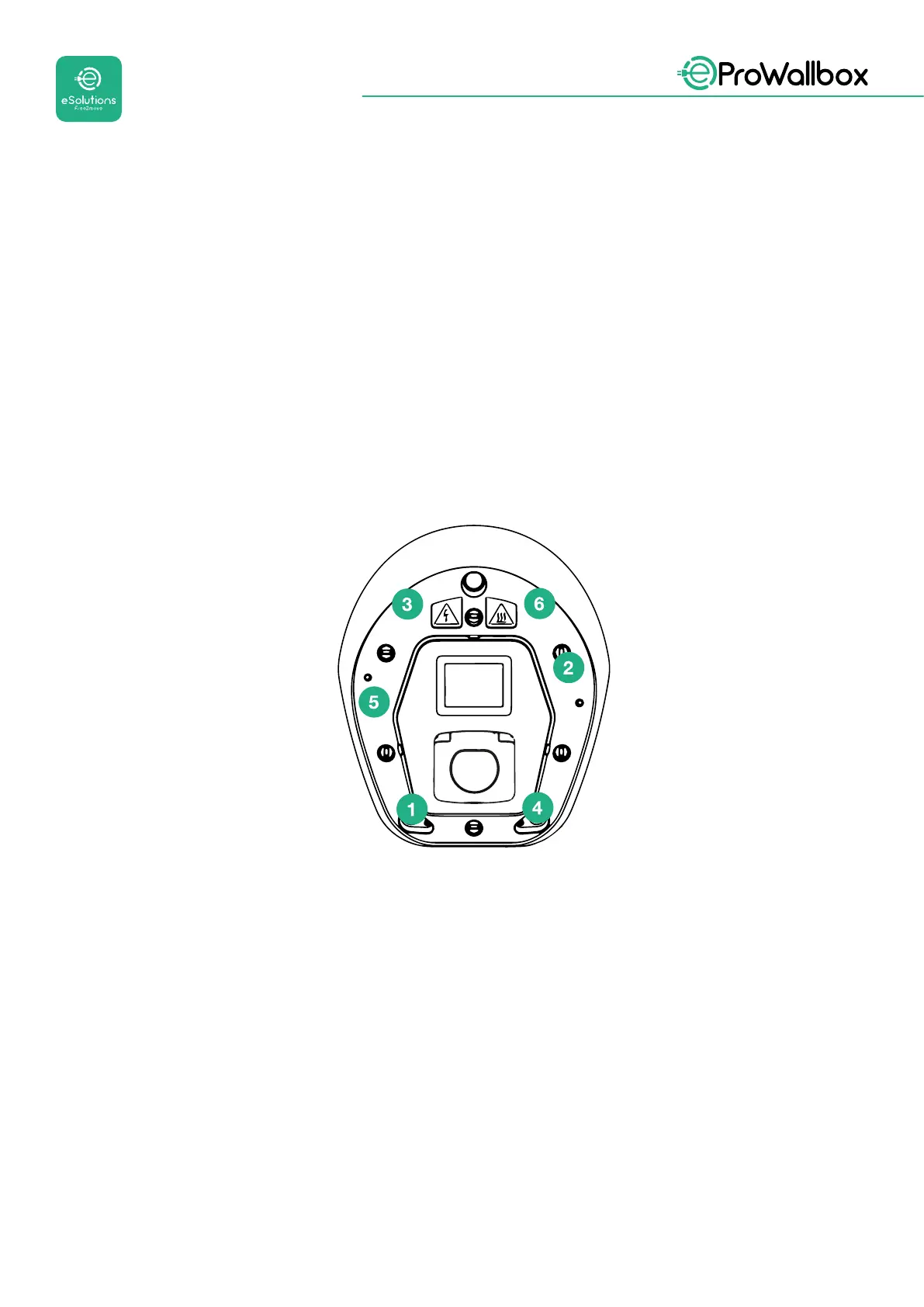
To close, follow the steps below:.
• Put the cover back on
• Secure with the screws removed previously according to the following
sequence (using a tightening torque 2.5 Nm)
• Put the external cover back on, pushing the rubber tab into the slot and
applying a slight pressure.
• Once the appliance is closed, it can be powered on by turning on the
upstream circuit breaker.
• Once powered on, the appliance carries out several cycles of internal
component checks before going into idle status, ready for charging.
• Wait up to 1 minute for the display to turn on.



 To Next Page