33
Installation Manual
3.10 Setting the power supply type and maximum power
It is mandatory during the installation phase to set the required type of power
supply input (single-phase or three-phase) and maximum power, according to the
maximum power that can be supplied by the electrical system. This procedure
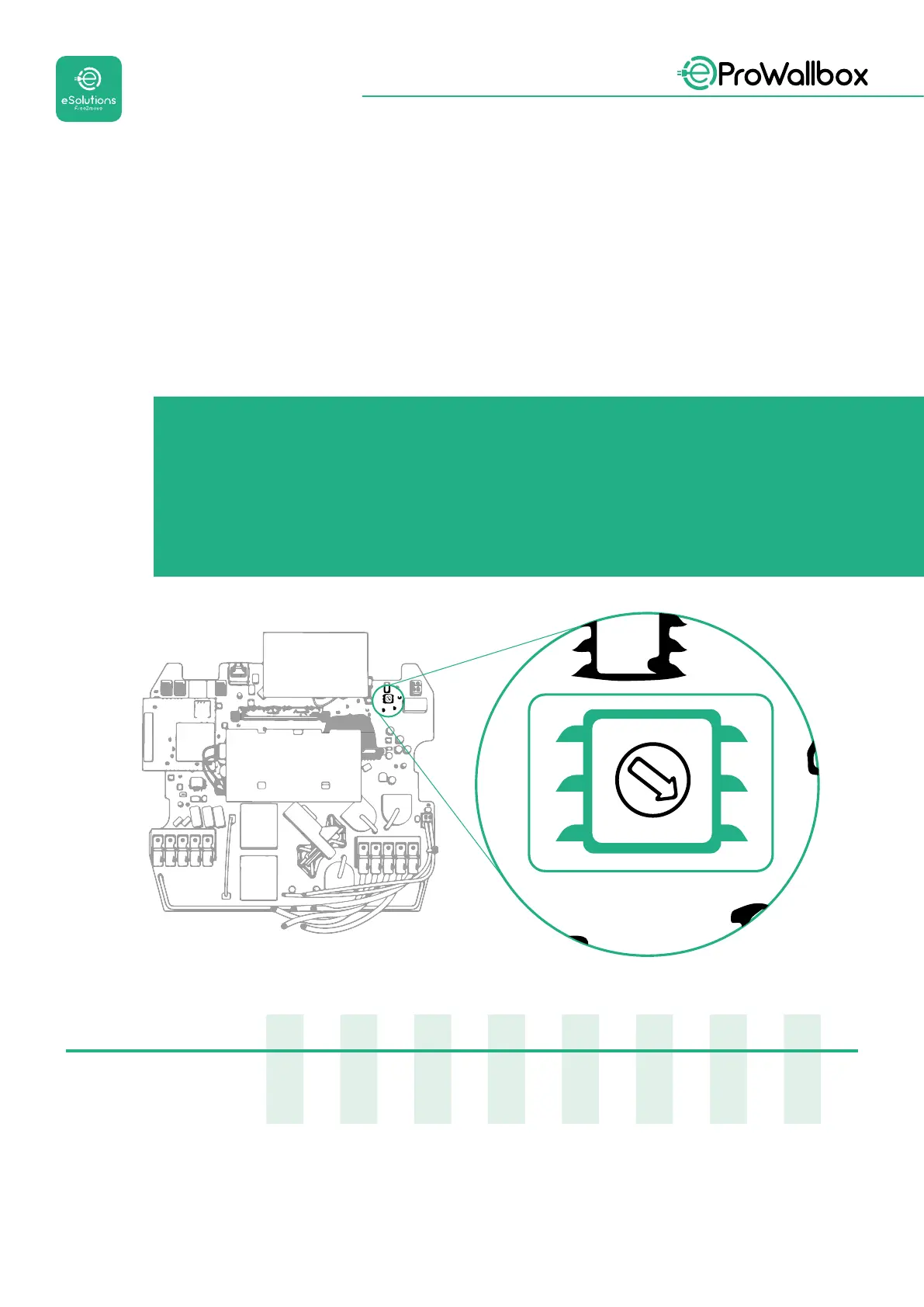
should be performed by changing the position of the Rotary Switch (SW1) according
to the table below.
NOTICE
Pay careful attention to ensure that this procedure is carried out
with the wallbox switched o.
If, for any reason, the position of the Rotary Switch is changed while
the wallbox is switched on, it must be restarted for the changes to
take eect.
0
1
2
3
4
5
6
7
8
9
A
B
C
D
E
F
Rotary Switch Position
0 1 2 3 4 5 6 7 8 9 A B C D E F
Single-phase [kW]
3.7 4.6 5.1 5.8 6.0 7.4 - - - - - - - - - -
Three-phase [kW]
- - - - - - 4.3 6.9 9.0 11.0 13.1 15.2 17. 3 19.3 20.7 22.0



 To Next Page