38
Installation Manual
3.13 Parameter conguration after installation
When the electrical installation is completed, eProWallboxneedstobecongured
through a Bluetooth connection using the dedicated installer App PowerUp,
otherwise the wallbox cannot operate correctly.
NOTICE
PowerUp is a smartphone app to be used by qualied installers only,
available via the Google Play™ and Apple Store®.
Make sure you have the latest version of PowerUp to have access to
all functionalities.
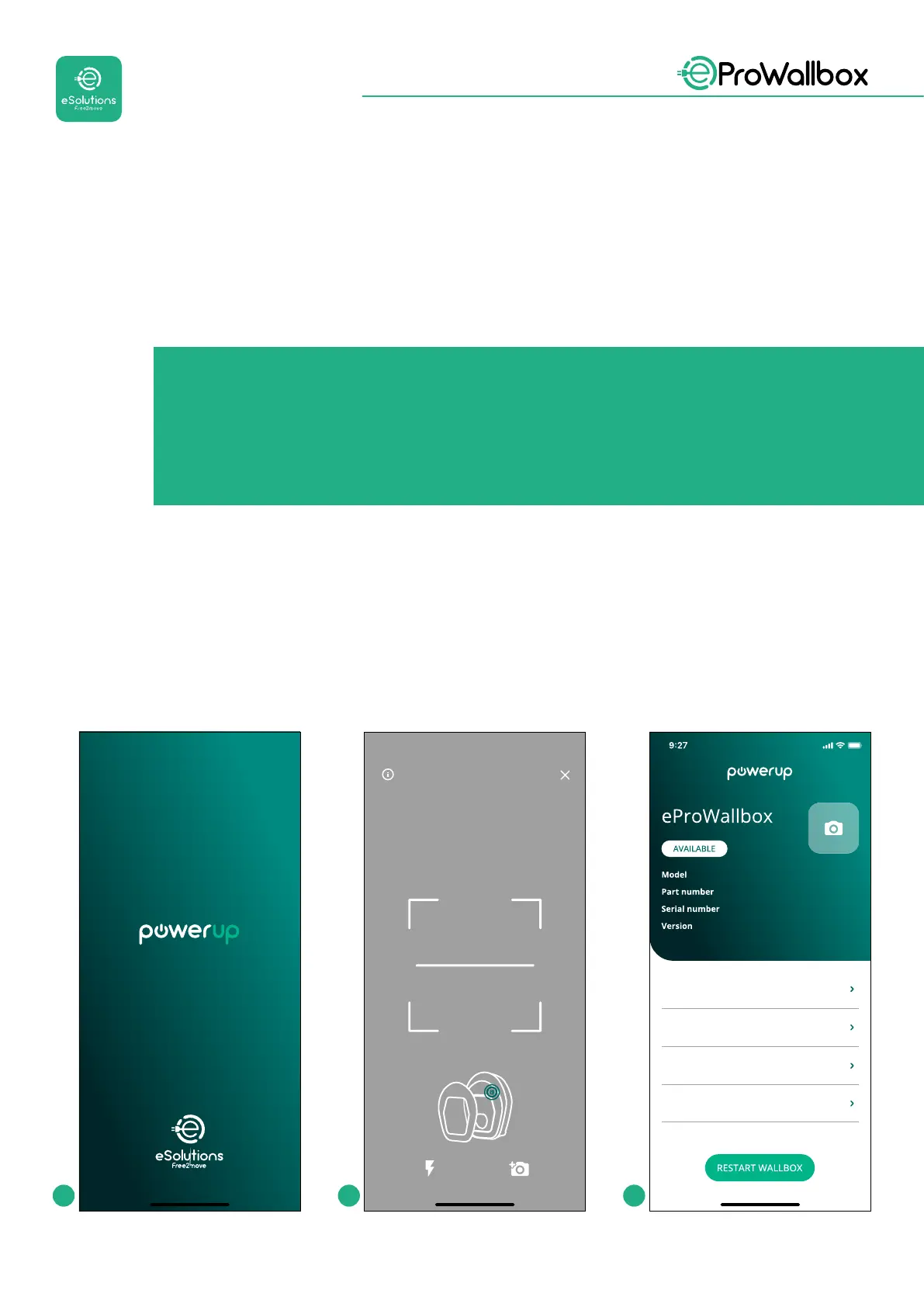
Download (1) the app to your smartphone and follow the steps below:
• Scan the wallbox QR code (2) to pair eProWallbox with the app. The QR
code can be found on the label on the front cover.
• Once inside the app, click in the homepage and select the parameter to be
congured(3).
by
Scanning will start automaticall
Scan the QR code From the
identification label
placed on the black cover
eProWallbox
F2ME.EPROXXXXXXXX
Wallbox parameters
DPM PowerMeter
Maximum power
MID counter
0000AB0123456789
2.9.1
1 2 3



 To Next Page