Section 4 Component Teardown
4-6
Console Removal
1. Disconnect the washer from the electrical supply,
remove the top panel and detergent drawer.
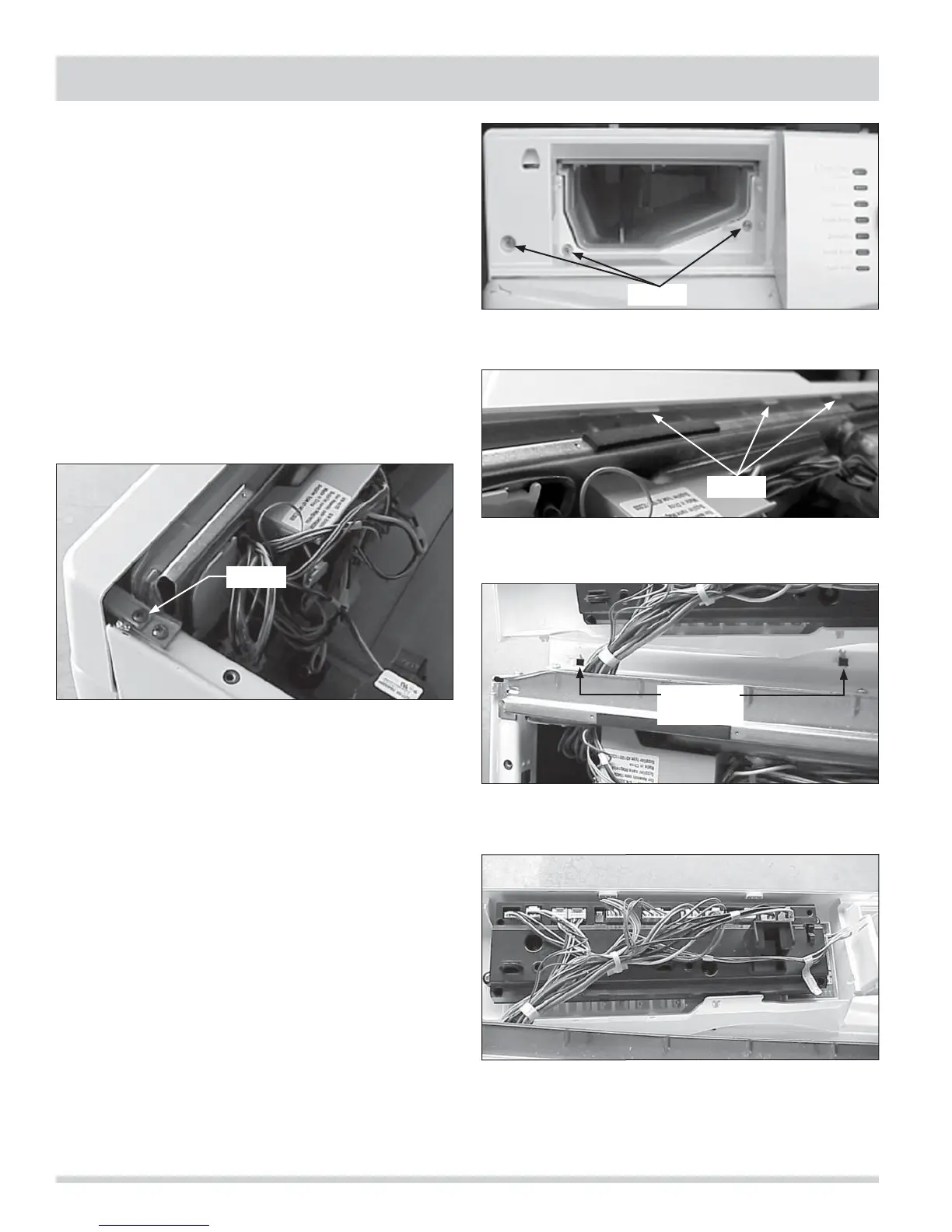
2. Remove the (2) screws, one on each end, holding
the console to the top of the side panels.
(See Figure 4-19)
3. Remove the (3) screws behind the detergent drawer
panel. (See Figure 4-20)
4. Lift the (3) tabs to release the top of console from
the mounting plate. (See Figure 4-21)
5. Roll the console forward, while lifting up to release
the bottom tabs from the front panel.
(See Figure 4-22)
6. Unplug the wiring harness from the control panel
and lift the panel off. (See Figure 4-23)
Figure 4-22. Affinity Series
Figure 4-21.
Figure 4-19.
Figure 4-20.
Figure 4-23.
Screw
Screws
Tabs
Front Panel
Tab Holes




 To Next Page