29
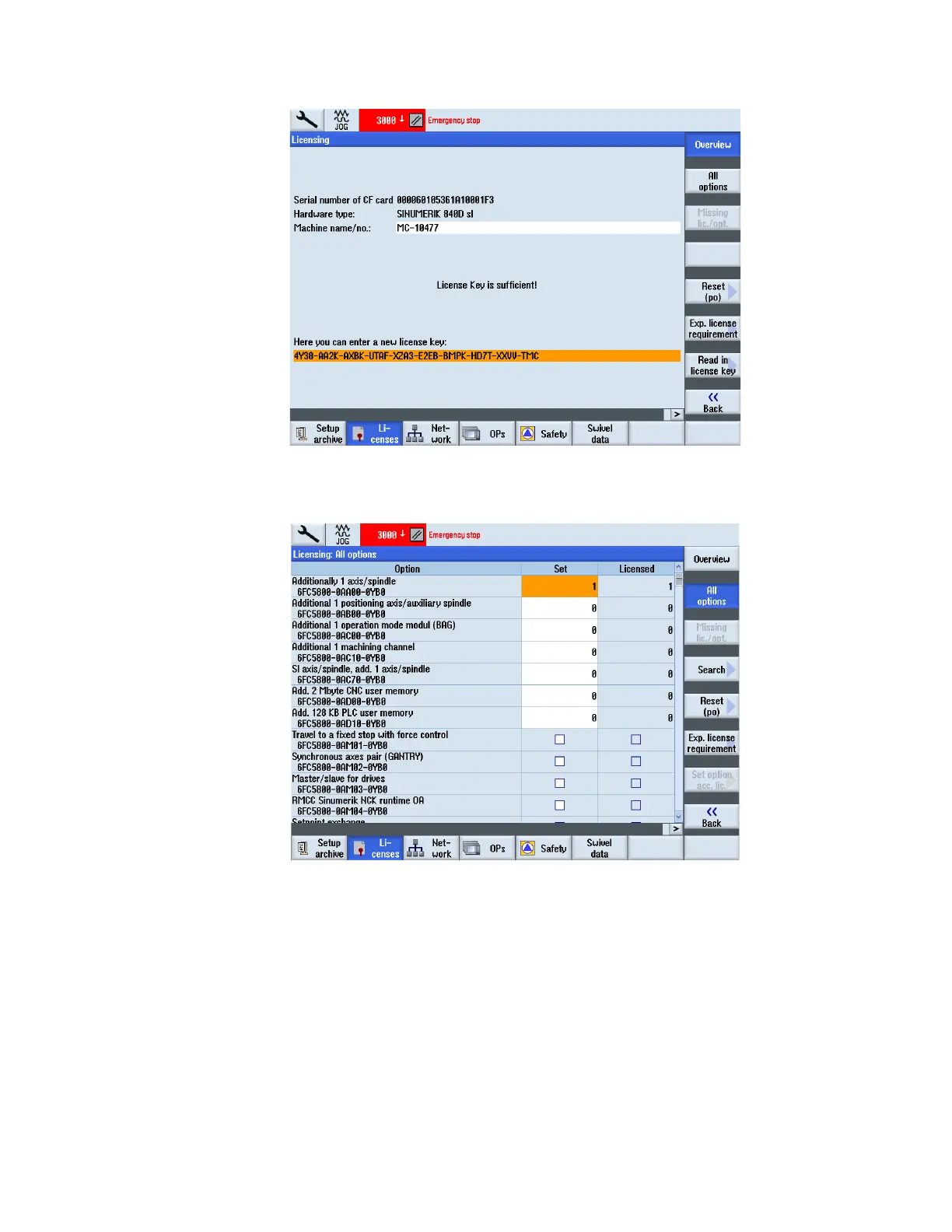
9. Follow step 1 to get to the license screen. Type in (overwriting old license key) current license key and press
input. The field is highlighted, make sure to enter correctly.
Figure 3
10. Press all options soft key
11. Search for the particular option you want to activate. Set the box with the select key. See figure 4.
Figure 4
12. Press back soft key and power machine down. When you turn the machine back on the option should be
activated.


 To Next Page