32
Installation Options
Installations will vary according to the type of connection to the vehicle, and the type of information to
be collected. The following installation options are available:
1. Using the OBD Port. See Figure 3-3 for the three types of OBD connections currently supported
by AIM2™. One of these connectors must be available for an operable OBD connection. In
addition to transaction information, OBD connections may provide all the information shown in
Table 2-1 if the vehicle is capable of sending this information to the OBD port, and the
correct software and FMU firmware are in use (see Table 3-1, Version Compatibility).
2. Using a Vehicle Speed Sensor (Odometer) Input. When an OBD connection is not possible,
connection to a vehicle speed sensor (VSS) will provide a vehicle odometer input to record the
vehicle’s mileage at the time of the transaction. The VSS cable also provides vehicle power to the
AIM2™ module.
3. Using an Analog Chronometer Input. A chronometer input need not be a physical device
connection. It may be a connection to a circuit which provides the desired input, such as a power
source which is only powered when the engine is running to capture engine run time.
Chronometer inputs may be either OBD or analog, and include engine idle time, engine run time,
and PTO (power takeoff) time. Analog inputs can only track engine run time and PTO time. Analog
inputs cannot track engine idle time. Engine idle time must be an OBD input. OBD chronometer
inputs are gathered through the OBD connection.
Up to two analog chronometer connections may be made to an AIM2™ module, and they may be
made in conjunction with an OBD connection for a total of three chronometer inputs. When used in
conjunction with an OBD connection, the AIM2™ module is powered through the OBD connector.
When an OBD connection is not available, AIM2™ power must be obtained through a speed
sensor cable connection.
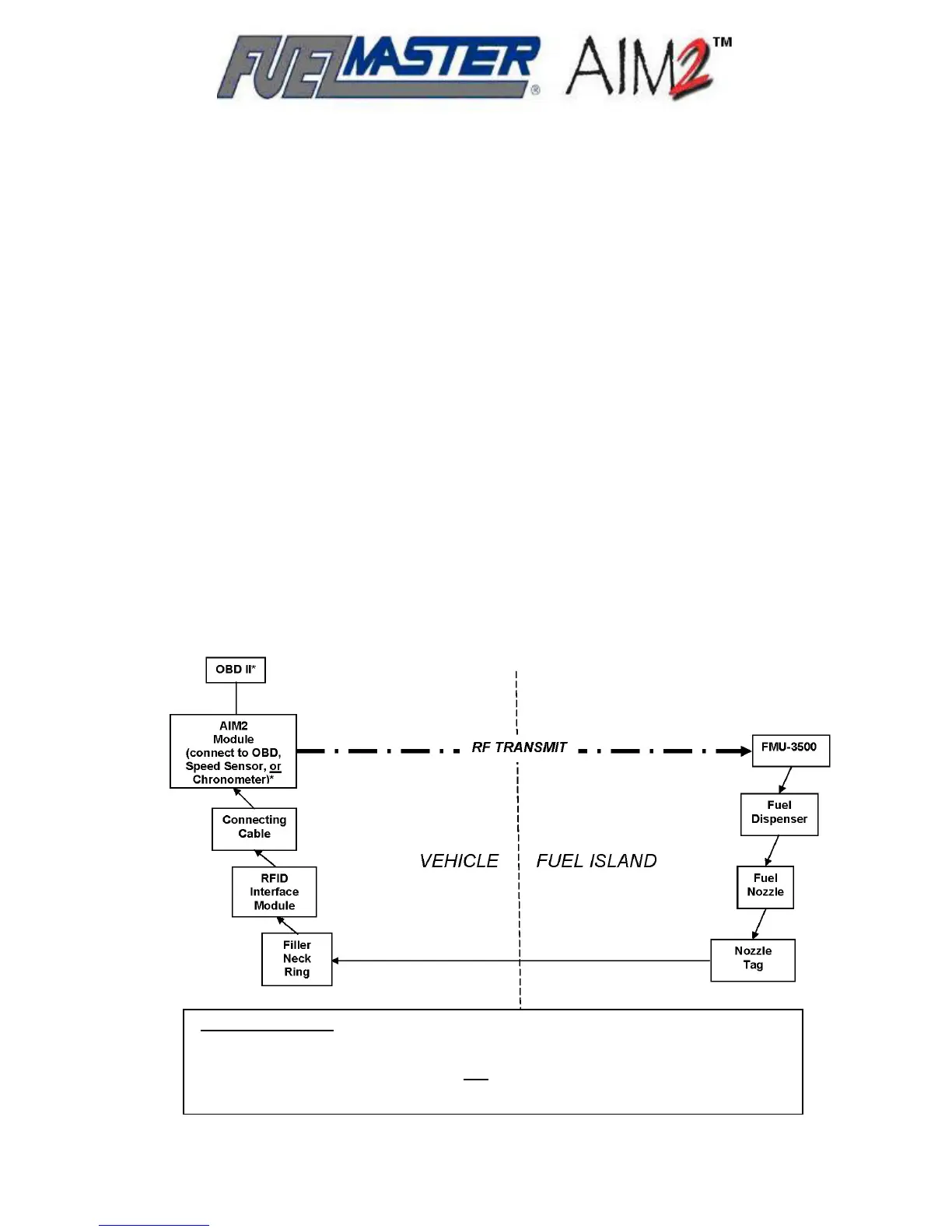
*Analog Installations
To Speed Sensor: substitute OBD II connection for connection to Speed Sensor, 12 VDC
unswitched, and 12 VDC switched with Speed Sensor cable.
To Chronometer: requires Chronometer and
Speed Sensor cable. Connect to 12 VDC
unswitched and 12 VDC switched with Speed Sensor cable, and to chronometer input
Figure 4-1. AIM2™ Connection – Flow Chart



 To Next Page