7 Problem Solving
162
Paper Jams in Tray 6 (HCF (A4 1 Tray))
This section describes how to clear paper jams occurring in Tray 6 (HCF (A4 1 Tray))
(optional).
z
Remedy differs depending on where the paper jam occurs. Follow the instructions displayed and remove the
jammed paper.
Paper Jams in Tray 6 Exit
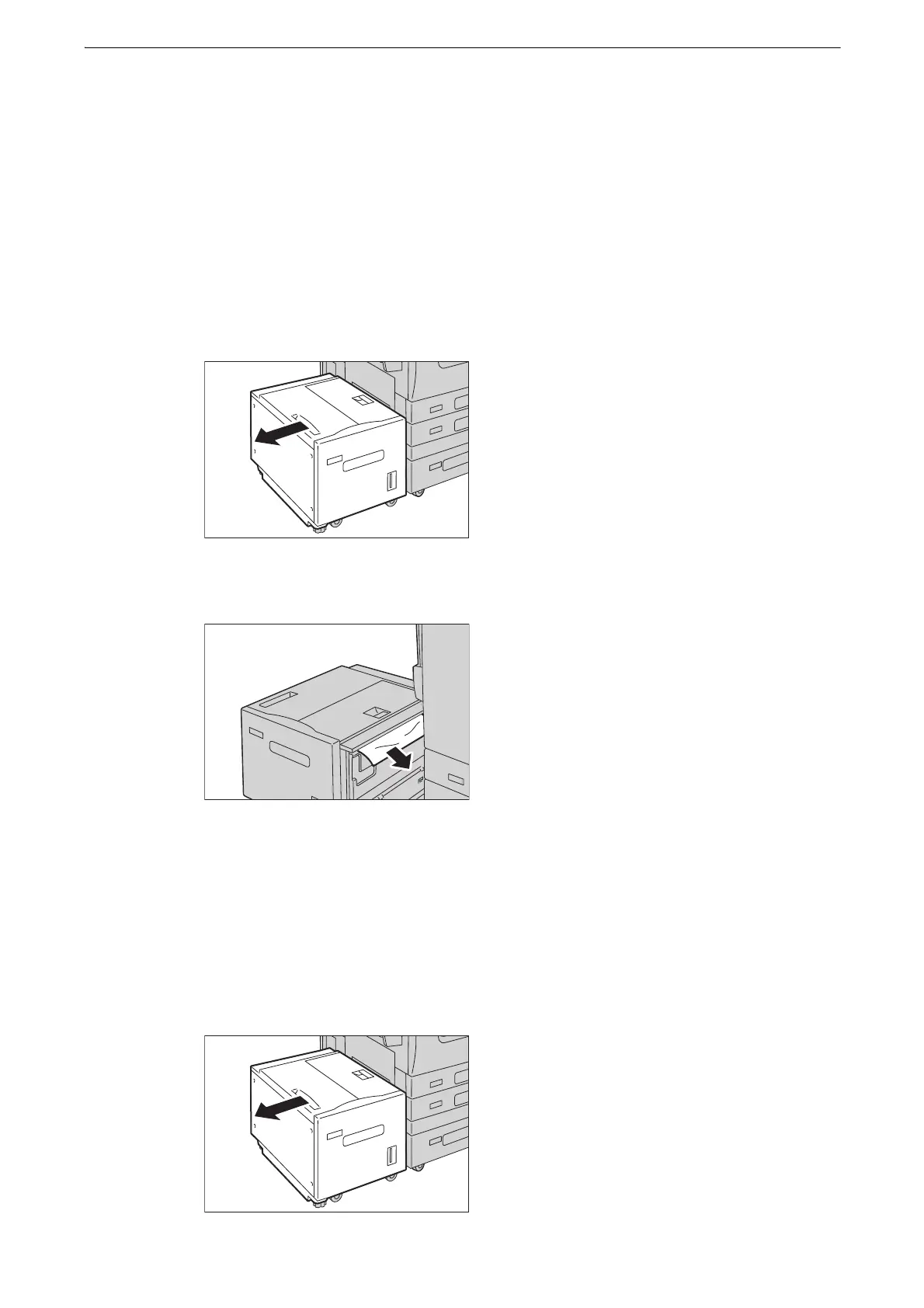
1 Gently move the Tray 6 to the left until it stops by gripping the handle on the top left side
of Tray 6.
2 Remove the jammed paper.
z
If the paper is torn, make sure no pieces of paper remain inside Tray 6.
3 Gently put the Tray 6 back into position.
Paper Jams in Tray 6 Top Cover
1 Gently move Tray 6 to the left until it stops by gripping the handle on the top left side of
Tray 6.



 To Next Page
 Loading...

