2 Product Overview
30
Device Components
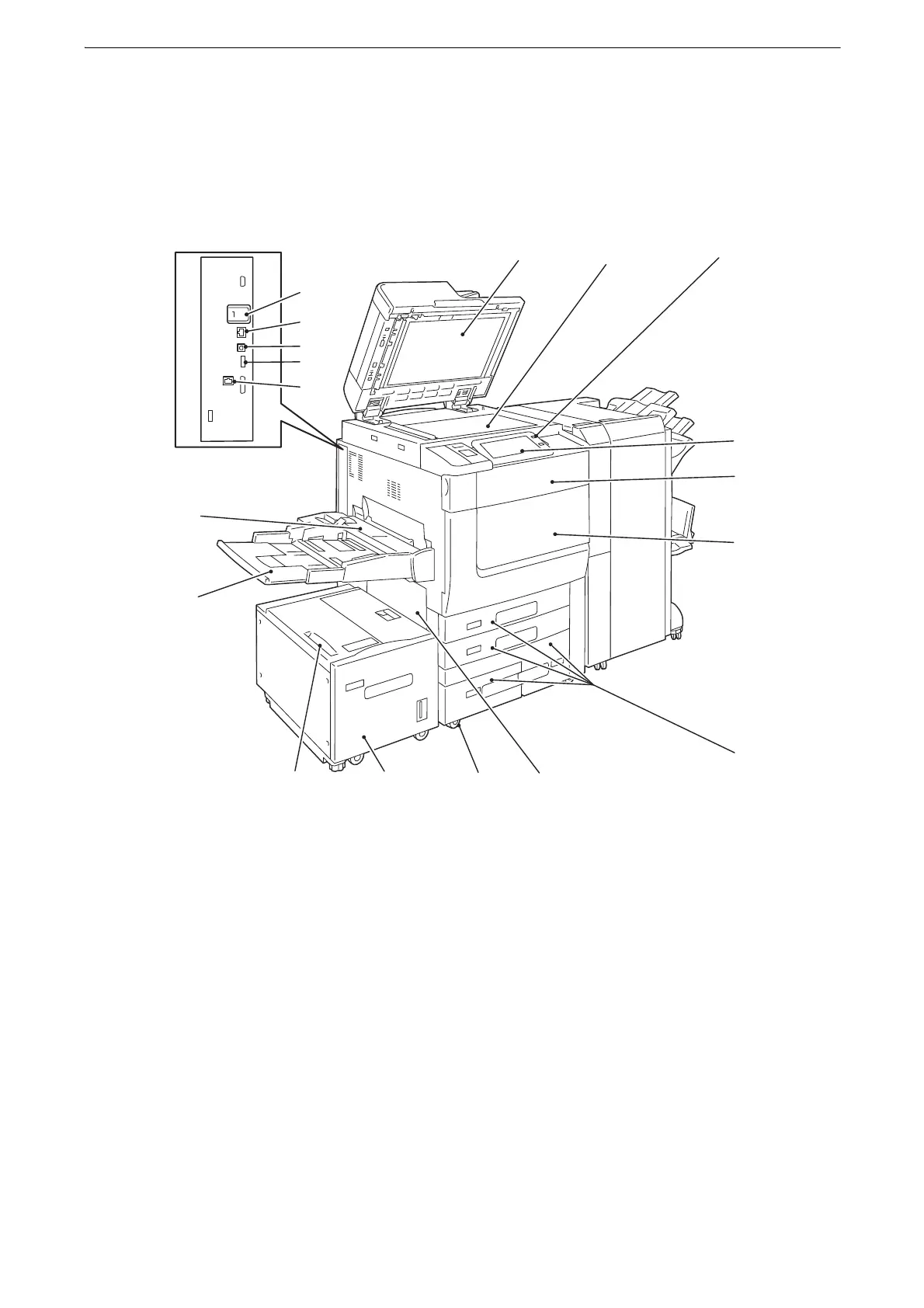
The following describes device components and their functions.
Main Body and A4 High Capacity Feeder (optional)
1Document cover
Holds a document in place.
2Document glass
Load a document here.
3 Power button
Switches the power of the device on and off. You can use the button to wake the device or
put it to the Power Saver mode.
z
Refer to "Power Source" (P.44) and "Power Saver Mode" (P.48).
4 Control Panel
Consists of operation buttons, LED indicators, and the touch screen.
z
Refer to "Control Panel" (P.54).
5 Device front toner cover
Open this cover to replace toner cartridges.
6 Device front door
Open this door to clear paper jams or replace consumables.
1 3
5
4
6
7
891011
12
13
14
16
15
17
18
2
This view varies depending
on the model you use.



 To Next Page
 Loading...

