3 Paper and Other Media
76
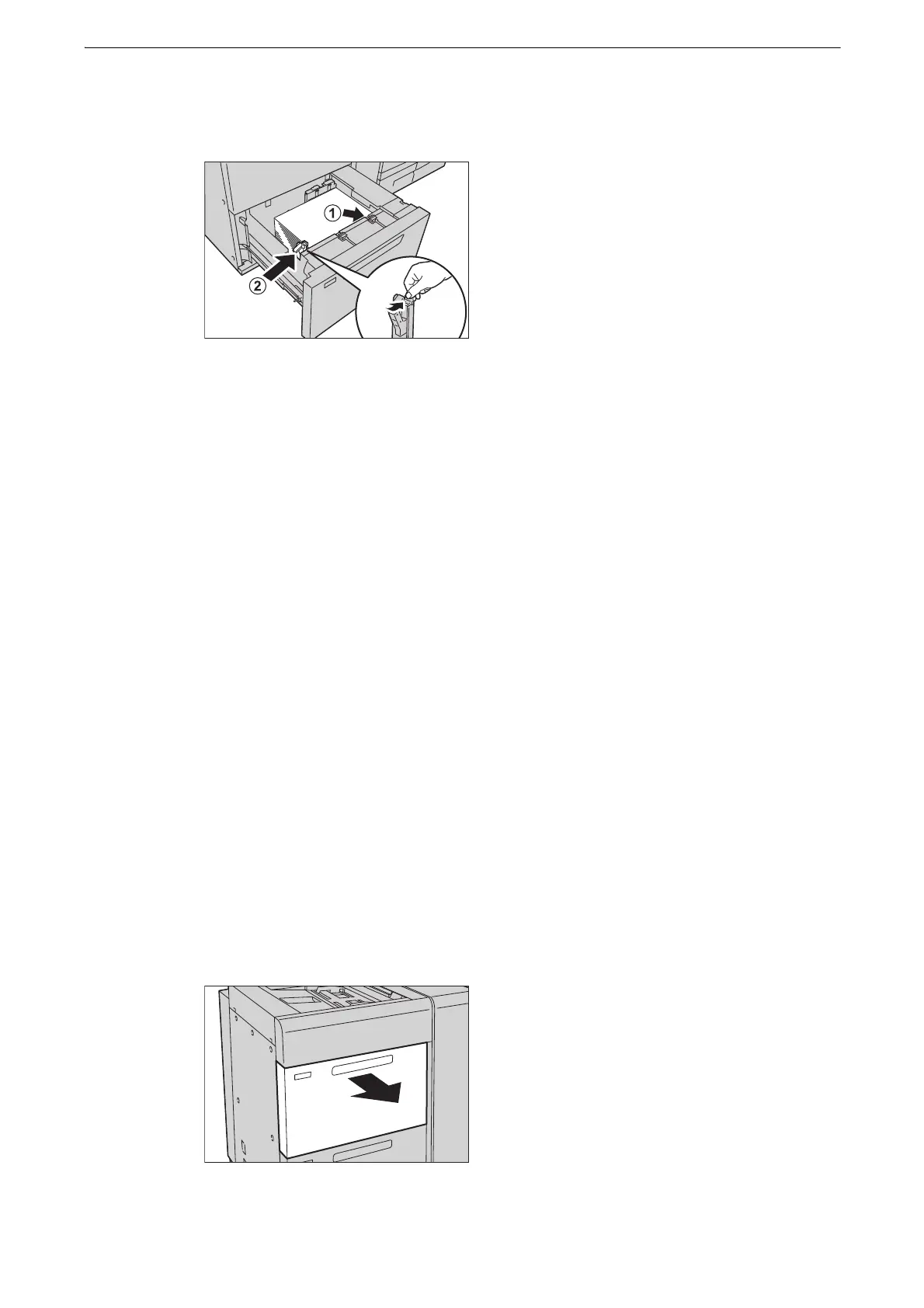
4 Likewise, load the remaining paper and align the edges of the paper in the arrow direction
(1). Hold the short-side paper guide on the left side and slide it to the desired paper size (2).
z
Do not load paper exceeding the maximum fill line. It might cause paper jams or device malfunctions.
z
If the number of sheets is 100 or less, the paper guides touch too tightly against the paper, causing the paper
to deform and resulting in paper jams.
z
Position the paper guides correctly to match the paper size. If the position of the guide is not correct, the
paper may not be fed properly, causing paper jams.
5 Push the tray in gently until it stops.
z
When pushing the paper tray in, do it slowly. If the tray is pushed with too much force, it may cause device
malfunction.
6 Specify the type of the paper loaded when you have changed the paper type.
z
For more information on paper type settings, refer to "Changing the Paper Settings" (P.89).
Loading Paper in Trays 6 and 7 (High Capacity Feeder C1-DS)
The following describes the procedure for loading paper in Trays 6 and 7 (High Capacity
Feeder C1-DS (optional)).
z
Before loading paper in a tray, fan the paper well. It prevents paper from sticking to each other and reduces
paper jams.
z
When loading heavyweight paper, be sure to adjust the position of the weight switch buttons.
1 Pull out the tray towards you until it stops.
z
While the device is processing a job, do not pull out the tray.



 To Next Page
 Loading...

