7 Problem Solving
182
Paper Jams at the Handle [3a] (Using the Knob [3b])
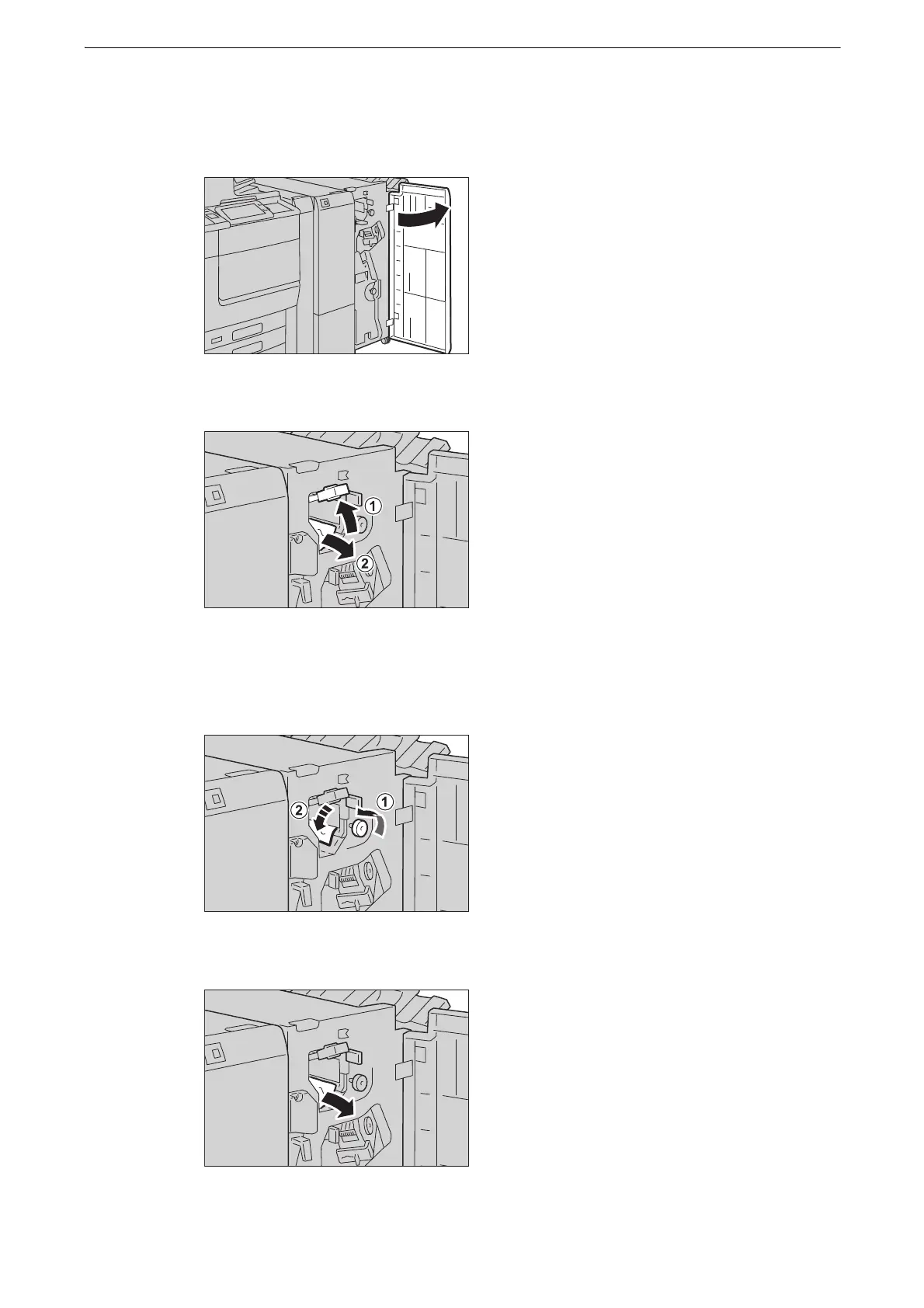
1 Open the finisher front door.
2 Move the handle [3a] upwards (1), and remove the jammed paper (2).
z
If paper is torn, check for any torn pieces of paper inside the device.
3 Turn the knob [3b] to the left (1), and eject the jammed paper (2).
4 Gently pull the paper to remove.
z
If paper is torn, check for any torn pieces of paper inside the device.



 To Next Page
 Loading...

