Fax
4
4 Fax
158
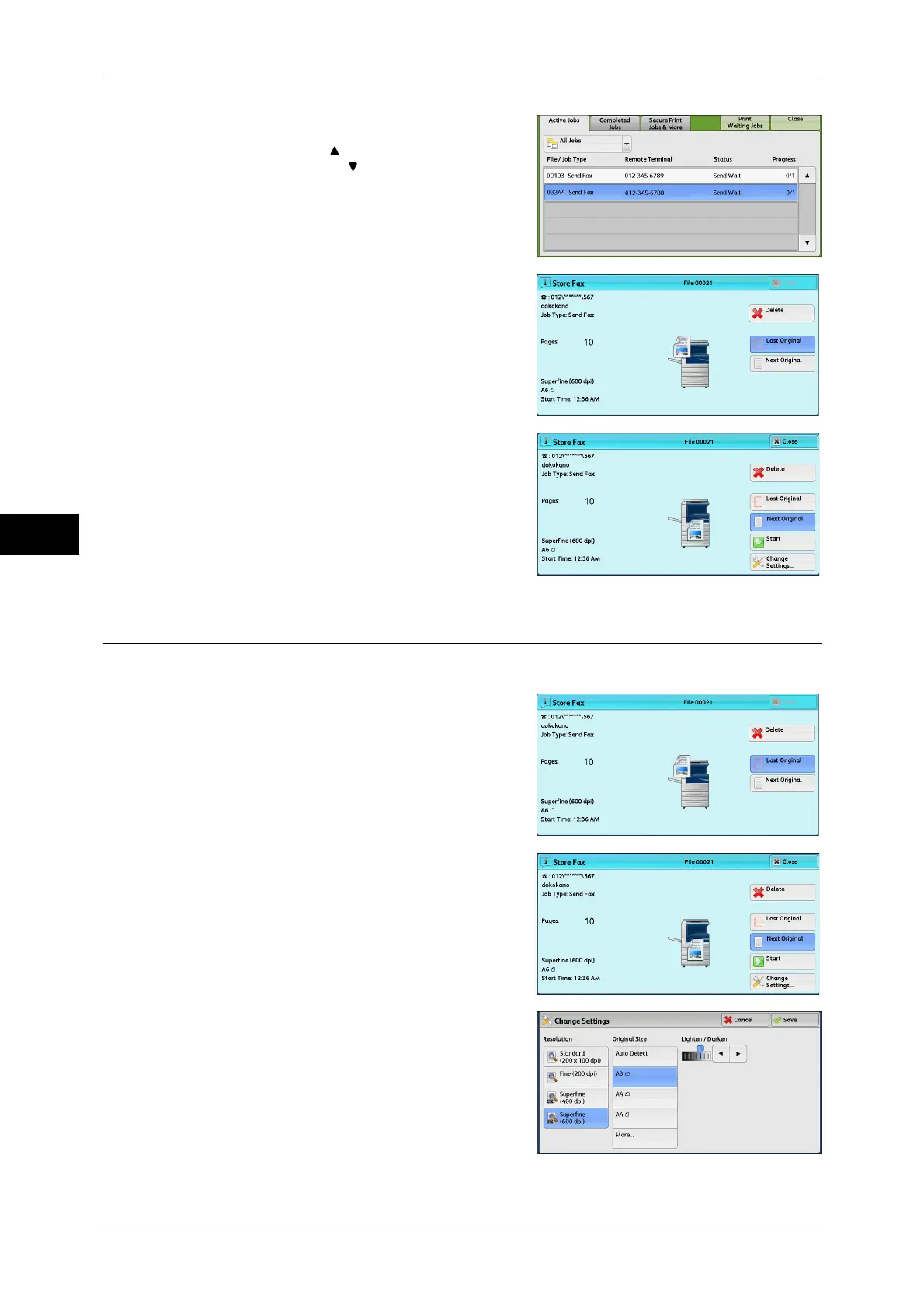
2 Select the job to cancel.
Note • Select [ ] to return to the previous
screen or [ ] to move to the next screen.
3 Select [Delete].
4 Select [Delete].
Changing the Scan Settings
You can change the scan settings while scanning a document.
1 Select [Next Original].
2 Select [Change Settings].
3 Set [Resolution], [Original Size], and
[Lighten/Darken].
For each setting, refer to "Resolution (Specifying the
Scanning Resolution)" (P.184), "Original Size
(Specifying the Scan Size for the Original)" (P.186),
or "Lighten/Darken (Adjusting Fax Density)" (P.182).



 To Next Page
 Loading...



