Fax
4
4 Fax
206
Sending to Folder (F Code Method)
When a folder is set on a remote machine, you can send a document directly to the
folder by specifying the F code (sub-address) and password (if set up) of the folder.
Obtain the F code (sub-address) and password of the remote folder in advance.
Example of specifying a destination:
F Code (sub-address) : 0 (to designate an F Code transmission) and the folder
number of a folder on the remote machine
Password (if set up) : The password of the remote folder
Secure Polling (F Code Method)
When a folder is set on a remote machine, you can perform secure polling for the folder
by specifying its F code (sub-address) and password (if set up).
If you use your machine to perform secure polling for a folder on a remote machine,
obtain the F code (sub-address) and password of the target folder.
If you use a remote machine to perform secure polling for a folder on your machine,
give the following information.
F Code (sub-address) : 0 (to designate an F Code transmission) and the folder
number of the target folder
Password (if necessary) : The password of the target folder
Note • The DTMF method is available for Remote Folder. The supported signals are numerals, "∗",
and "#" only.
A file received in the folder can automatically be printed depending on the folder settings. For
information on the folder settings, refer to "Configuring/Starting Job Flow" (P.305).
Depending on the report print settings, a Folder Report may not be printed even after a file is received in
a folder. For information on the Folder Report setting, refer to "5 Tools" > "Common Service Settings"
> "Reports" > "Folder Report" in the Administrator Guide.
For information on how to print files received in a folder, refer to "Printing Files in a Folder" (P.302).
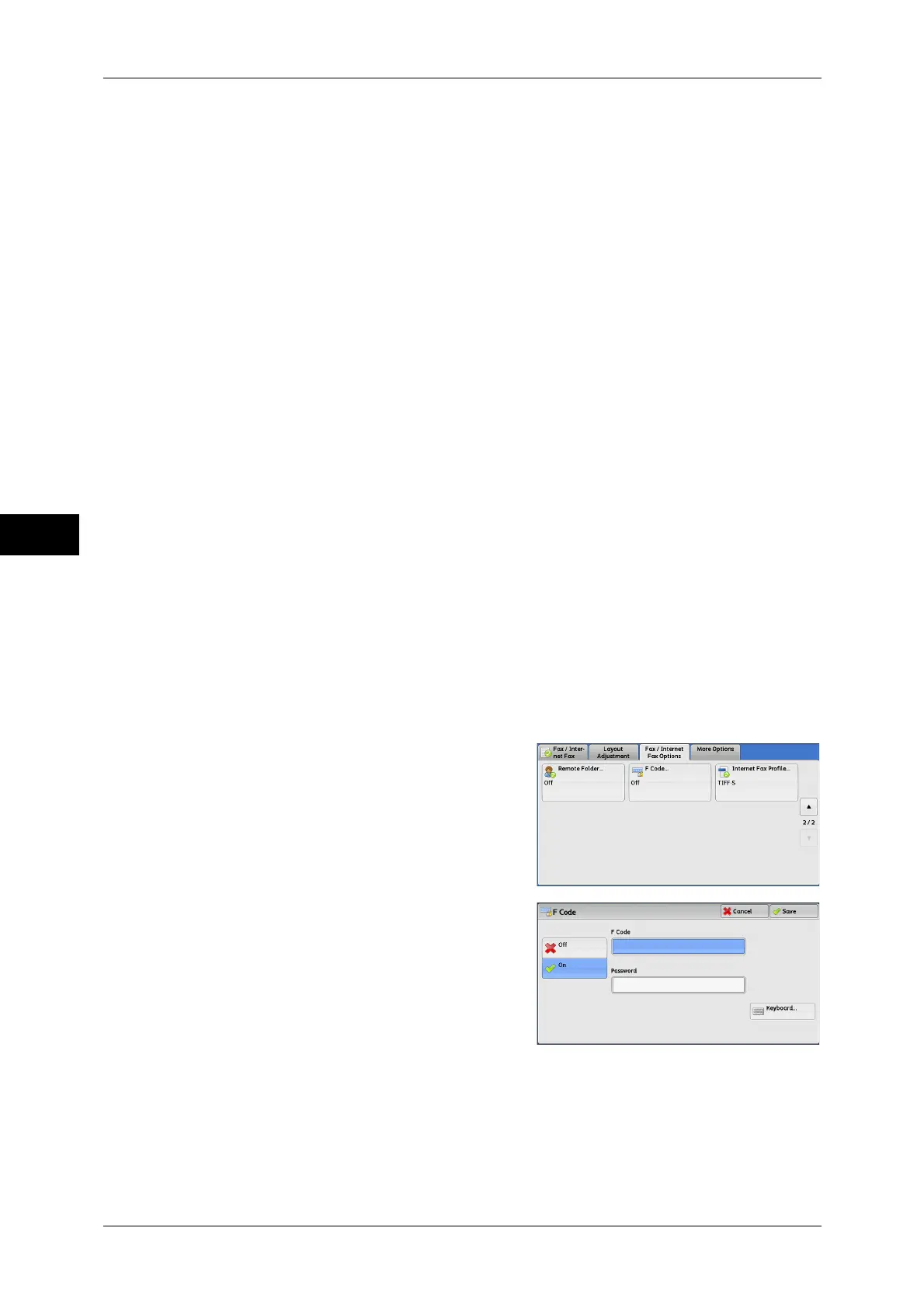
Sending to Folder (F Code Method)
1 Select [F Code].
2 Select [On].
3 Select the [F Code] box, and enter an F code using the displayed keyboard or the
numeric keypad.
Note • You can enter up to 20 digits for the F code.
4 If necessary, select the [Password] box, and enter a password using the displayed
keyboard or the numeric keypad.



 To Next Page
 Loading...



